24 Billion Credentials Leak: What Happened, Risks, and How to Recover Data

5 mins read

Updated on 2026-06-25 10:51:01 to Data Recovery

Cybernews researchers recently discovered a massive exposed database containing around 24 billion login credentials, making it one of the largest of its kind ever identified.

The discovery highlights a growing issue in cybersecurity, where stolen login data from different sources is continuously collected and reused for large-scale attacks.

In this article, I'll break down what this leak actually is, where the data likely came from, why it matters, and what risks it creates for users. I'll also explain the key steps you can take to check your exposure and protect your accounts and local data.

What Happened in the 24 Billion Credentials Leak?

In June 2026, a security researcher discovered a publicly accessible database containing around 24 billion credentials. According to Cybernews, the dataset was over 8.3 TB in size and included usernames, email addresses, plaintext passwords, and service URLs.

It was not the result of a single breach, but a collection of data gathered from at least 36 different sources, many linked to Telegram channels associated with cybercrime.

The data appears to come from a mix of infostealer malware logs, leaked databases, and other compromised systems. This means the credentials were not newly stolen, but reused and consolidated into one large archive.

While many of the records may already exist in earlier breaches, the scale and centralization of this dataset make it especially risky, as it can be easily used for automated attacks.

Why This Data Leak Is Dangerous (Even If Data Is Old)?

Even though many of the credentials in this dataset may come from older breaches, the leak is still highly dangerous due to how this type of data is used in real-world attacks.

The biggest risk is credential stuffing, where attackers automatically test stolen usernames and passwords across different websites. Because many users reuse the same passwords, even old credentials can still lead to successful account takeovers.

Another issue is scale and consolidation. Instead of scattered leak files, this database brings billions of records into one place, making it much easier and faster for attackers to search, filter, and automate attacks at scale.

In addition, users often do not change passwords after a breach unless they are directly notified. This means even years-old data can remain valid and exploitable.

How to Check If My Data Was Leaked?

There are several simple ways to find out if your data has been exposed in a breach.

Check Breach Databases Like Have I Been Pwned

One of the easiest ways to check if your data has been exposed is by using breach databases like Have I Been Pwned. These tools collect information from known data leaks and allow you to quickly see whether your email address or account details have appeared in any previous breaches.

have i been pawed

Use Your Password Manager's Security Check

Another simple way to check your exposure is by using the security check feature in your password manager. Many password managers like that in Chrome can scan your saved passwords and alert you if any of them have been found in known data breaches, helping you quickly identify weak or compromised credentials.

password manager security check

Review Account Security Alerts

Another way to spot possible exposure is to check your account security alerts. Services like Google, Microsoft, and social media platforms will notify you if they detect unusual login attempts, new device sign-ins, or suspicious activity.

These alerts can help you quickly identify when someone is trying to access your account without permission. If you see any login activity that you do not recognize, it may be a sign that your credentials have been exposed and your account is being targeted.

review account security alert

Monitor Recent Login Activity

You can also check your account's recent login history to find anything unusual. Most services, such as Google, Microsoft, and social media platforms, show details like device type, location, and login time.

Look for any sign-ins that you do not recognize. If you see unfamiliar devices or locations, it may indicate that someone else has accessed your account.

monitor recent security activity

Watch for Suspicious Emails or Password Reset Requests

Be alert for unexpected emails related to login attempts, password resets, or verification codes that you did not request. These messages can be a sign that someone is trying to access your account using your credentials.

If you receive repeated reset requests or security codes without taking any action, it may indicate that your email address or password has been exposed in a data breach.

What You Should Do After a Data Breach?

If your data has been exposed in a breach, taking immediate action can help reduce the risk of account takeover. The methods below show what you should do right away to secure your accounts.

Change Your Passwords Immediately

The first and most important step after a data breach is to change your passwords immediately, especially for email, banking, and social media accounts.

Use strong, unique passwords for each service and avoid reusing old ones. A good password should be long and hard to guess, combining letters, numbers, and symbols, such as “J9#kL2!pX7@v”, instead of simple or commonly used ones like "123456" or "password123".

Enable Two-Factor Authentication (2FA)

Another important step after a data breach is to enable two-factor authentication (2FA) on your accounts. This adds an extra layer of security by requiring a second verification step, such as a code sent to your phone or generated by an authentication app, in addition to your password.

Even if your password is exposed, attackers still cannot access your account without this second step. Make sure to turn on 2FA for important services like email, banking, and social media whenever it is available.

Recover Lost Data After a Security Incident

In addition to securing your online accounts, it is also important to consider your local data. In many cases, data breaches are linked to malware or compromised systems, which can also affect files stored on your device.

If your system becomes unstable, infected, or you lose important files during a security incident, a data recovery tool like 4DDiG data recovery can help you scan your drive and restore lost or deleted files including photos, videos, ducoments, emails and more quickly.

FREE DOWNLOAD

Secure Download

FREE DOWNLOAD

Secure Download

To recover lost data, you can try the following steps with 4DDiG:

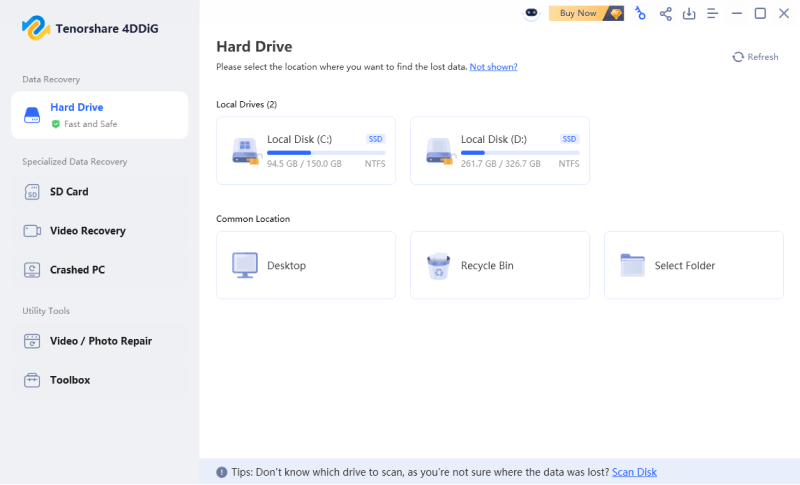
  • Download and install 4DDiG on your computer, then select the drive where your data was lost or affected. Start a scan to search for deleted, hidden, or inaccessible files that may have been impacted after a breach or system issue. launch 4ddig and enter interface
  • Use the built-in filters or search function to quickly locate specific file types or related documents. This helps you narrow down results and find what you need faster. click type to see all files 4ddig
  • Preview the files before recovery to make sure they are intact. You can double-click to view the content, then select the files you want and click "Recover" to restore them. preview and recover the files
  • Finally, choose a different storage location to save the recovered files. This helps avoid overwriting any remaining recoverable data and ensures a safer recovery process. save the recoverable files
Attention

The 24-billion credential leak and the Delhi data center fire both show that data leak/loss isn't only caused by cyberattacks, but also by physical failures and infrastructure disasters. In both cases, once data is exposed or becomes inaccessible, delays in recovery can quickly turn a recoverable situation into permanent loss.


This is why fast data backup and recovery capability matters in real-world scenarios. 4DDiG can help users quickly restore lost or inaccessible files across different types of data incidents, reducing risk and downtime when unexpected events happen.

Conclusion

The 24 billion credentials leak shows how serious modern data exposure has become, especially when stolen information is gathered from multiple sources and reused in large-scale attacks. Even old or reused data can still be dangerous due to credential stuffing.

That’s why it's important to act quickly—secure your accounts, use strong, unique passwords, and enable two-factor authentication. You should also keep an eye on your local data, since malware or system issues can lead to unexpected file loss.

If important files are lost or inaccessible, tools like 4DDiG can help you scan your device and restore deleted data. Combining good security habits with reliable recovery tools is a practical way to better protect your digital life.

William Bollson (senior editor)

William Bollson, the editor-in-chief of 4DDiG, devotes to providing the best solutions for Windows and Mac related issues, including data recovery, repair, error fixes.

(Click to rate this post)

You rated 4.5 ( participated)