NAS vs SAN: Which Storage Solution Is Right for You in 2026

5 mins read

Updated on 2026-04-17 15:36:11 to Windows Recovery Solutions

When it comes to choosing the right storage solution, many users struggle with the NAS vs SAN debate. Both technologies are widely used for data storage, but they serve different purposes depending on performance needs, scalability, and budget.

Whether you’re a small business owner or an IT professional, understanding how NAS and SAN differ will help you make a smarter, long-term storage decision.

nas vs san

What Is NAS?

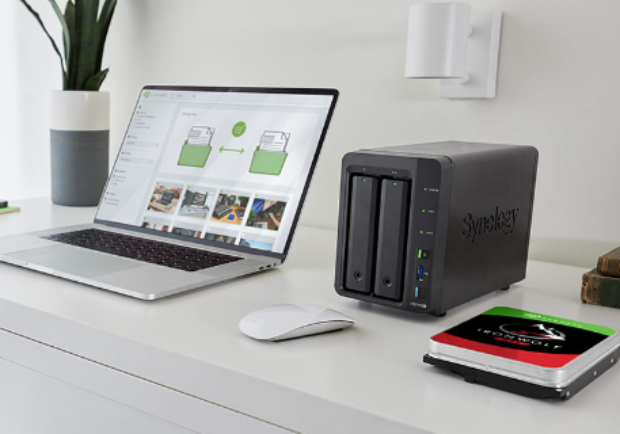
Before comparing technologies, it’s essential to understand what is NAS. NAS, or Network Attached Storage, is a file-level storage system connected to a network, allowing multiple users and devices to access shared data easily.

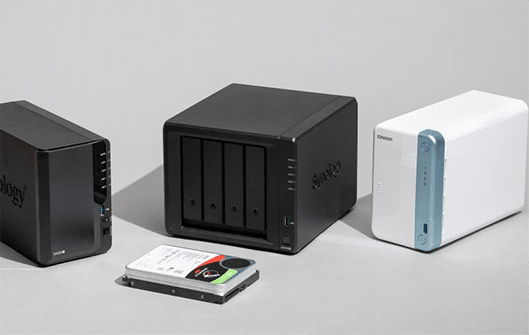
NAS devices act like centralized file servers, making them ideal for homes, small offices, and teams that need simple file sharing without complex infrastructure. They typically include multiple hard drives configured with RAID for redundancy and data protection.

Key features of NAS include:

  • File-based storage accessible over a network
  • Easy setup and management
  • Support for multiple users simultaneously
  • Built-in operating systems for file management
  • Ideal for backups, media storage, and collaboration

NAS is often considered the more user-friendly option in the SAN vs NAS difference comparison because it doesn’t require advanced technical expertise.

What Is SAN?

While NAS focuses on simplicity, SAN (Storage Area Network) is designed for high-performance environments. SAN is a block-level storage system that connects servers to storage devices through a dedicated high-speed network.

Unlike NAS, SAN doesn’t appear as a shared folder. Instead, it provides raw storage volumes that servers can use as if they were local drives. This makes SAN ideal for enterprise-level applications requiring speed, reliability, and low latency.

Key features of SAN include:

  • Block-level storage for faster performance
  • Dedicated network (separate from regular LAN)
  • High-speed connections such as Fibre Channel or iSCSI
  • Used in data centers and enterprise environments
  • Supports mission-critical applications like databases and virtualization

SAN systems are more complex but offer significantly higher performance compared to NAS.

How NAS and SAN Work?

To fully understand the two different storage media, it’s important to look at how each system operates behind the scenes.

How Does NAS Work?

NAS works by connecting directly to your existing network (router or switch). It stores files and allows access using standard file-sharing protocols.

  • Users access files via network paths.
  • Data is stored and managed at the file level
  • Supports protocols like SMB, NFS, and FTP
  • Multiple users can read/write files simultaneously

In simple terms, NAS acts like a shared drive accessible to everyone on the network.

How Does SAN Work?

SAN operates differently by creating a dedicated high-speed network for storage communication.

  • Storage is presented as raw disk volumes
  • Servers manage the file system, not the SAN
  • Uses high-speed protocols like Fibre Channel or iSCSI
  • Provides extremely low latency and high throughput

This design allows SAN to deliver superior performance, especially for enterprise workloads.

Key Differences Between NAS and SAN

Understanding the real-world differences between NAS and SAN helps clarify which solution fits your needs. Below are the most important comparisons in the NAS vs SAN speed and performance discussion.

NAS Storage vs SAN Storage

NAS uses file-level storage, meaning files are stored and accessed as complete units. This makes it easy to use and manage, especially for general file sharing and backups.

SAN uses block-level storage, where data is split into blocks and managed by servers. This allows faster processing and better performance for applications like databases.

NAS Drive vs SAN Drive

NAS drives are typically standard HDDs or SSDs configured within a NAS enclosure, often using RAID for redundancy and reliability. They are designed for continuous operation in network environments.

SAN drives, on the other hand, are part of enterprise-grade storage arrays. These drives are optimized for high-speed access and often use advanced technologies for performance and fault tolerance.

NAS Cost vs SAN Cost

NAS is generally more affordable, making it suitable for home users and small businesses. The cost includes the device and storage drives, with minimal setup expenses.

SAN is significantly more expensive due to specialized hardware, dedicated networking equipment, and professional setup requirements. It is typically used by large enterprises with higher budgets.

NAS Performance vs SAN Performance

NAS performance depends on network speed and can be limited in high-demand environments. It works well for general tasks but may struggle with heavy workloads.

SAN offers superior performance with low latency and high-speed data transfer. It is ideal for applications requiring real-time processing and large-scale data operations.

NAS Protocols vs SAN Protocols

NAS relies on file-based protocols such as SMB, NFS, and FTP, which are easy to configure and widely supported across devices.

SAN uses block-level protocols like Fibre Channel and iSCSI, which provide faster communication but require specialized knowledge and infrastructure.

NAS Scalability vs SAN Scalability

NAS scalability is limited compared to SAN, although modern systems allow expansion by adding more drives or units.

SAN is highly scalable and can handle massive storage expansions, making it ideal for growing enterprises and data centers.

Pros & Cons of NAS and SAN

Both solutions offer distinct advantages and limitations. Choosing between them depends on your specific requirements.

Benefits and Limitations of NAS

Let's start with NAS first:

  • Benefits:
  • Limitations:
    • Easy to set up and manage
    • Cost-effective storage solution
    • Supports multiple users and devices
    • Ideal for file sharing and backups
    • Lower maintenance requirements
    • Limited performance for high-demand workloads

    • Dependent on network speed

    • Less scalable than SAN

    • Not suitable for enterprise-level applications

Benefits and Limitations of SAN

Now we will have a look at SAN:

  • Benefits:
  • Limitations:
    • Extremely high performance and speed
    • Low latency for critical applications
    • Highly scalable for large environments
    • Reliable and robust architecture
    • Ideal for databases and virtualization
    • Expensive setup and maintenance

    • Requires specialized expertise

    • Complex infrastructure

    • Overkill for small businesses or home users

When to Use NAS and SAN?

Choosing between NAS and SAN depends on your use case, budget, and technical requirements.

When to Use NAS?

NAS is the right choice for you when:

  • Need simple file sharing across devices
  • Run a small business or home office
  • Want an affordable storage solution
  • Require backup and media storage
  • Prefer easy setup without technical complexity

When to Use SAN?

SAN is ideal for you when:

  • Manage enterprise-level applications
  • Need high-speed data access and processing
  • Run databases or virtualization environments
  • Require large-scale storage scalability
  • Have the budget and expertise for complex systems

⚡ How to Recover Data from a NAS Device?

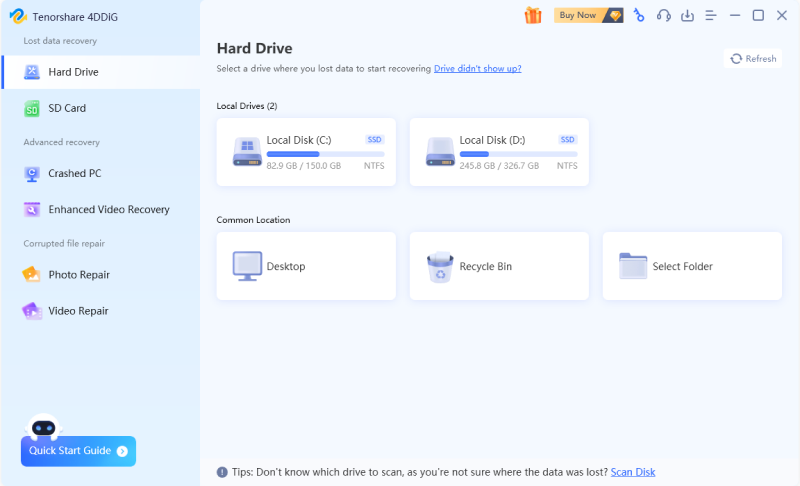
Data loss can occur in both NAS and SAN environments due to hardware failure, accidental deletion, or system corruption. In such cases, professional recovery tools like 4DDiG Data Recovery can help retrieve lost data efficiently.

With support for major NAS brands like Synology, QNAP, and Asustor, 4DDiG can connect directly to your device over the network without requiring you to remove the hard drives.

It performs deep scans to locate lost, deleted, formatted, or inaccessible files and supports recovery of over 2000 file types, including photos, videos, doc

uments, and more.

Whether you're dealing with accidental deletion or more complex NAS issues, 4DDiG provides a fast, user-friendly, and efficient way to recover your valuable data.

FREE DOWNLOAD

Secure Download

FREE DOWNLOAD

Secure Download

  • Get 4DDiG installed on your computer, open it, and go to the "NAS Data Recovery" option.

    4ddig nas data recovery interface
  • If your NAS is automatically recognized, move on to the next step. Otherwise, manually enter the required NAS details and click "Connect Now" to establish a connection.

    enter nas information to connect
  • After a successful connection, your NAS information will appear. Select the specific location where your data was lost.

    select a location on nas
  • The tool will start scanning, which may take a few minutes. Once finished, use the Filter or Search function to quickly locate the files you need.

    scan nas device
  • Preview the files to confirm they’re correct, then click "Recover" and save them to a secure destination.

    recover nas files

FAQs About NAS and SAN

Q1: Which is better for a small business: NAS or SAN?

For most small businesses, NAS is the better choice because it is affordable, easy to set up, and sufficient for file sharing and backups. SAN is typically unnecessary unless high performance is required.

Q2: Which is better, NAS or SAN?

Neither is universally better. NAS is ideal for simplicity and cost-effectiveness, while SAN excels in performance and scalability. The best option depends on your specific needs and environment.

Q3: Is SAN more expensive than NAS?

Yes, SAN is generally much more expensive than NAS. It requires specialized hardware, dedicated networks, and a professional setup, making it suitable mainly for large organizations.

Q4: Is Synology a SAN or NAS?

Synology primarily offers NAS devices designed for home and business use. However, some advanced models can support SAN-like features using iSCSI configurations.

Conclusion

The NAS vs SAN comparison ultimately comes down to your specific requirements. NAS is ideal for affordability, ease of use, and everyday storage needs, while SAN delivers unmatched performance and scalability for enterprise environments. Understanding these differences ensures you invest in the right solution.

If data loss occurs, tools like 4DDiG NAS Data Recovery provide a dependable way to recover files from NAS systems and other storage devices, helping you protect valuable data and maintain business continuity.

FREE DOWNLOAD

Secure Download

FREE DOWNLOAD

Secure Download

William Bollson (senior editor)

William Bollson, the editor-in-chief of 4DDiG, devotes to providing the best solutions for Windows and Mac related issues, including data recovery, repair, error fixes.

(Click to rate this post)

You rated 4.5 ( participated)