Top 10 XVID Converters: Free & Paid Options for Seamless Video Conversion

XviD is a popular MPEG-4 Part 2 video codec still found in many AVI files and older downloads. While it offers solid compression and decent quality, XviD isn't always ideal for modern devices, streaming sites, or editing apps. That's why many users convert their files into MP4/H.264, HEVC, or other modern formats using a dedicated X vid converter. In this article, you'll find the best Xvid video converter tools, desktop, online, and mobile, to convert without quality loss.
Part 1. What Is XVID Video Codec & Its Supported Video Formats
Xvid video codec (also written as XVID or XviD) is a popular open-source MPEG-4 Part 2 video codec used to compress video files while maintaining good visual quality. During the pre-HD era, Xvid became widely adopted for DVD rips, online video sharing, and AVI-based media players due to its ability to offer small file sizes and fast encoding speeds.
Unlike proprietary codecs like DivX, XviD is completely free, flexible, and cross-platform, making it a favorite among video enthusiasts and users of legacy devices. Although modern codecs like H.264 and HEVC have largely replaced it, Xvid videos still appear in many older archives, camcorder recordings, and download libraries.
What Video Formats Work With Xvid? (Containers)
Xvid is a codec, not a container. So you'll usually see it inside common video containers such as:
- AVI (about 95% of Xvid videos) is the most common pairing for legacy video libraries
- MKV is used when Xvid is muxed with multiple audio/subtitle tracks
- MP4 is less common with Xvid, but still possible
- OGV/OGM (Ogg Video containers) niche but supported by some tools
- Other older containers that can store MPEG-4 Part 2 video
Because newer platforms prefer H.264/H.265/AV1, an AVI Xvid converter or general Xvid converter freeware helps you re-encode for better compatibility.
Part 2. Quick Comparison Table of XVID Converters
Here's a quick overview before we dig into each tool. Speed is relative and assumes an average modern PC and local files.
Part 3. Top 10 Best Free XVID Converters (Most Users' Choices)
Here are the 10 most popular free XviD converters that users rely on for fast, smooth, and high quality format changes. Each tool is picked for a specific need, such as desktop, online, mobile, beginner use, or advanced workflows.
- 1. WinX HD Video Converter Deluxe (Winxvideo AI) — Best XVID Video Converter Overall
- 2. HandBrake — Best Open-Source & Free XVID Converter
- 3. Convertio — Best Online XVID Converter
- 4. FreeConvert XVID Converter Online Free
- 5. XVID Video Codec Player APK — Free XVID Video Converter for Android
- 6. Shutter Encoder — Best for XVID to H.264 / Modern Codecs
- 7. FFmpeg — Best Free XVID to MP4/AVI Converter
- 8. VideoProc Converter AI — Best XVID Converter With AI Enhancement
- 9. Format Factory — Best AVI to XVID Converter
- 10. Freemake Video Converter — Best DVD to XVID Converter (Beginner-Friendly)
1. WinX HD Video Converter Deluxe (Winxvideo AI) — Best XVID Video Converter Overall
WinX HD Video Converter Deluxe (now called Winxvideo AI) is a fast, all-in-one XviD converter. It lets you change old XviD videos into MP4, MKV, H.264, or HEVC (and back) without hard settings. It uses GPU speed, so conversions are quick and the quality stays good. It works great for both one-time files and big batch conversions.
Key features
- Converts Xvid AVI to MP4/MKV/H.265 and more.
- Lets you convert MP4 to Xvid or convert MKV to Xvid for old devices.
- AI enhancement, denoise, stabilization, and compression.
- Batch conversion and basic editing (trim, crop, merge).
- Record screen/webcam up to 4K 60fps
- Full GPU acceleration for fast transcoding
Supported formats: AVI (Xvid/DivX), MP4, MKV, MOV, M4V, FLV, WMV, VOB, OGV/OGM, TS/M2TS, HEVC/H.265, H.264, AV1, GoPro/Drone/Camera footage, plus hundreds more.
- Pros
- Cons
-
- Extremely fast conversions with GPU acceleration.
- Great balance between quality and compression size.
- Excellent for modernizing old Xvid collections.
- Beginner-friendly presets plus advanced options.
-
- Full functionality requires a paid license (trial has limits).
- AI features can be heavy on low-end hardware.
2. HandBrake — Best Open-Source & Free XVID Converter
HandBrake is a free video converter for Windows, Mac, and Linux. It supports XviD/AVI and many other formats, then converts them to modern file formats like MP4 or MKV. It features easy presets for quick use, along with additional settings for those who want more control. It's especially useful for converting legacy Xvid videos into MP4 or MKV for smooth playback today.
Key features
- Windows, macOS, Linux support
- Built-in device and quality presets
- Batch scan and encode queue
- Constant quality or average bitrate modes
- Deinterlace, denoise, crop, scale, and other filters
- Subtitles, chapter markers, and preview
- Optional hardware-accelerated encoding
Supported formats: AVI, MP4, MKV, MOV, etc. Output: MP4/MKV with H.264/H.265/AV1 (depending build).
- Pros
- Cons
-
- Completely free, no watermarks
- Robust, regularly maintained open-source project
- Handles a huge variety of sources
- Fine-grained control over quality and bitrate
- Great presets for quick results
-
- No simple "one-click Xvid" output profile
- Interface can feel technical to beginners
- Doesn't process copy-protected DVDs/Blu-rays
3. Convertio — Best Online XVID Converter
Convertio Xvid Video Converter is one of the most reliable web-based tools for converting XVID files to MP4 and other formats quickly and efficiently. It works entirely online, requiring no software installation, and provides fast processing through cloud conversion. It features a simple drag-and-drop layout, supports various video formats, and allows you to convert multiple files simultaneously. It's quick and beginner-friendly.
Key Features
- 100% online XVID to MP4 converter
- Drag-and-drop upload interface
- Fast cloud-based conversion
- Batch video conversion
- Works on all devices (Windows, Mac, Linux, mobile browsers)
- Integration with Google Drive & Dropbox
- Secure auto-deletion of uploaded files
- No installation or system requirements
Supported Video Formats: XVID, MP4, AVI, MKV, MOV, WMV, FLV, MPEG/MPG, M4V, 3GP, 3G2, WEBM, OGV, TS, MTS/M2TS, VOB, DIVX, RM/RMVB, MXF, DV, AV1, HEVC (H.265), AVCHD, and more.
- Pros
- Cons
-
- Easy to use with fast uploads
- Wide format support
- Cloud conversion saves device resources
- Batch conversion improves workflow
- Customizable output settings
- Accessible from any browser
-
- The free plan has file size and daily limits.
- Conversion speed depends heavily on your connection.
- Privacy concerns if uploading sensitive content.
4. FreeConvert XVID Converter Online Free
FreeConvert XviD Converter is a simple online tool you use in your browser. It can convert XviD videos to 500+ formats. You can upload files up to 1GB for free, pick the format you want, and adjust settings if needed. The conversion is fast, and the site protects your files with strong security and auto-deletes them after a short time. It's a good choice for quick and safe online conversion.
Key Features
- Supports 500+ file formats
- Advanced settings for fine-tuning output quality
- Up to 1GB file size on free plan (higher with signup)
- Works on all browsers and devices
- 256-bit SSL encryption for file protection
- Files auto-deleted after a few hours
Supported Video Formats: MP4, AVI, MKV, MOV, WMV, FLV, WEBM, 3GP, plus device-ready options like iPhone, Android, iPad, Xbox, PSP, Kindle Video, and more.
- Pros
- Cons
-
- Completely free to use
- Supports a huge range of formats
- Strong security and privacy protections
- Simple interface with no install required
- Large max upload size (1GB)
-
- Limited by your upload bandwidth.
- The free version has some restrictions and queue times.
- Occasional queue delays during peak times
5. XVID Video Codec Player APK — Free XVID Video Converter for Android
XVID Video Codec Player APK is a free, lightweight Android app for playing and converting XviD videos. It works without extra plugins and supports many video and audio formats. You can adjust sound with an equalizer, mute, or fix audio delay, and it has a night mode for easy viewing. It plays videos from low quality up to 4320p. The app is simple to use, but its design appears outdated, and it currently doesn't support offline subtitles.
Key Features
- Plays XVID videos without additional codecs
- Converts and plays multiple media formats
- Supports 240p–4320p video playback
- 10-frequency equalizer with 12 presets
- One-touch audio mute
- Audio delay sync for perfect A/V alignment
- Night Mode for low-light viewing
Supported Video Formats: XVID, AVI, MKV, MP4, plus wide audio support including AAC, FLAC, MP3, WMA.
- Pros
- Cons
-
- Plays many formats without plugins
- Handles very low to ultra-high resolutions
- Useful audio tools (EQ, mute, delay)
- Night Mode is easy on the eyes
-
- No subtitle support
- The interface looks plain/tacky to some users
- The layout could be cleaner and more modern
6. Shutter Encoder — Best for XVID to H.264 / Modern Codecs
Shutter Encoder is a free desktop video converter that uses FFmpeg. It's great for turning XviD/AVI videos into newer formats like H.264, H.265 (HEVC), VP9, or AV1. You can control quality, bitrate, audio, and file type, or just use presets. It also supports batch converting, changing containers without losing quality, and basic repair tools. Many editors trust it, and it works well for serious video tasks.
Key Features
- Convert to modern codecs: H.264, H.265, H.266, VP9, AV1
- Legacy codec support including XVID, MPEG-2, DV, WMV
- Cut, merge, conform, rewrap without re-encoding
- Replace audio, extract audio, create subtitles
- Professional editing codecs: DNxHD, ProRes, CineForm
- Loudness, peak analysis, VMAF, black-frame detection
- Burn/Rip DVD & Blu-ray
- Web video downloader
- Image creation (JPEG, JPEG XL)
Supported Video Formats: Xvid, H.264, H.265, AV1, VP8/VP9, MPEG-1/2, ProRes, DNxHD/HR, CineForm, XAVC, XDCAM, FFV1, MP4, MKV, MOV, AVI, and more.
- Pros
- Cons
-
- Extremely wide codec support
- Powerful conversion engine (FFmpeg backend)
- Non-reencoding tools save quality and time
- AI-powered audio/transcription tools
- Trusted by professional editing workflows (Avid recommended)
-
- Interface may feel dense for beginners
- Advanced tools require some learning
- No mobile version (desktop only)
7. FFmpeg — Best Free XVID to MP4/AVI Converter
FFmpeg is the most powerful free tool for converting XviD videos to modern formats like MP4 (H.264/H.265) or AVI. It supports almost every video and audio type. You use it with command lines, which gives you full control over quality, size, and settings. It's very fast, works for batch conversions, and is ideal for advanced users who want professional results without incurring additional costs.
Key Features
- 100% free, open-source, cross-platform
- Hardware-accelerated encoding/decoding (Vulkan, NVENC, VAAPI, QSV)
- Vast codec support (legacy + modern)
- Advanced filters (crop, scale, denoise, subtitles, audio tools)
- Batch automation & scripting
- Stream recording, capture, and live transcoding
- Lossless codecs: FFV1, ProRes RAW, DNxHR, etc.
- Ultra-fast processing using multi-threading
Supported Video Formats / Codecs: Xvid, DivX, MPEG-1/2/4, MP4, MKV, AVI, MOV, WMV, FLV, WebM, H.264, H.265, AV1, VP8/VP9, ProRes, DNxHD/DNxHR, FFV1, VVC, RealVideo, and more.
- Pros
- Cons
-
- Completely free with professional capabilities
- Supports more codecs than any other converter
- Extremely fast with hardware acceleration
- Highly customizable for advanced workflows
- Constantly updated with new codecs & filters
-
- No graphical interface (CLI-based)
- Steep learning curve for beginners
- An overwhelming number of options
- Requires manual syntax knowledge for complex tasks
8. VideoProc Converter AI — Best XVID Converter With AI Enhancement
VideoProc Converter AI is a user-friendly desktop video converter featuring AI capabilities. It can convert old XviD/AVI videos into MP4 (H.264/H.265) and also enhance them by upscaling, reducing noise, stabilising shaky footage, and making motion smoother. It uses GPU acceleration, so even large 4K/8K files convert quickly. It's a good choice if you want to convert and enhance old videos in one tool.
Key features
- AI Video Super Resolution upscaling
- AI denoise & deblocking for old/compressed videos
- AI frame interpolation for smoother FPS (slow-mo / high-fps)
- AI stabilization for shaky footage
- High-quality compression with size controls
- DVD rip/digitize to MP4/MKV/ISO
- Online media downloader (videos/subtitles/music)
- Level-3 Hardware Acceleration (Intel/AMD/NVIDIA/Apple Silicon) up to ~47× faster
Supported video formats / codecs: Supports 370+ input codecs and 420+ output formats, including XVID/AVI, MP4, MOV, MKV, WMV, FLV, AVCHD, MXF, HEVC/H.265, H.264, VP9, AV1, ProRes, DNxHD/HR, and many more.
- Pros
- Cons
-
- Excellent for modernizing XVID with AI upscaling/cleanup
- Very fast conversions via full GPU acceleration
- Huge format/codec coverage, no extra packs needed
- Simple UI + strong presets for devices/platforms
- Includes compression, editing, DVD, and downloading tools
-
- Free version has limits (file length/features)
- AI enhancements are best with a decent GPU
- Not as deep as full NLEs for advanced editing
9. Format Factory — Best AVI to XVID Converter
Format Factory is a free and versatile media converter for Windows. It can quickly convert AVI to XviD and many other formats, with good output quality and batch conversion support. The interface is easy for beginners but still offers advanced options. Besides video conversion, it also allows you to edit videos, convert audio and images, rip discs, and download online videos, making it a useful all-in-one tool.
Key Features
- Convert AVI to XVID and many other video formats
- Audio converter, clipper, joiner, splitter, mixer
- Image conversion including WebP, HEIC, and more
- ZIP/RAR/7z decompression
- Download videos from sites like YouTube, Youku
- Supports 62 languages
- Repair damaged video/audio files
- Reduce multimedia file sizes
Supported Video Formats: AVI, XVID, MP4, MKV, MOV, WMV, FLV, MPG, 3GP, VOB, SWF, WEBM, TS, M2TS, and more.
- Pros
- Cons
-
- Completely free to use
- All-in-one tool for video, audio, image, and document processing
- Includes file repair and compression functions
- Easy to use with beginner-friendly UI
- Supports online video downloads and DVD ripping
-
- Windows-only
- UI feels dated than modern editors
- Includes many tools, which may overwhelm beginners
If you need a free Swiss-army knife rather than a single-purpose Xvid converter, Format Factory is a solid pick.
10. Freemake Video Converter — Best DVD to XVID Converter (Beginner-Friendly)
Freemake Video Converter is a straightforward, Windows-based tool that simplifies DVD to XVID conversion for beginners. You load a DVD, pick XVID/AVI output, choose a preset, and convert in a few clicks. It also supports many video formats, has simple editing tools, and ready profiles for phones and devices. It's a good choice for basic DVD-to-XviD conversions.
Key Features
- DVD to XVID conversion with optional subtitles
- Converts between 500+ formats
- Batch conversion for multiple files/discs
- Presets for iPhone, Android, PSP, Xbox, Samsung, Huawei, Xiaomi, etc.
- Cut, join, rotate, remove black bars, limit output size
- Add and edit subtitles (SRT, ASS, SSA)
- Rip & burn DVDs / Blu-ray (save as folder or ISO
Supported Video Formats: MP4, AVI, MKV, WMV, MOV, FLV, 3GP, SWF, MPG, VOB, TS, MTS, M2TS, Fraps, RM, QT, DivX, XVID, HD/Full HD/4K sources, and online video imports (e.g., Vimeo/Dailymotion).
- Pros
- Cons
-
- Very beginner-friendly interface and fast setup
- Supports huge range of formats and devices
- Batch processing saves time
- Basic editing tools included (trim, merge, rotate)
- Supports 4K and HD video processing
- Can burn/rip DVDs and create ISO files
- Great for online video downloads and YouTube uploads
-
- Windows only (no macOS/Linux version)
- Some advanced features may require paid upgrades
- Installer may include optional bundled offers
- Not ideal for pro-level editing or detailed codec tuning
Part 4. Bonus: What To Do If Videos Corrupted After XVID Conversion
Sometimes, even when you use a "no quality loss" XviD converter, the output file can still end up corrupted:
- The video only plays sound but no picture and show a black screen (or vice versa)
- Playback freezes halfway
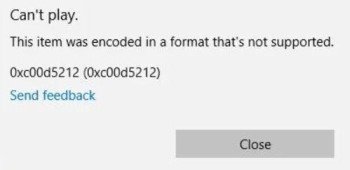
- The file won't open at all, or shows "codec missing" / "file format not supported"
This usually happens because of interrupted conversion, outdated encoder bugs, bad source files, or container damage (especially with old .avi files).
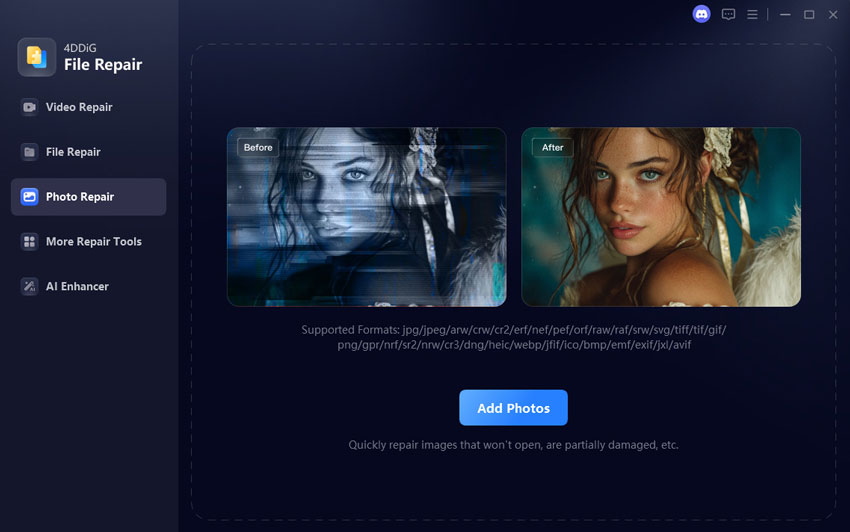
The good news is that most of these corrupted XviD videos can be rescued in just a few clicks with a dedicated repair tool. The current best-rated one for XviD-coded videos is Tenorshare 4DDiG Video Repair. It officially supports AVI, DivX, XviD, MKV, MP4 and 20+ other formats that commonly use XviD codec, and has an extremely high success rate with is Advanced Repair Mode.
Secure Download
Secure Download
Steps to fix corrupted XviD videos using 4DDiG
-
Install and open 4DDiG Video Repair, choose "File Repair", and click "Add Videos". Import your corrupted XVID-encoded files (AVI, MP4, MKV, etc.).
-
Click "Repair All". The tool will automatically begin repairing each file one by one using advanced algorithms.
Tip:
If the file is severely damaged, use the "Advanced Repair" mode and add a sample file shot by the same device for better reconstruction.
-
Once the repair finishes, click "Preview" to check if the video plays smoothly. Make sure the sound, quality, and playback are restored.
-
Click "Save" for single files or "Save All" to export everything at once. Your repaired videos will now be fully playable again.
People Also Ask about XVID Video Codec & XVID Converter
Q1: What are the disadvantages of using an XVID converter?
Main downsides are extra encoding time, possible quality loss if the bitrate is set too low, and larger files if you pick high bitrates. Also, XviD is older, so converting to newer codecs (H.264/H.265) may yield better streaming compatibility.
Q2: What is the best free video converter?
For most users: HandBrake (simple GUI) or Shutter Encoder (more control). For power users: FFmpeg. If you want easiest online: Convertio or FreeConvert.
Q3: How secure is an XVID converter?
Offline tools (HandBrake, FFmpeg, Shutter Encoder) are safest since files never leave your PC. Online converters like FreeConvert highlight encryption and secure handling, but you're still uploading data, so avoid confidential videos.
Q4: How to convert MP4 to XVID?
Use any desktop xvid converter. Example with FFmpeg: ffmpeg -i input.mp4 -c:v libxvid -qscale:v 3 -c:a libmp3lame output.avi This will convert mp4 to xvid while balancing quality and size.
Conclusion
Choosing the best Xvid converter depends on your needs, speed, quality, supported formats, or platform. Whether you want to convert AVI to XVID, convert MKV to XVID, or convert MP4 to XVID, the tools listed above offer reliable results with minimal quality loss. However, video corruption is still possible during the conversion process. If that happens, 4DDiG Video Repair can fix broken XviD, AVI, MP4, and MKV files and make them playable again. If you want safe, smooth, and error-free video processing, pairing a good converter with 4DDiG Video Repair is the smartest choice.
Secure Download
Secure Download
💡 Summarize with AI:
You May Also Like
- Home >>
- Video Tips >>
- Top 10 XVID Converters: Free & Paid Options for Seamless Video Conversion
ChatGPT
Perplexity
Grok