7 Must-Try MXF Players for Windows/Mac/More in 2026
MXF files are widely used in professional video production, but playing them isn’t always simple for everyone. Many users find out that their default media players simply won’t open these files. That’s where a reliable MXF player becomes essential.
In this guide, we’ll explain what MXF files are, why they need special support, and introduce the best MXF players you can use in 2026, on Mac, Windows, and even online.
Part 1. What Is an MXF File & Why Do You Need an MXF Player?
What Is MXF Format?
MXF is a professional container format developed by SMPTE. It is commonly used by broadcast cameras and professional camcorders from brands like Sony, Canon, Panasonic, and JVC. MXF files store video, audio, timecode, and metadata in a single container, making them ideal for editing and archiving.
Why Do You Need an MXF Player?
Despite its advantages, MXF is not designed for consumer playback. Users typically need an MXF player because:
- MXF uses professional codecs not supported by default players
- Windows Media Player and QuickTime lack native MXF support
- MXF files often come from broadcast cameras and studio workflows
- Editing software may open MXF, but playback-only users need simpler tools
Without a proper MXF format player, you may encounter black screens, playback errors, or files that won’t open at all.
Part 2. How to Play MXF Files on Mac/Windows Natively (Quick & Best Option for Users)
A lot of users are looking for native methods rather than downloading or installing some third-party tools. This section covers how you can do that on Mac and what you need to know about Windows.
How to Play MXF Files on Mac
macOS offers one official way to view MXF files natively with Apple Pro Video Formats. So, here are the steps to install Apple Pro Video Formats on your Mac:
-
Visit Apple’s official support page for Pro Video Formats
-
Download the latest package compatible with your macOS version and install the package, then restart your Mac
-
Open MXF files using QuickTime Player, Final Cut Pro, or Finder preview
Once installed, your Mac can act as a basic MXF file viewer for supported codecs.
Important Notice for Windows Users
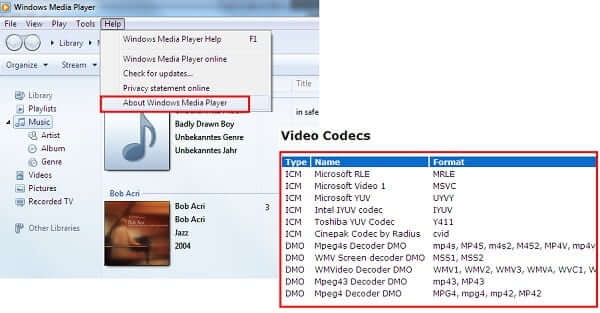
Currently, Windows has no native MXF playback solution. Windows Media Player does not support MXF files out of the box, and Microsoft does not provide an official MXF codec.
If you want to play MXF files on Windows 10/11 or a PC, you’ll need a third-party MXF file player. The best overall free option for Windows users is VLC Media Player, which we’ll cover below.
Part 3. The 6 Must-Try MXF Players for Windows/Mac/More
Whether you are on a Mac or a Windows PC, here are the MXF players that you must give a try for a seamless experience.
1. VLC Media Player -- Free Playback for Sony/Canon/Panasonic/More MXF Files
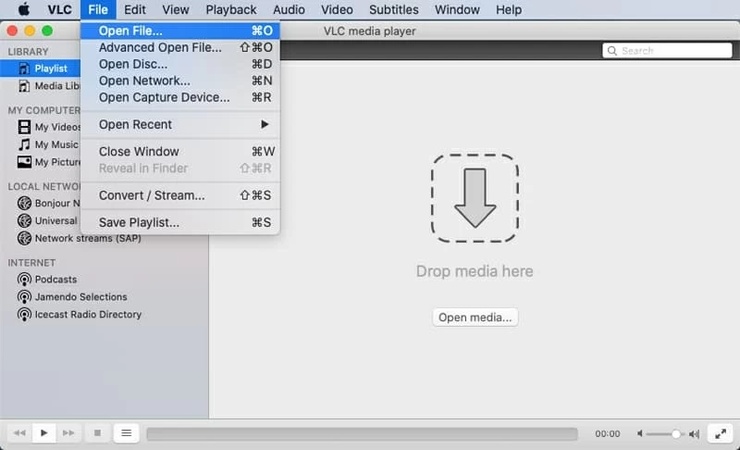
VLC Media Player is the most popular free MXF media player, known for its wide codec support and cross-platform availability, making it a great MXF player for Android as well.
- Supported OS: Windows, macOS, Linux, Android, iOS
- Supported Formats: MXF, MP4, AVI, MOV, MKV, FLV, WMV, and hundreds more
Key Features:
- It has built-in codecs (no downloads required)
- Hardware-accelerated playback makes things easy
- Streaming and subtitle support
- Pros
- Cons
-
- Completely free and open-source
- Excellent compatibility with MXF camera files
- Lightweight and frequently updated
-
- Interface feels outdated
- Limited advanced playback controls
2. PotPlayer -- Best for Free High-Quality MXF Playback on Windows
PotPlayer is a Windows-only media player praised for high-quality video rendering and advanced playback settings.
- Supported OS: Windows only
- Supported Formats: MXF, MKV, AVI, MP4, and virtually all video/audio formats
Key Features:
- It has advanced codec control
- You can get smooth playback for large MXF files
- It offers Customizable UI for better useability
- Pros
- Cons
-
- Excellent performance with large MXF files
- Highly customizable playback
- Free for personal use
-
- Windows-only
- The interface may overwhelm beginners
3. 5KPlayer -- Free MXF Format Player with 4K/8K Playback
5KPlayer focuses on high-resolution video playback and works well with large MXF files.
- Supported OS: Windows, macOS
- Supported Formats: MXF, 4K/8K, MP4, MKV, AVI, HEVC
Key Features:
- It supports 4K/5K/8K playback
- AirPlay and DLNA streaming are also available
- Hardware acceleration is top notch
- Pros
- Cons
-
- Handles high-bitrate MXF files smoothly
- Clean interface
- Free version available
-
- Occasional ads
- Slower startup on older systems
4. Elmedia Player -- MXF Media Player for Mac Users (Freemium)
Elmedia Player is a polished Mac-exclusive player for MXF files with strong format support.
- Supported OS: macOS only
- Supported Formats: MXF, MP4, AVI, MKV, FLV, MOV
Key Features:
- Native macOS integration makes it a good choice
- Streaming to Apple TV is also available
- Playback control enhancements
- Pros
- Cons
-
- Optimized for Mac hardware
- Smooth MXF playback
- Clean, modern UI
-
- Some features are locked behind the Pro version
- macOS only
5. Sony Catalyst Browse -- Best Free Sony MXF Players
Sony Catalyst Browse is an MXF file player designed specifically for Sony MXF camera files.
- Supported OS: Windows, macOS
- Supported Formats: MXF (especially Sony XDCAM/XAVC), other pro formats
Key Features:
- Metadata viewing is a great feature it offers
- It offers color and clip inspection
- Camera-native compatibility
- Pros
- Cons
-
- Perfect for Sony MXF footage
- Accurate color and metadata
- Free and professional-grade
-
- Limited support for non-Sony MXF files
- Not a general-purpose media player
6. Gumlet Free MXF Player Online
Gumlet Free MXF Player Online provides an online MXF file viewer that works directly in your browser.
Supported OS: Any (browser-based)
Supported Formats: MXF (upload-based playback)
Key Features:
- No installation required
- Quick preview of MXF files option is available
- It has cloud-based playback options
- Pros
- Cons
-
- Works on any device
- No downloads needed
- Simple and fast
-
- File size limits
- Requires a stable internet connection
Part 4. What if MXF videos do not play on All Players
Sometimes, MXF files fail to play even on the best MXF players. This usually means the video file itself is damaged due to incomplete transfers, storage errors, or camera interruptions.
In such cases, 4DDiG Video Repair is a reliable solution. It supports MXF and many other professional video formats and offers a high repair success rate.
How to Fix MXF Files Using 4DDiG Video Repair
-
Download and install the 4DDiG file Repair software, then launch it and select "Video Repair". Click "Add Videos" and add your corrupt MXF video file.
FREE DOWNLOADSecure Download
-
Click the "Repair All” button after adding all your corrupted videos to begin the repairing process.
-
When the repair is complete, you can check the results by clicking the “Preview” button.
-
If you are satisfied with the results, click "Save" and then choose a location to save the video on your computer.
This method is ideal when MXF videos won’t play on any MXF media player.
People Also Ask about MXF Player
Q1: Can VLC play MXF files?
Yes, VLC can play most MXF files without additional codecs.
Q2: Do I need to install the MXF codec for Windows Media Player if I use this tool?
There is no official MXF codec for Windows Media Player. Third-party players are recommended.
Q3: Why are MFX files not playing in Premiere?
Codec issues, corrupted files, or unsupported camera formats may cause this.
Q4: Is there any MXF to MP4 converter?
Yes, tools like HandBrake, FFmpeg, and many professional converters support MXF to MP4.
Q5: What is the best MXF player for Windows?
VLC Media Player is the best free MXF player for Windows.
Q6: Is MXF better than MP4?
MXF is better for professional workflows; MP4 is better for consumer playback.
Q7: Does QuickTime play MXF files?
Only after installing Apple Pro Video Formats on macOS. Without that, it does not support playing MXF files.
Conclusion
Finding the right MXF player is essential for smooth playback of professional video files. While VLC and other players handle most MXF formats well, corrupted files may still fail to open. In those cases, 4DDiG Video Repair provides a powerful and reliable solution to restore damaged MXF videos and ensure your footage remains usable across all players.
Secure Download
ChatGPT
Perplexity
Grok