6 Top-Rated YouTube Thumbnail Downloaders: Free, 4K/HD & No Watermark

5 mins read

Updated on 2026-09-22 18:47:16 to Photo Tips

Looking for a free and fast way to download YouTube thumbnails in HD or 4K without watermark? You've come to the right place. Most people searching for a YouTube thumbnail downloader just want to paste a video link and instantly get the high-quality image, preferably in HD, with no watermark or signup required.

In this guide, you'll discover the easiest methods to download thumbnails (including Shorts) from YouTube, the best free online grabbers, how to get 4K and even 8K thumbnails, and more.

youtube thumbnail downloader

Part 1. How To Download YouTube Thumbnails In HD Online (Step-by-Step)

You can download a YouTube thumbnail without installing complex software. Online thumbnail grabbers extract the available image directly from a video URL, while manual URL extraction gives you more control over the image quality.

Method 1: Use An Online Thumbnail Downloader Or Grabber

An online YouTube thumbnail grabber is the simplest option for most users. Tools such as vidIQ can identify the thumbnail linked to a YouTube video and provide an image for download. The process usually requires only the video's URL.

  • Open YouTube and copy the complete URL of the video you want to get thumbnails from.

  • Open an online YouTube thumbnail downloader such as vidIQ.

  • Paste the copied YouTube URL into address box. Select "Download", "Get Thumbnail", or a similar button, depending on the tool.

  • vidIQ will display multiple resolution options. Click "Download Maximum (1280x720)" if you want to download YouTube thumbnails in HD.

    vidiq download youtube thumbnails
Note:

This method is useful when you want a YouTube video thumbnail downloader that requires little technical knowledge. However, the maximum quality depends on the thumbnail uploaded or generated for that video.

Method 2: Extract The YouTube Thumbnail URL Manually

You can also retrieve a YouTube thumbnail without using a dedicated downloader. YouTube uses predictable image URLs for many videos, making manual extraction useful when you want a direct image file.

  • Copy the video's unique ID from its YouTube URL. For example, in a URL ending with "watch?v=3Y7bnbiz4Mw", the video ID is "3Y7bnbiz4Mw".

  • Add the video ID to YouTube's standard thumbnail image address. The maxresdefault.jpg version is commonly used when the video has a high-resolution thumbnail available. For example: "https://img.YouTube.com/vi/3Y7bnbiz4Mw/maxresdefault.jpg"

    download youtube thumbnail manually
  • Right-click the image and select "Save Image As". Choose the destination folder and confirm the download.

Note:

Manual extraction can be useful when an online YT thumbnail downloader does not provide the resolution you need. It also avoids unnecessary interface elements because the browser loads the image directly.

Part 2. Top 6 Best Free YouTube Thumbnail Downloaders in HD/4K [No Sign/Watermark]

Explore the 6 top-picked YouTube video thumbnail downloaders and grabbers available for 2026. All of them are basically free to extract and download YouTube thumbnails from links without watermark and without login required. Most of them provide HD quality for you.

1. YouTube Thumbnail Grabber

YouTube Thumbnail Grabber is a simple web-based tool designed for users who want to quickly save thumbnails from YouTube videos. It only requires a video URL, and it automatically generates available thumbnail sizes, including HD versions. This makes it a convenient choice for anyone looking for a fast YouTube thumbnail extractor without installing software or creating an account.

YouTube Thumbnail Grabber
  • Pros
  • Cons
    • Completely free with no sign-up
    • Supports multiple thumbnail quality levels, including HD
    • Also handles Vimeo videos
    • Simple interface suitable for beginners
    • Output quality depends on the source video's available thumbnail.
    • Limited to thumbnails only (no extra video info)

2. vidIQ Free YouTube Thumbnail Downloader

vidIQ offers a web-based free YouTube thumbnail downloader that pulls the highest-resolution thumbnail available, usually up to 1280×720. Just paste the video link, choose your size, and download. It supports regular videos, Shorts, and live streams. The tool sits inside the larger vidIQ ecosystem, so you can easily move into their other free creator tools if you want.

vidiq youtube thumbnail downloader
  • Pros
  • Cons
    • Fast and free with no registration
    • Works with Shorts and various link formats
    • Provides access to high-resolution YouTube thumbnails
    • Mobile-friendly and clean design
    • Easy to combine with other vidIQ features
    • Maximum resolution tops out at HD (true 4K sources are rare)
    • Some advanced features encourage upgrading to a paid plan

3. Boing Boing

Boing Boing GetThumbs is one of the fastest options around for retrieving YouTube thumbnail images. Paste a YouTube URL and the available images appear almost immediately—no extra "download" button click needed. It keeps things minimal and gets the job done without clutter. This YT thumbnail downloader without watermark has been around for years and remains a reliable choice for quick grabs.

boing boing youtube thumbnail downloader
  • Pros
  • Cons
    • Extremely fast results
    • No sign-up or watermarks
    • Simple and ad-light experience
    • Instant display of available thumbnail sizes
    • Does not remove watermarks already present in the source thumbnail.
    • Basic design with fewer extra options
    • Limited to YouTube only

4. Get YouTube Thumbnail

Get YouTube Thumbnail focuses on one primary task: extracting the thumbnail associated with a YouTube video. Users can enter a video link and view the available image before saving it. It is suitable for users searching for a straightforward YouTube video thumbnail downloader in 4K or HD when the source video provides a high-resolution thumbnail.

get youtube thumbnail
  • Pros
  • Cons
    • Extremely simple and fast
    • Download YouTube thumbnail in HD options or even 4K when available
    • Useful for quick thumbnail previews before saving.
    • Occasional ads can appear
    • Shorts may need a small URL tweak

5. Posterly

Posterly provides a browser-based way to extracts every available thumbnail resolution from a YouTube video link for inspiration, content planning, or design projects. Paste any link format (watch, Shorts, embed, or short URL) and pick the size you want, from max resolution down to the smallest. It also sits alongside other free creator tools on the same site, making it convenient if you need related helpers.

posterly youtube thumbnail downloader
  • Pros
  • Cons
    • Shows all available sizes clearly
    • Supports every common YouTube URL type
    • Clean layout and mobile-friendly
    • Combines thumbnail downloading with design-related features, useful for content creators and marketers
    • Max resolution still depends on what YouTube provides
    • Extra tools on the site may distract some users

6. Thumbnail Grabber Chrome Extension

Thumbnail Grabber is a lightweight Chrome extension that empowers you to download or copy thumbnails and covers directly while browsing YouTube, SoundCloud, Spotify, and more. Click the icon, use a shortcut, or right-click a page or link. You can customize the behavior, and it never requires an account. It's a handy YouTube video thumbnail grabber that lives right in your browser.

thumbnail grabber chrome extension
  • Pros
  • Cons
    • Works on multiple platforms (SoundCloud, Spotify, etc.) beyond YouTube.
    • Customizable shortcuts and context menus
    • Free, privacy-friendly, and no data collection
    • Quick access without leaving the page
    • Chrome-only (no other browsers)
    • Occasional reliability reports from some users
    • Requires installing an extension

⚡ Part 3. How To Improve The Quality Of Downloaded YouTube Thumbnails To 4K/8K

Even the best free tools usually give you a maximum of 1280×720. When you zoom in or use the thumbnail for larger designs, the image can look soft, pixelated, or lacking in detail. Many creators run into this exact problem after a quick youtube thumbnail download.

Fortunately, AI photo enhancers can solve it. One reliable option is 4DDiG Photo Enhancer. It takes ordinary downloaded thumbnails and intelligently upscales them to much higher resolutions while restoring sharpness and clarity.

What Make 4DDiG Photo Enhancer Standout

  • AI upscaling to 4K and even 8K while preserving important image details.
  • Provides General, Face, Denoise, and Colorize models for different types of images.
  • Color Enhancement: Improves color appearance and overall image clarity.
  • Remove blemishes or grain to retouch photos and fix blurry pictures.
  • Support batch enhancement for multiple downloaded thumbnails at once to save time.
  • Restore old photos and colorize black-and-white images.
  • Just upload, choose a model, and export. No design skills needed
FREE DOWNLOAD

Secure Download

FREE DOWNLOAD

Secure Download

Steps To Enhance the Downloaded YT Thumbnails

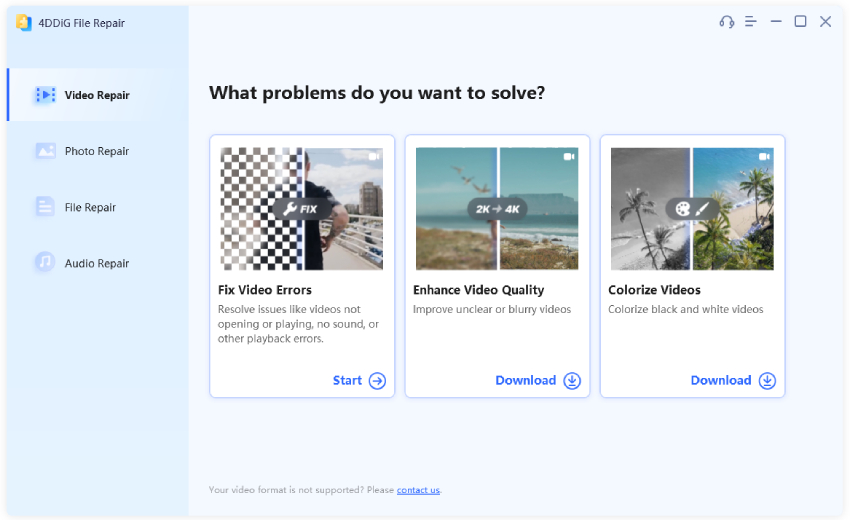
  • Open 4DDiG File Repair and select the "AI Enhancer" option for image enhancement, then pick the "Photo Enhancer" feature.

    open 4ddig ai photo enhancer
  • Click "Add Photos" to import all low-resolution thumbnails downloaded from YouTube.

    add downloaded yt thumbnails to 4ddig
  • Choose an AI model based on the thumbnail. Select the desired output resolution. Use the available upscaling controls (X2 or X4) to increase the thumbnail toward 4K or 8K, depending on the source image and the required output size, then click "Enhance".

    select ai model and resolution to enhance
  • Let 4DDiG enhance your image, preview the processed image, and compare its edges, faces, text, and background details with the original. Save the enhanced thumbnail in the required output format and use it for your intended purpose.

    preview and save enhanced yt thumbnails

People Also Ask about YouTube Thumbnail Download

Q1: How Do I Download A YouTube Thumbnail In HD Quality?

Use a YouTube thumbnail downloader that supports the highest available resolution. Paste the YouTube video URL, select the highest-quality thumbnail offered, and save the image to your device.

Q2: How Can I Download A YouTube Thumbnail Without A Watermark?

A downloader usually does not add its own watermark to the downloaded file. However, it cannot automatically remove branding or watermarks already included in the original thumbnail. Removing a creator's watermark may also raise copyright or permission issues.

Q3: Can I Download YouTube Shorts Thumbnails?

Yes. Many YouTube thumbnail downloaders can retrieve thumbnails from YouTube Shorts when the tool supports Shorts URLs. The available resolution depends on the thumbnail associated with the Short.

Q4: Is It Legal To Download YouTube Thumbnails?

Downloading a thumbnail for personal reference does not automatically give you permission to republish or commercially use it. YouTube thumbnails can be protected by copyright, so reuse should depend on the creator's permission, license, or an applicable legal exception in your jurisdiction.

Conclusion

A YouTube thumbnail downloader provides a quick way to extract thumbnails from YouTube videos without taking screenshots. The six tools above cover browser-based extraction, direct URL methods, and Chrome-based downloading.

When the downloaded image lacks sufficient detail, 4DDiG Photo Enhancer can upscale it to 4K or 8K while improving sharpness, clarity, color, and other visible details.

FREE DOWNLOAD

Secure Download

FREE DOWNLOAD

Secure Download

Ehtsham Ahmed (senior editor)

Ehtsham Ahmed, the content writer for 4DDiG, is dedicated to offering workarounds for Windows Data Recovery, Windows Troubleshooting, iDevices System Repair, etc.

(Click to rate this post)

You rated 4.5 ( participated)