Discover 5 Must-Try PNG Fixers to Repair Corrupted PNGs Effectively

5 mins read

Updated on 2026-09-30 23:26:30 to Photo Tips

"How can I recover a corrupted PNG file?" is a common question among users dealing with unreadable images. A PNG fixer can help repair broken headers, damaged image data, and other corruption issues. The right tool depends on the damage and whether you prefer desktop or online repair.

Our guide tests five PNG repair options, covering their features, advantages, limitations, and practical methods for restoring corrupted PNG files.

Part 1. Top 3 Powerful PNG Fixer Software In 2026 (Tested And Ranked)

Desktop repair software can handle more complex corruption than basic image viewers. These tools are useful when a PNG refuses to open, shows visual artifacts, or becomes partially unreadable.

1. 4DDiG Photo Repair: Best Overall PNG File Repair Tool in 2026 ⭐

4DDiG Photo Repair is designed to repair corrupted and damaged image files, including PNG images. It can process images that fail to open, display incorrectly, or contain missing and distorted visual data. The software also supports batch processing, which is useful when several PNG files are affected.

4ddig photo repair

Outstanding Features of 4DDiG Photo Repair

  • PNG File Repair: Repairs damaged PNG images across any issues and scenarios.
  • High Success Rate: Reconstruct severely damaged photos with both Quick and Advanced Repair.
  • Batch Repair: Repairs multiple corrupted PNG files at once.
  • Support Multiple Image Formats: PNG, JPG, WebP, HEIC, TIFF, CR2, NEF, and more.
  • Preview Before Saving: Allow to check repaired images before exporting them.
  • Quality Preservation: Restore damaged image data without changing the original appearance.
  • Multiple Output Options: Can export repaired photos in JPG, PNG, or the original
  • Pros
  • Cons
    • Supports both basic and severely damaged PNG repair.
    • Batch repair up to images to save time.
    • Provides a preview before saving repaired files.
    • Handle almost all png issues.
    • Support a wide range of input and output photo formats
    • Exporting repaired images is not available for free version.

2. Stellar Repair For Photo

Stellar Repair for Photo is a desktop image recovery and repair application that supports several common photo formats. It can repair images affected by corruption, including files that show errors, distorted previews, or incomplete visual content.

The software is aimed at users who need more than a basic PNG repair tool online. Its desktop workflow provides a dedicated environment for scanning, repairing, and previewing damaged images.

stellar repair for photo
  • Pros
  • Cons
    • Supports PNG and several other image formats.
    • Can repair photos with different types of corruption.
    • Provides a preview of repaired images before saving.
    • Supports batch processing for multiple images.
    • Available for desktop operating systems.
    • Some advanced features require a paid license.
    • Installation is required before repairing files.
    • Severe corruption may limit the amount of recoverable image data.

3. PCRT: Open-Source PNG Check And Repair Tool

PCRT is an open-source utility focused specifically on checking and repairing PNG files. It is designed for users who want a technical PNG file repair tool rather than a conventional graphical photo-repair application.

The tool can inspect PNG structure and identify problems within the file. This makes it particularly useful for technically experienced users who want to diagnose PNG corruption at the file level.

pcrt png repair tool
  • Pros
  • Cons
    • Open-source and freely available.
    • Focuses specifically on PNG file structure.
    • Useful for checking PNG integrity.
    • Can help identify structural problems in damaged PNG files.
    • Suitable for technical users who prefer lightweight utilities.
    • Less suitable for beginners unfamiliar with technical file repair.
    • Its repair capabilities are more specialized than full photo-repair applications.
    • Results depend on the type and severity of PNG corruption.

Part 2. 2 Top-Rated Online PNG File Repair Tools To Try Free

Online repair tools are useful when you want to repair corrupted PNG file online without installing desktop software. They are best suited to smaller repair jobs where uploading the damaged image is practical.

1. 4DDiG Free Online Photo Repair

4DDiG Free Online Photo Repair provides a browser-based way to repair damaged image files. It can be useful when a PNG will not open normally, and you want to try a quick repair without installing software.

The tool handles the repair process through a web interface. This makes it a practical choice when you need a free PNG file repair tool for an individual image.

4ddig free online photo repair
  • Pros
  • Cons
    • Works directly through a web browser.
    • No desktop installation is required.
    • Suitable for quick photo repair tasks.
    • Supports common image formats, including PNG.
    • Useful for users who need a simple online repair workflow.
    • Online tools can have file-size or usage limitations.
    • Repair capabilities may be more limited than the desktop version.
    • Uploading files requires an internet connection.

2. OfficeRecovery

OfficeRecovery Photo File Repair Tool Online provides an online recovery service for damaged files and includes support for image recovery. Its online workflow allows users to upload a damaged file and let the service process it remotely.

It can be useful when you need a PNG repair tool online and do not want to install dedicated recovery software. The service is better suited to individual repair attempts than large-scale local processing.

office recovery photo file repair tool
  • Pros
  • Cons
    • Browser-based repair workflow.
    • No dedicated desktop installation is needed.
    • Useful for testing whether a damaged image can be recovered.
    • Processes files remotely.
    • Online repair depends on an active internet connection.
    • File upload limits may apply.
    • Recovery results vary depending on the corruption level.
    • Advanced recovery options may require payment.

⚡ Part 3. How To Repair Corrupted PNG Files With A High Success Rate (Fast And No Quality Loss)

The repair method matters when a PNG contains important visual information. Basic viewers cannot restore damaged image data. 4DDiG Photo Repair provides a dedicated repair workflow that can scan damaged PNGs, process the recoverable data, and let you preview the result before saving it.

Steps To Repair Corrupted PNG Files Using 4DDiG Photo Repair

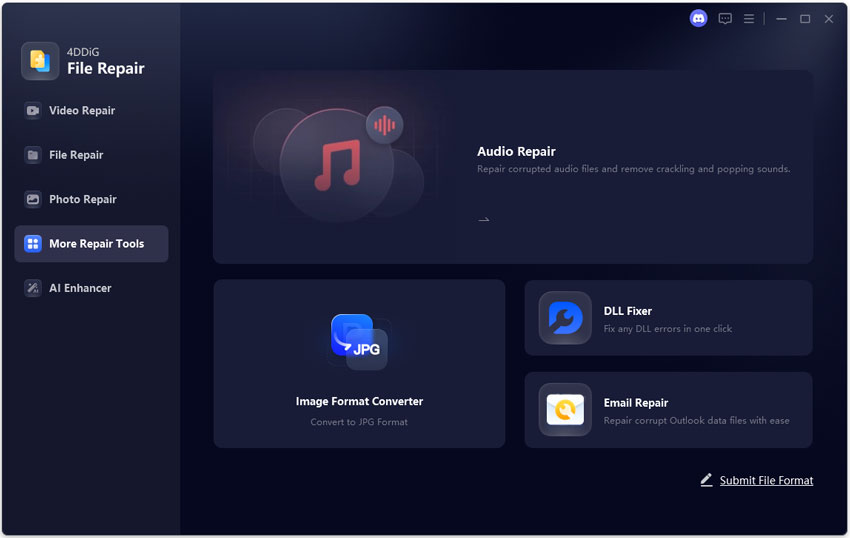
  • Open 4DDiG File Repair and select the "Photo Repair" function. Click "Add Photos" or use the drag-and-drop action to upload one or more corrupted PNG files.

    FREE DOWNLOAD

    Secure Download

    FREE DOWNLOAD

    Secure Download

    add corrupted png files to 4ddig
  • Start the repair process by selecting "Repair All". The software will analyze the imported files and identify recoverable image data.

    4ddig repair all corrupted png files
  • Preview the repaired PNG files before exporting them with the "Preview" button. Check important details such as edges, colors, transparency, text, and other areas that were affected by the corruption.

    preview repaired png files
  • Select the repaired images you want to keep and choose "Save". Select a separate destination folder when possible so the original corrupted PNG files remain unchanged.

    export repaired png in preferred format

A repair tool cannot guarantee complete recovery when the original image data has been permanently destroyed. Keeping the original corrupted file untouched gives you another recovery option if the first attempt does not produce the expected result.

How To Repair Damaged PNG Files Online for Free?

An online repair tool is useful when you need to repair one or two damaged PNGs without installing software. 4DDiG Free Online Photo Repair provides a browser-based workflow for uploading a damaged image and attempting recovery directly online.

Steps To Repair Damaged PNG Files With 4DDiG Online Photo Repair

  • Open 4DDiG Free Online Photo Repair in your browser.

  • Select the "Add File" option and choose the damaged PNG from your computer.

  • Wait for the image to finish uploading. The online tool will process the uploaded file and attempt to identify and repair the images.

    4ddig repairing png files online
  • Once done, compare it with the original PNG to make sure important details have been restored. Finally, download the repaired PNG if the result meets your requirements.

Online repair is convenient, but it is not suitable for every corruption scenario. Very severe damage may require a desktop PNG repair toolkit with more advanced recovery capabilities.

Conclusion

A reliable PNG fixer can restore images that fail to open, contain visual errors, or have damaged data. Desktop tools such as 4DDiG Photo Repair provide broader repair capabilities, while online services offer a simpler option for individual files.

For severely corrupted PNGs, 4DDiG Photo Repair is worth considering because it supports advanced repair, batch processing, multiple image formats, and previewing before saving.

FREE DOWNLOAD

Secure Download

FREE DOWNLOAD

Secure Download

William Bollson (senior editor)

William Bollson, the editor-in-chief of 4DDiG, devotes to providing the best solutions for Windows and Mac related issues, including data recovery, repair, error fixes.

(Click to rate this post)

You rated 4.5 ( participated)