Neve Miss 8 Best Image to Prompt Generators to Recreate Image Style in 2026

5 mins read

Updated on 2026-05-21 16:29:04 to Photo Tips

Have you ever seen an amazing AI image online and wondered, “How was this made?” An image to prompt converter can analyze a picture and turn it into a reusable prompt for Midjourney, DALL·E, Flux, Stable Diffusion, or Gemini.

The best image to prompt generator in 2026 is Flux AI delivers the best overall quality, ImageToPrompt is the top free no-login option, Picsart excels for social media, Nano Banana for fine details and anime, and Zemith for professional workflows.

In this guide, we compare the 8 best tools by free limits, speed, prompt quality, login requirements, and best use cases, so you can quickly choose the right tool instead of testing them one by one.

best image to prompt generator

Part 1. What Is an Image to Prompt Generator & How It Works?

1. What Does Image to AI Prompt Generator Mean?

An image to text prompt generator is a revolutionary AI tool that acts as a bridge between visual art and written language. While most people are familiar with text-to-image AI (where you type a description to create a picture), this tool does the exact opposite.

It allows you to upload an existing image, whether it’s a photograph, a digital painting, or a 3D render, and "reverse engineers" it. The AI analyzes the visual elements and generates a descriptive text prompt that could be used to recreate that same style, lighting, and subject matter in an AI art generator.

2. How Does Image Prompt AI Work?

These tools rely on Multimodal Vision-Language Models (VLMs), such as CLIP and BLIP, to translate visual pixels into text. These systems are trained on billions of image-text pairs, enabling them to interpret visual elements and generate meaningful descriptions.

When you upload a file, the AI identifies specific "tokens" or features, such as:

  • The Subject: (e.g., a "cyberpunk samurai")
  • The Artistic Style: (e.g., "oil painting" or "Unreal Engine 5 render")
  • Technical Details: (e.g., "cinematic lighting," "bokeh," or "wide-angle lens")

This process is incredibly useful when you want to convert an image to prompts for Image FX or other platforms. You can refine the text to create variations while keeping the original aesthetic intact by extracting the "DNA" of an image.

Part 2. How to Generate a Prompt from an Image (Step-by-Step)

Extracting the perfect prompt requires a mix of general AI models and dedicated tools. Here is the best way to write image prompts by reverse-engineering existing visuals.

Method 1. Using Midjourney "Describe" Feature

Midjourney remains a gold standard for professional creators. Its built-in command is one of the most reliable ways to extract prompts from an image.

Steps to Describe Image to Prompt Using Midjourney:

  • Open Discord and navigate to the Midjourney bot.

  • Type /describe in the message bar and press enter.

  • Upload the image you wish to analyze.

  • Midjourney will provide four distinct prompt options. You can click the numbered buttons below them to generate new images based on those specific descriptions to prompt results.

    generate prompt from image using midjourney describe feature

Method 2. Using a Dedicated Image-to-Prompt AI Tool

Dedicated tools often provide more granular control and are easier to use for beginners who don't want to navigate Discord.

Steps to Convert Image to Prompt Using Dedicated Tool:

  • Visit a dedicated site (like Zemith).

  • Click the "Upload", “Select Image” and the similar button to choose your source image.

  • Optional: Select any specific model parameters (e.g., "Detailed" or "Stylized").

  • Click "Generate P rompt" and copy the resulting text string.

    zemith convert image to prompt
Pro Tip:

Accuracy depends entirely on clarity. A blurry or low-resolution image contributes to incorrect or vague prompts. You should enhance photo quality using

Part 3. Discover the 8 Best Images to Prompt Generators in 2026 (Free & Online)

Choosing the right tool depends on whether you value speed, NSFW support, or specific model compatibility. And it it easier when you match it to the job: quick extraction, Flux compatibility, Stable Diffusion tags, multilingual social content, anime/LoRA detail, or professional batch workflows.

Here is a comparison of the top free writing prompt generator for text to image generator options.

Quick Comparison of the Top 8 Image-to-Prompt Generator

Tool Name Free Tier / Limits Best For Speed Prompt Quality No Login?
Flux AI Varies by platform / often credit-based Photorealistic & Flux-ready prompts Fast High Depends on site
Perchance Unlimited / free Free brainstorming & simple prompt tags Medium Good for basic ideas Yes
Picsart Free tool, usage may vary Social media, product images & model-specific prompts Fast High Usually no / may require account for extended use
ImagePrompt Free online tool Stable Diffusion, Flux & structured prompt outputs Medium Detailed Yes
ImageToPrompt Free / no registration Quick no-login prompt extraction Very fast Moderate to good Yes
Nano Banana Free tool / limits may vary Anime, portraits & fine visual details Medium Very detailed Yes / depends on site
Zemith Free tool / limits may vary Professional reverse engineering & workflow optimization Fast Accurate Likely yes for basic use
ChatGPT / Gemini Usage caps or subscription-based Built-in multimodal analysis & creative prompt rewriting Fast Very high but sometimes wordy No

1. Best for Photorealistic and Flux-Ready Prompts: Flux AI

flux ai

Flux AI is a strong choice if your main goal is to recreate realistic lighting, photographic composition, and high-quality visual style. It works especially well for users who want prompts that feel ready for Flux-style image generation, SDXL-inspired workflows, or other modern AI art platforms.

It analyzes lighting, mood, camera angle, color tone, and realism level in depth, making it ideal for cinematic scenes, portraits, and product photography.

Best for: Users who want clean, realistic, and model-ready prompts for photorealistic AI image generation.

Why choose it: It is a good option when you care more about realistic output quality than casual prompt brainstorming.

Key Advantages:

  • Excellent at capturing realistic style and atmosphere
  • Strong compatibility with Flux and SDXL workflows
  • Fast generation speed
Notes:

Free credits, login requirements, and supported features may vary depending on the specific Flux AI tool or platform you use.

2. Best Free Tool for Quick Prompt Brainstorming: Perchance Image to Text Prompt Converter

perchance image to prompt generator

Perchance is a fully free, community-driven platform that offers a creative playground for users who want quick and unrestricted prompt generation. It excels at turning images into simple tags, rough descriptions, and creative directions, making it especially useful for fast brainstorming and experimenting with Stable Diffusion-style promtp generation.

Best for: Beginners, hobbyists, and creators who want free prompt ideas or simple tags.

Why choose it: It is easy to access, usually does not require login, and works well for fast brainstorming.

Key Advantages:

  • Completely free with unlimited usage
  • No login or sign-up required
  • NSFW image to prompt support (in some local/unfiltered instances)
  • Strong at identifying action and generating specialized descriptors
Note:

The output may be less polished or less structured than professional image-to-prompt tools, so you may need to manually refine the prompt before using it in Midjourney, Flux, or Stable Diffusion.

3. Best for Social Media Creators and Multilingual Prompts: Picsart Free Image to Prompt Generator

picsart free image to prompt generator

Picsart is a good powerful web-based image-to-prompt tool for creators who want image prompts that are easy to reuse in social media, design, marketing, or content creation workflows. It supports multiple AI models, including Flux, Nano Banana, and Stable Diffusion, making it highly versatile.

One of its standout features is multilingual support, allowing users to generate prompts in over 10 languages such as Japanese, Spanish, and more. Its intuitive interface makes it easy to select artistic styles tailored for photography, illustration, or digital art.

Best for: Social media posts, product visuals, creator content, and multilingual prompt generation.

Why choose it: It is easier to use than technical tools and works well for perople who care about visual style, mood, and audience appeal..

Key Advantages:

  • Extremely fast generation speed with well-structured, visually appealing prompts
  • Excellent multilingual support for global creators
  • Versatile model selection (Flux, Stable Diffusion, etc.)

4. Best for Stable Diffusion, Flux, and Structured Prompt Outputs: ImagePrompt

imageprompt

ImagePrompt.org is a strong option for users who want more structured and model-specific prompt outputs rather than one-sentence descriptions, providing a highly accurate "Structured Prompt" mode.

It breaks down images into editable components such as subject, background, lighting, composition, perspective, and technical parameters, giving creators precise control.

Best for: Stable Diffusion users, Flux users, AI artists, and creators who want detailed prompt control.

Why choose it: It is better for structured prompt writing than quick casual description tools.

Key Advantages:

  • Breaks down images into highly structured, editable components
  • Excellent for Stable Diffusion and Flux users needing detailed control

5. Best No-Login Option for Fast Prompt Extraction: ImageToPrompt

imagetoprompt

This tool stands out for its accessibility and simplicity. No login or registration is required. It is 100% free and offers unlimited generations, making it a rare find in the 2026 landscape.

Users can choose between "Fast" and "Advanced" modes depending on their need for speed or deep detail. It provides tailored outputs for Stable Diffusion, Midjourney, and Nano Banana. Its clean, ad-free experience makes it the perfect choice for quick, no-nonsense prompt extraction.

Best for: Quick prompt extraction, no-login use, and beginner-friendly image descriptions.

Why choose it: It is simple, fast, and practical when you need a prompt without extra steps.

Key Advantages:

  • Completely free with unlimited generations
  • No login or registration required
  • NSFW image to prompt support (in some local/unfiltered instances)
  • Extremely fast and straightforward prompt extraction
  • Clean, ad-free interface perfect for quick use
  • Good compatibility with Stable Diffusion, Midjourney, and Nano Banana
Note:

The prompt may not always include advanced weighting, camera metadata, or highly specific model parameters.

6. Best for Anime, Portraits, and Fine Visual Details: Nano Banana

nano banana image to prompt

Nano Banana specializes in deep visual analysis with a strong focus on photorealism and fine detail extraction. It is particularly effective for portraits, product photography, and highly stylized digital art.

Users can control output depth, ranging from short summaries to detailed 150-word descriptions. Its optimization for the Nano Banana ecosystem ensures highly accurate prompt alignment.

Best for: Anime-style prompts, portraits, product details, character design, and fine-grain visual analysis.

Why choose it: It is better suited for detailed visual description than basic tag-style prompt tools.

Key Advantages:

  • Excellent fine-detail extraction
  • Produces rich, customizable prompts (from short to 150+ words)
  • Strong support for anime and LoRA-based workflows
  • High accuracy for both photorealistic and stylized images
Note:

Free limits and login requirements may vary, so check the tool page before relying on it for batch work.

7. Best for Professional Reverse Engineering and Prompt Workflows: Zemith

zemith image to prompt generator

Zemith is a professional-grade AI reverse-engineering tool designed for advanced creators. It uses cutting-edge models such as GPT-5 and Gemini 3.1 to deliver extremely accurate prompt analysis. Beyond basic descriptions, Zemith identifies artistic techniques, compositional structure, and technical metadata. It is ideal for users who want to understand the deeper “formula” behind AI-generated visuals.

Best for: Professional prompt workflows, visual reverse engineering, and structured prompt analysis.

Why choose it: It is more suitable for creators who need accuracy, organization, and repeatable prompt systems.

Key Advantages:

  • Professional-grade reverse engineering with extremely high accuracy
  • Excellent for structured, reusable, and organized prompt outputs
  • High precision for detailed and intricate scenes

8. Best Built-In Options for Creative Prompt Rewriting: Midjourney, ChatGPT, Gemini

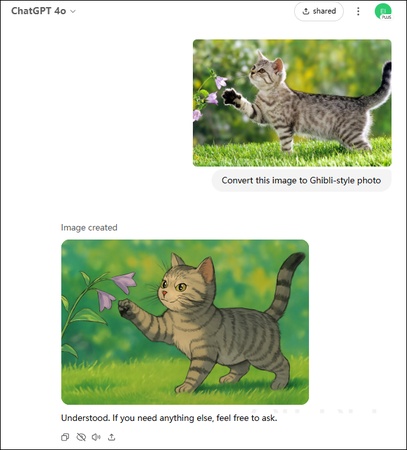
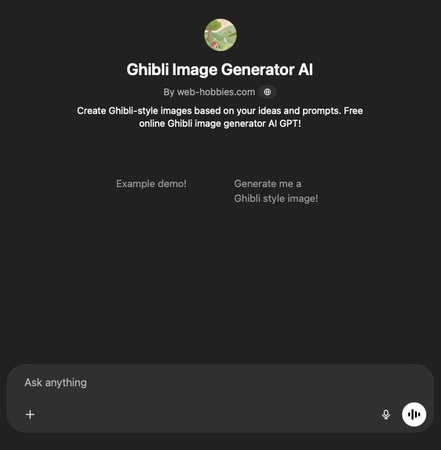
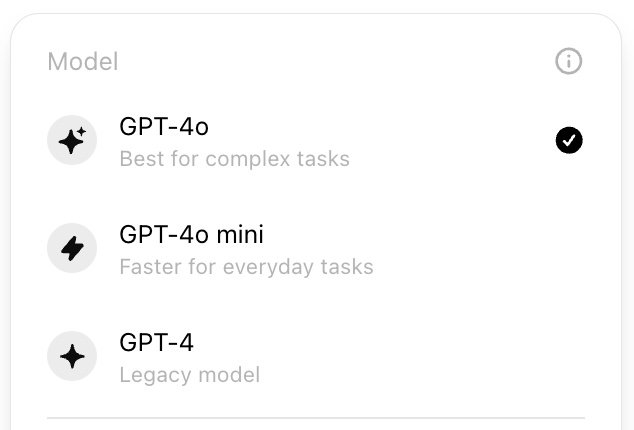
The leading AI models in 2026 also function as powerful image-to-prompt generators. Midjourney remains the industry leader in artistic output, especially with its /describe image to prompt feature. ChatGPT-4o provides natural, conversational prompt generation from images, while Gemini excels in technical accuracy and long-context visual analysis. Together, these tools offer some of the most powerful multimodal capabilities available today.

Best for: Creative brainstorming, prompt rewriting, and users who already work within these major AI ecosystems.

Why choose them: They are flexible and can explain, rewrite, shorten, or adapt prompts for different models.

⚡ Part 4. How to Recreate Image Style in One Click without Text Prompts

While image-to-prompt tools are excellent for learning how AI interprets visuals, sometimes you simply want the result without dealing with prompt engineering. A faster solution is to use 4DDiG AI Image Style Transfer. It lets you instantly apply artistic styles without writing any prompts. It is powered by advanced AI models and lets users transform images into different aesthetics with just one click.

Instead of describing styles, you simply choose one such as cinematic, anime, Pixar-inspired, K-drama snow effects, or modern digital art and apply it directly. Unlike many filters that distort facial structure, this tool preserves natural facial details and image quality for a more realistic and professional result.

Steps to transfer image style using 4DDiG:

  • Install and download the 4DDiG File Repair software. Go to the ‘AI Enhancer’ tab and select ‘AI Image Style Transfer.’

    FREE DOWNLOAD

    Secure Download

    FREE DOWNLOAD

    Secure Download

    open 4ddig ai image style transfer
  • Browse the "Theme Plaza" to find trending style templates. Once you’ve picked a style (like "Dreamy Snowland" or "Pixar-Style"), upload the photo you want to transform.

    select image style template start image style transfer without prompts
  • Click the ‘Generate’ button, without any prompt needed. The AI will process your image naturally, applying the artistic style while keeping your facial features sharp and recognizable.

    ai image style transfer complete
  • Review your new artistic creation. If you love the result, click ‘Export’ to save it to your device. If you want to try something different, simply click ‘Regenerate.’

People Also Ask about Image to AI Prompt

Q1: Is there a free image to prompt the generator without login?

Yes. Flux AI and ImageToPrompt are the best options for this. They allow you to upload an image and get a result instantly without providing an email address or creating an account.

Q2: What is the best image to prompt a generator for Stable Diffusion / Flux?

For Stable Diffusion, ImagePrompt.org is excellent. For Flux, the Flux AI Image to Text Prompt tool is the most accurate as it uses the same underlying technology as the Flux model itself.

Q3: Can ChatGPT convert images to text prompts?

Yes. If you have a ChatGPT Plus account, you can upload an image and say, "Please write a detailed prompt for Midjourney based on this image." It will provide a rich, descriptive text.

Q4: What is the app that gets the prompt from an image?

The most popular image to text prompt apps for mobile is Picsart. However, on the desktop, Midjourney (via Discord) is the industry standard.

Q5: What is the best image to prompt app for mobile users?

Picsart is the top choice because it combines the prompt generator with a built-in AI image creator, allowing you to extract and generate all in one place.

Q6: Is there an image to prompt extension for browsers?

Yes, several extensions, such as "AIPRM for ChatGPT" and various Stable Diffusion "Interrogator" extensions, allow you to do this directly in your browser.

Conclusion

An image to prompt generator is now an essential tool for AI creators who want to reverse-engineer visual styles quickly and accurately. It makes it easy to understand and recreate visual styles. You can use free tools or advanced AI models depending on your needs. If you want a faster option without writing prompts, 4DDiG AI Image Style Transfer is a great choice for easily changing image styles with just one click.

FREE DOWNLOAD

Secure Download

FREE DOWNLOAD

Secure Download

William Bollson (senior editor)

William Bollson, the editor-in-chief of 4DDiG, devotes to providing the best solutions for Windows and Mac related issues, including data recovery, repair, error fixes.

(Click to rate this post)

You rated 4.5 ( participated)