24 New & Trending ChatGPT Photo Prompts for 2026: Viral, Realistic & Professional Images

5 mins read

Updated on 2026-01-12 18:16:50 to AI Image Tips

ChatGPT photo prompts are reshaping the way people create digital visuals in 2026. With the rise of trending ChatGPT photo prompts, anyone can now generate viral, realistic, and professional-looking images without advanced design skills. The secret isn’t the tool. It’s the prompt. A well-written, copy-and-paste prompt can turn an ordinary photo into a scroll-stopping masterpiece in just seconds.

This article explores 24 new ideas for ChatGPT photos for 2026 that creators are already using to dominate social media and visual storytelling.

trending chatgpt photo prompts

Part 1. The 24 New & Trending ChatGPT Photo Prompt Ideas and Examples in 2026 (Easy Copy-Paste)

Want to take your AI image creation game to the next level? These 24 new and trending ChatGPT photo prompts to 2026 offer gorgeous results with minimal input. Every prompt is structured in the best way: what is in the photo, style/mood, background, colors, lighting, format.

Likewise, those prompts can also be used in Gemini AI Nano Bana Pro or Nano Banana, Midjourney, and other AI image generators.

Category 1. ChatGPT Photo Prompt for Professional Headshot

One of the most popular chatgpt image generation prompts in 2026 includes professional AI headshots. They help job seekers, freelancers and business owners in appearing credible without costly studio photography.

1. LinkedIn Professional Headshot

Click to Copy & Paste ⬇

Create a professional LinkedIn portrait of an individual with [describe features] in [formal attire]. Apply low-key diffused lighting on a neutral gradient background. Shallow depth of field, ultrawide focus on eyes and natural skin tones. Style should be clean, approachable, and corporate-appropriate.

linkedIn professional headshot
Pro Tip:

Add your industry (tech, finance, marketing) to match the style to your profession.

2. Corporate Business Portrait

Click to Copy & Paste ⬇

Create a corporate business portrait with studio light. The subject must be clad in a well-fitted business suit with minimal office background. Use a small amount of retouching to achieve a smooth but natural appearance with sharp focus on facial features.

corporate business portrait
Pro Tip:

Use this prompt for company websites, press releases, and speaker profiles.

Category 2. ChatGPT Realistic Photo Prompts

Realism is a major trend in 2026. These ChatGPT realistic photo prompts emphasize natural light, natural textures, and realistic details.

3. Surreal & Concept Art Style

Click to Copy & Paste ⬇

Create a surreal portrait with [describe subject] slightly altered into [element/object]. Go with ethereal, dreamy lighting, color palette: [colors]. Add symbolic features such as [objects] suspended in the background. Keep the details of the human form photorealistic and blend the surreal elements in a seamless fashion.

surreal & concept art style
Pro Tip:

Adding one symbolic object keeps the image creative but not cluttered.

4. Ultra-Realistic Portrait

Click to Copy & Paste ⬇

Generate a hyper-realistic portrait with extreme detail, visible pores, individual strands of hair, and natural skin texture. Use professional studio lighting with soft shadows. The subject should have [facial features] and [expression]. Apply cinematic color grading with subtle depth of field.

ultra realistic portrait
Pro Tip:

Mention “no retouching” for a more authentic appearance.

Category 3. Xmas & New Year Holiday Photo Prompts

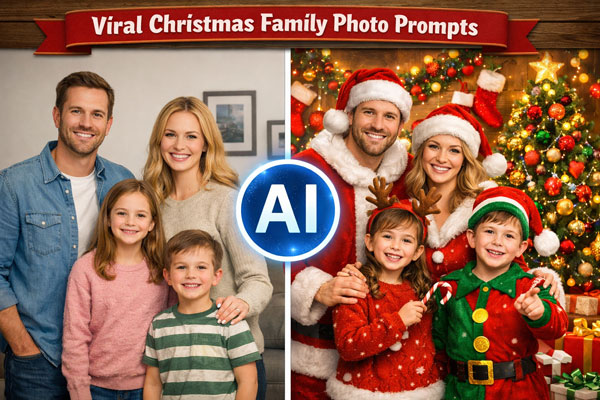
Holiday-themed AI photos are perfect for social media, greeting cards, and seasonal branding. These prompts capture warmth, joy, and festive emotion.

Click to Copy & Paste ⬇

Transform this image into a cozy Christmas living-room setting: warm lamps, tree light, soft shadows, slight film noise, wrapped presents in the background, spontaneous candidness (not too posed).

cozy christmas family portrait
Pro Tip:

Mention “fireplace” or “Christmas tree lights” for added holiday mood.

Click to Copy & Paste ⬇

Create a New Year's 2026 party scene complete with glowing 2026 numbers, celebratory confetti, and champagne glasses. Include theatrical evening lights with fireworks behind. Use a cinematic color grade with saturated blacks and luminous highlights.

new year 2026 celebration photo
Pro Tip:

Works great for Instagram posts and New Year countdown visuals.

Category 4. ChatGPT Couple Photo Prompts

The couple of prompts are trending with anniversaries, engagements, and storytelling posts. These ChatGPT couple photo prompts are aimed at emotion, intimacy, and nostalgic aesthetics.

7. Romantic Couple Portrait with Polaroid Nostalgic Hug

Click to Copy & Paste ⬇

Combine these two portrait photographs into one Polaroid image where the two individuals are hugging each other. Use a warm, nostalgic color scheme with light grain and slight light decay. Focus on the subject matter, use natural, cozy lighting, candidness, and a vintage Polaroid frame surrounding the photo.

romantic couple portrait
Pro Tip:

Add “vintage film texture” for stronger nostalgia.

8. Engagement Photo Style

Click to Copy & Paste ⬇

Create an engagement-style portrait of a couple in a natural situation with golden hour. Use soft bokeh background, warm romantic lighting and natural poses. Add small lens flares and a hazy feel with a soft teal/orange color grading.

engagement photo style
Pro Tip:

Use minimal background descriptions to keep focus on emotions.

Category 5. Fun ChatGPT Pet Photo Prompt

AI pet photos are exploding in popularity in 2026. These fun ChatGPT pet photo prompts transform ordinary pets into viral, emotional, or cinematic images that are ideal on Instagram, Tik Tok, and reels.

9. Pet to Human Transformation

Click to Copy & Paste ⬇

Transform this pet image into a human-like stylized figure that represents the key peculiarities of the pet (color scheme, patterns, and character traits). Have the human version illustrated or cartoonish with soft lines, bright colors, and minor details that are inspired by the pet's fur, eyes, and expression.

pet to human transformation
Pro Tip:

Add personality traits like “playful,” “calm,” or “protective” to improve realism.

10. Adventurous Dog Photo

Click to Copy & Paste ⬇

Create an action shot of a dog [breed] investigating a [scenic location]. Shoot in mid-flight with fur flying, excited face, and action. Apply natural light and golden hour warmth with shallow depth of field to emphasize the subject on a slightly blurred nature background.

adventurous dog photo
Pro Tip:

It works best with active words such as running, jumping, and exploring.

Category 6. Trending Viral Prompts (TikTok/Instagram)

In 2026, the most viral ChatGPT photo prompts on TikTok and Instagram are these. They are structured to be scroll-stopping visuals and high engagement.

11. Custom Toy/Action Figure Transformation

Click to Copy & Paste ⬇

Use this photo to create a stylized action figure of myself in a plastic blister pack, designed like a premium collectible toy. The figure should have a friendly, relaxed smile and clearly recognizable facial features. Make the figure stand upright inside the packaging. The blister pack should feature a header with “[action figure name]” in large text, with a subheading placed directly underneath.

custom toy figure transformation
Pro Tip:

Add “minimalist packaging” or “retro toy box” for trend variations.

12. Aging or Younger Self Polaroid (Before/After)

Click to Copy & Paste ⬇

Create an artistic illustration of my current self hugging a younger version of me. Show both characters in an affectionate, emotional hug with warm, soft lighting and soy, nostalgic hues. It should be in a dreamy, slightly surreal style as it represents self-acceptance and progress over time.

aging or younger self polaroid
Pro Tip:

Perfect for storytelling posts and transformation reels.

13. Ghibli Art Style Prompt

Click to Copy & Paste ⬇

Turn this photo into a Ghibli-style animated character, inspired by Studio Ghibli films. Use soft watercolor tones, give the character expressive yet gentle eyes, and add rich background details such as nature or a peaceful rural scene.

ghibli art style prompt
Pro Tip:

Add “hand-painted look” for a softer anime feel.

14. Instagram Esthetic Feed

Click to Copy & Paste ⬇

Create an Instagram-worthy photo featuring pastel colors, simple composition, and negative space. The topic is to be [Sunlight and silhouette through curtains] and a unified colour palette of [colors]. Add little film grain and dimmed highlights to achieve a curated esthetic feed appearance.

instagram esthetic feed
Pro Tip:

Mention “Reels cover” or “profile grid” for optimized framing.

15. TikTok 90s Yearbook Trend

Click to Copy & Paste ⬇

Grungy analog photo in 90s yearbook style, with soft focus, slightly overexposed flash, and muted colors. Subjects are required to wear [90s hairstyle] and [vintage clothing]. Add retro graphics and text styling with a vintage yearbook template design.

tiktok 90s yearbook trend
Pro Tip:

Add an “awkward smile” or a “studio backdrop” for added realism.

Category 7. Esthetic Viral ChatGPT Portrait Prompts

These new ideas for ChatGP photos focus on bold aesthetics and fashion-forward visuals that look straight out of magazines or early-2000s pop culture.

16. High-Fashion Magazine Cover

Click to Copy & Paste ⬇

Design a luxury magazine cover using this image. Include elegant typography, barcode, cover lines, and white space margin layout inspired by Vogue or Forbes.

high fashion magazine cover
Pro Tip:

Specify magazine type (fashion, beauty, lifestyle) for better results.

17. Y2K Glossy Neon

Click to Copy & Paste ⬇

Create a image based on the Y2K style: reflective, glossy surfaces, neon lighting, chrome details. Subject must wear [Y2K fashion elements] with a futuristic background. Use a high-contrast and saturated color palette of lens flares and digital glitch effects.

y2k glossy neon
Pro Tip:

Works extremely well for Gen-Z and throwback content.

18. Cinematic Editorial Portrait

Click to Copy & Paste ⬇

Create a cinematic editorial-style portrait using dramatic lighting, small depth of field, and a dark color grade. The subject must look self-confident and fashionable, with high-end or even trendy clothes, casually posed, similar to a luxury brand campaign. Apply soft shadows, faint film grain and clean editorial background to maximize realism and emotion.

cinematic editorial portrait
Pro Tip:

Add a specific mood or camera lens style to elevate the final result.

Category 8. ChatGPT Cinematic & Esthetic Photo Prompts

Cinematic AI images are booming in 2026. The ChatGPT prompt for realistic photos creates film-like depth, dramatic lighting, and emotional impact.

19. Cinematic Golden Hour Portrait

Click to Copy & Paste ⬇

Create a cinematic golden hour portrait with emphasis on the warm and soft light to improve the mood and atmosphere. Gradually apply the sun rays and extended shadows to create a projected picture that attracts the nature of the moment.

cinematic golden hour portrait
Pro Tip:

Add “35mm lens” or “film still” for realism.

20. Neon Cyberpunk Cinematic Portrait

Click to Copy & Paste ⬇

Create a neon cyberpunk cinematic portrait with a focus on neon colors and futuristic features. Work with glowing lights and the high-tech environment to visualize an image that is striking in the aesthetics of cyberpunk.

neon cyberpunk cinematic portrait
Pro Tip:

Use colors such as blue, purple, pink to enhance neon balance better.

21. Pop Art Style Portrait

Click to Copy & Paste ⬇

Turn this photo into a Roy Lichtenstein-style pop art portrait. Apply comic-book lines, half-tone patterns, and saturated colors using bold outlines and graphic shapes.

pop art style portrait
Pro Tip:

Use simple facial expressions to add more graphic impact.

Category 9. ChatGPT Candid Photo Creation Prompts

Candid-style AI images feel authentic and emotional. These chatgpt candid photo creation prompts are perfect for storytelling and lifestyle content.

22. Street Candid Portrait

Click to Copy & Paste ⬇

Create a street photograph focusing on candid moments and natural compositions. Use warm and golden light of the late afternoon, add to the mood and atmosphere, and capture the essence of everyday life in an unfiltered and spontaneous fashion.

street candid portrait
Pro Tip:

Add a city name for environmental realism.

23. Cinematic Candid Moment

Click to Copy & Paste ⬇

Create a cinematic candid moment focusing on capturing spontaneous and natural interactions. Use soft, diffused lighting to enhance the mood and atmosphere, creating a visually engaging image that tells a story of authentic human connection.

cinematic candid moment
Pro Tip:

Ideal with lifestyle and storytelling content.

24. Indoor Lifestyle Candid Shot

Click to Copy & Paste ⬇

Create an indoor candid lifestyle image depicting a natural, unrestrained situation in a cafe, house, or work area. Look at soft window light, natural shadows, and low-key motion blur to make it look natural. The subject must be seen to be carefree and without awareness of the camera, giving an emotional, story-based mood.

indoor lifestyle candid shot
Pro Tip:

Make sure to mention the activity (reading, working, laughing) to create more natural and believable results.

⚡ Part 2. Easier Way to Generate Stunning Photos in One Click without Prompts

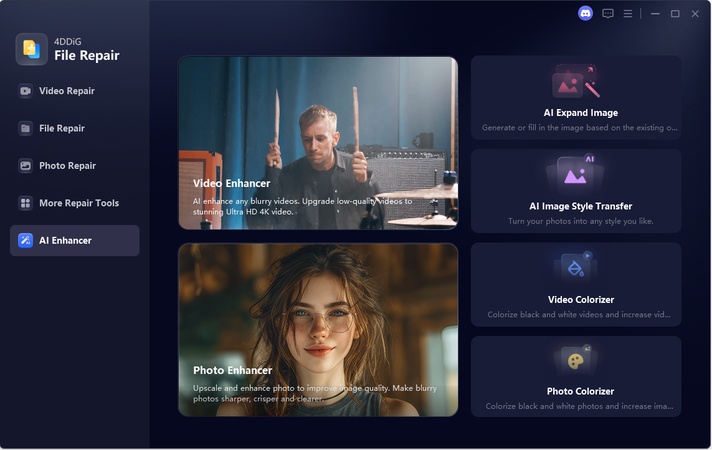
Struggling with complex AI prompts? 4DDiG AI Image Style Transfer lets you turn ordinary photos into trending, professional-style masterpieces with just one click and zero prompts.Simply upload your photo, choose a ready-made theme template from the built-in Theme Plaza (e.g., Christmas magic, Pixar style, winter wonderland), and generate instantly. The AI preserves real faces and details while applying viral trending effects, perfect for holiday cards, family portraits, or social media.

This powerful tool is perfect for anyone who wants to:

  • Create trending-style photos without AI expertise
  • Transform ordinary photos into artistic masterpieces
  • Curated library of popular styles including Christmas, vintage, anime, portraits, and seasonal designs
  • No prompt writing needed; just upload, select a template, and generate instantly
  • Generate seasonal or themed images for social media
  • Produce professional-looking content in seconds
  • Experiment with different visual styles effortlessly

Steps to Create Stunning AI Images with 4DDiG in Just One Click

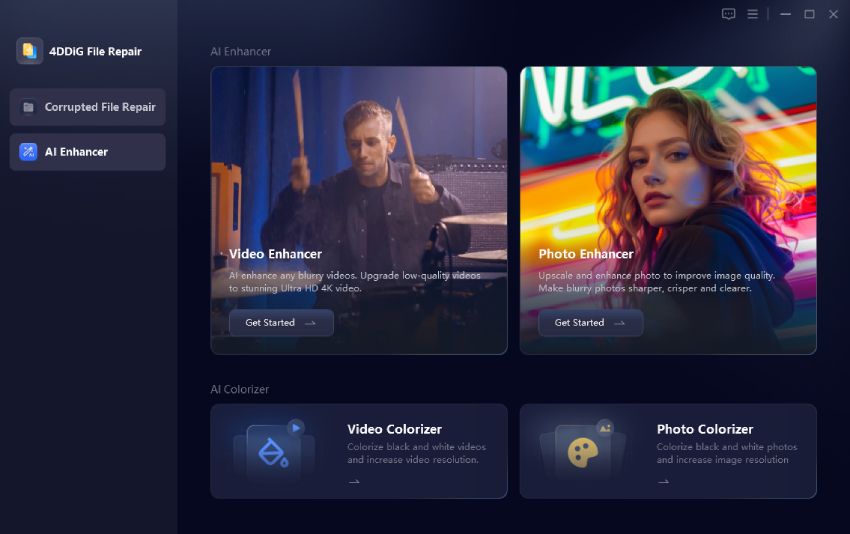
  • Install and fire up 4DDiG File Repair. Then go to “AI Enhancer” > “AI Image Style Transfer”.

    FREE DOWNLOAD

    Secure Download

    FREE DOWNLOAD

    Secure Download

    select ai image style transfer
  • Select a ready template you want, such as “New Year Celebration”. Then upload your image to 4DDiG (Privacy won’t be leaked).

    select desired photo style template upload image to 4ddig
  • Wait for seconds and the AI Image Style Transfer will give you a magic photo in the viral style.

    generate new year image without prompt

Part 3. How to Prompt ChatGPT for Pictures in 2026 (Beginner-Friendly)

Creating AI images in 2026 is easier than ever. You don’t need technical skills. Just need clear instructions. By following a few basic steps, you can generate high-quality visuals in minutes.

Step-by-step guide:

  • Log in to your ChatGPT account and choose “Create an image” from the tools menu.

  • Write a clear prompt starting with the subject, then add the style and setting.

  • Include basic details like lighting, colors, or mood.

  • Submit the prompt and wait for the image to generate.

  • Review the result and adjust your prompt as needed.

For beginners, start with simple descriptions and gradually add details for better results.

Part 4. Best Tips for Optimizing ChatGPT Image Prompts to Get High-Quality AI Photos

Small prompt improvements can dramatically upgrade your results. Use these simple but practical tips when writing best ChatGPT prompts for image generation.

Helpful Tips:
  • Be clear and specific, but keep your prompt short

  • Describe lighting and mood for better realism

  • Follow a simple structure: subject, style, background and lighting.

  • Start simple, then improve the prompt step by step

  • Use “natural imperfections” for realistic faces

  • Avoid vague words like nice or cool

  • Focus on one main idea instead of multiple requests

  • Use ChatGPT’s preset image styles for inspiration

  • Edit specific details instead of asking for general improvements

These tips also work well with chatgpt photo editing prompts and help create professional-quality AI photos.

Conclusion

In 2026, trending ChatGPT photo prompts make it easy for anyone to create viral, realistic, and professional images. With the copy & paste prompts above, you can generate stunning visuals for social media, business, or fun. To further enhance results, we recommend using the 4DDiG AI Image Style Transfer. This tool upgrades AI photos with artistic styles while preserving realistic details. It is ideal for both creators and professionals.

FREE DOWNLOAD

Secure Download

FREE DOWNLOAD

Secure Download

William Bollson (senior editor)

William Bollson, the editor-in-chief of 4DDiG, devotes to providing the best solutions for Windows and Mac related issues, including data recovery, repair, error fixes.

(Click to rate this post)

You rated 4.5 ( participated)