Top 5 Free Academia Downloaders Online for PDF Papers [2026 New List]

5 mins read

Updated on 2026-10-14 11:42:01 to File Tips

Finding a paper on Academia.edu does not always mean you can download its PDF directly. A reliable Academia downloader can help when a public paper has no convenient download option. This guide covers five free online tools, direct download methods, troubleshooting options, and legal alternatives. It also explains how 4DDiG File Repair can fix an Academia PDF that downloads but will not open properly.

Part 1. Best Academia Downloaders Free Online for 2026

Online downloaders can simplify PDF access when a paper is publicly available. The five options below use URL-based workflows, so you generally paste the paper link instead of entering Academia.edu credentials.

1. DocDownloader

DocDownloader is a general document downloader that supports Academia.edu links alongside other document platforms. It uses a simple URL-paste workflow and can process publicly accessible papers into downloadable PDF files. It is suitable for students and researchers who want a quick Academia PDF downloader without creating another account.

docdownloader academia downloader
  • Pros
  • Cons
    • Free URL-based downloading
    • No Academia credentials required
    • Simple document processing
    • Supports full PDF output when available
    • Public documents only
    • Ads can affect navigation
    • Availability depends on source access
    • Cannot unlock restricted papers

Best for: Students downloading accessible research papers quickly.

2. DownAcademia

DownAcademia is a dedicated Academia.edu downloader designed specifically for extracting publicly accessible Academia.edu documents. Its workflow focuses on pasting a paper URL and generating the available PDF for download. It suits users who want a specialized downloader instead of a general document service.

downacademia
  • Pros
  • Cons
    • Dedicated Academia workflow
    • Paste URL to process
    • No Academia login required
    • Full PDF when publicly available
    • Cannot bypass restricted access
    • Website advertising may appear
    • Service depends on Academia changes
    • Results vary by document availability

Best for: Users who regularly download public Academia papers.

3. AcaDownload.com

AcaDownload.com is an online free academia downloader focused on retrieving documents from Academia.edu through their page URLs. It removes the need to manually navigate multiple pages when the document is publicly accessible. Its straightforward workflow makes it useful for occasional academic PDF downloads.

acadownload free academia downloader
  • Pros
  • Cons
    • No account registration
    • URL-based document retrieval
    • No Academia credentials needed
    • Designed for Academia documents
    • Public papers only
    • Advertisements may appear
    • Cannot access locked files
    • Processing depends on source structure

Best for: Occasional users needing public academic PDFs.

4. ScribDownloads

ScribDownloads provides document downloading tools for several document platforms, including an Academia-focused downloader. Users provide the document URL and let the service process the available file. It is useful for people who work with documents from multiple platforms and want one service for different sources.

scribdownloads academia downloader
  • Pros
  • Cons
    • Supports multiple document platforms
    • URL-based Academia processing
    • No Academia credentials needed
    • Full PDF when available
    • Public access remains necessary
    • Advertising can clutter the interface
    • Platform changes may affect processing
    • Restricted papers remain inaccessible

Best for: Users downloading documents from multiple platforms.

5. MyDocDownloader

MyDocDownloader is another web-based document extraction service that can process Academia.edu URLs. Its simple input workflow requires the source link rather than Academia account credentials. It can be useful when another Academia downloader's full PDF option fails to process a particular public document.

mudocdownloader academia downloader
  • Pros
  • Cons
    • Simple URL input
    • No Academia login needed
    • Works with public documents
    • Useful as a backup downloader
    • Cannot access private papers
    • Results depend on source availability
    • Advertisements may be present
    • Full PDF availability can vary

Best for: Users looking for an alternative downloader.

Part 2. How to Download PDFs from Academia.edu for Free?

There are two practical approaches for downloading accessible Academia.edu papers. The first uses Academia.edu itself, while the second uses an online downloader when the direct option is unavailable.

Method 1. Download Directly from Academia.edu

The direct method is the safest option when the author has enabled PDF downloads. You do not need a third-party Academia downloader when the original download button is available.

  • Open the required paper or book on Academia.edu and look for the "Download PDF" button on the publication page. Select it and wait for the PDF to download.

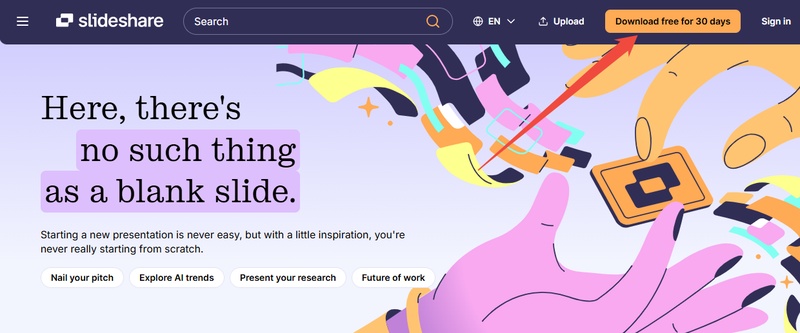
    academia official download pdf
  • If the paper requires access that you do not have, use an authorized alternative rather than attempting to bypass the restriction.

Method 2. Download Academia.edu PDFs Without Login Using Online Downloaders

When a public paper does not provide a convenient direct download, an online downloader may process its URL. Acadownload.com is one example of a dedicated service that uses this workflow.

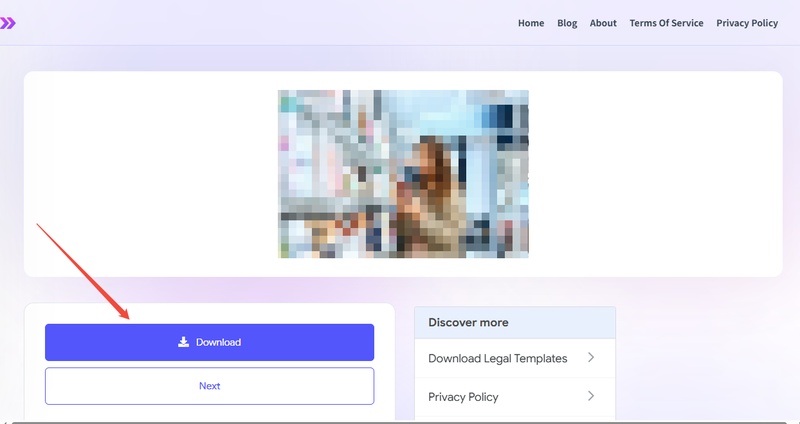
  • First, open the Academia.edu page containing the paper and copy its URL from the browser address bar. Then open Acadownload.com and paste the link into its input field.

  • Select the Download PDF or processing option shown on the page and wait for the service to generate the available file. When processing finishes, use the provided download option to save the PDF.

    acadownload download academia paper as pdf

This approach is intended for publicly accessible documents and does not provide legitimate access to private or restricted papers.

Part 3. What to Do If an Academia Downloader Doesn't Work?

Online downloaders can stop working when source pages change or a document is not publicly accessible. Try these alternatives before assuming the paper itself is unavailable.

Method 1. Try Another Academia Downloader

Different services may process the same URL differently. If one Academia.edu downloader fails, test another option from the list above.

  • Copy the same public Academia.edu URL and paste it into another downloader.

  • Check whether it produces the complete PDF rather than an incomplete file or error page.

Avoid entering your Academia password into third-party downloader websites.

Method 2. Check Whether the Paper Is Public

A downloader cannot reliably retrieve a document that is private, restricted, or unavailable to the public. Check the original download from academia.edu free page before trying multiple services.

  • Open the paper directly and check whether its content can be viewed without special permissions.

  • Look for an official "Download" option or other access provided by the author. If the document is restricted, contact the author or find an authorized copy through another academic source.

Method 3. Use Academia Alternatives

The same research paper may be available through another legitimate academic source. Google Scholar, institutional repositories, university libraries, and author publication pages can provide alternative access.

  • Search the paper title in an academic search engine and check the results for an author website or institutional repository.

  • You can also search using the paper's DOI, author name, or exact title. Choose a source that provides authorized access to the document.

⚡ Part 4. Bonus: How to Fix Academia PDF Corrupted or Won't Open Issue

Sometimes the Academia PDF downloader completes the download, but the resulting PDF is blank, corrupted, or impossible to open. This can happen because of an incomplete transfer, damaged file structure, or an interrupted download. 4DDiG File Repair provides a dedicated way to repair damaged PDF files.

Why Use 4DDiG File Repair?

4DDiG File Repair is designed to repair corrupted documents, including PDFs that fail to open correctly. It can be useful when downloading the paper again does not solve the problem. Key features include:

  • Repairs PDF files not opening, damaged, display blank pages, show gibberish text, and more
  • Supports batch document repair
  • Repairs blank or unreadable files
  • Preserves recoverable document content
  • Provides a preview before saving
  • Supports PDF versions 1.0 through 1.7
FREE DOWNLOAD

Secure Download

FREE DOWNLOAD

Secure Download

Steps to Repair an Academia PDF Not Opening or Corrupted Issue with 4DDiG

  • Open 4DDiG File Repair and select "File Repair". Add the corrupted Academia PDF that will not open by clicking "Add Files" to upload Academia downloaded PDF files to 4DDiG.

    add academia downloaded pdf files to 4ddig
  • Start the repair process by clicking "Repair All" and allow the software to analyze the damaged file. It will attempt to reconstruct recoverable PDF content, including text, images, and tables.

    start repairing corrupted academia pdfs
  • Preview the repaired document before saving it with the "Preview" feature.

    preview repaired academia pdf files
  • If the recovered content looks correct, select the save option and store the repaired PDF in a new location. Keep the original damaged file as a backup.

FAQs About Academia Downloader

Q1: How to download from Academia.edu without notification?

There is no reliable way to guarantee that a download will happen without platform notifications or prompts. Use the official download option when available, or download publicly accessible documents through an appropriate third-party tool.

Q2: How to download PDF from Academia.edu for free without login?

For publicly accessible papers, you can try an academia downloader free online service by pasting the paper URL. If the paper requires authentication or has download restrictions, use an authorized access method instead.

Conclusion

A reliable academia downloader can make downloading publicly accessible research papers more convenient. DocDownloader, DownAcademia, AcaDownload, ScribDownloads, and MyDocDownloader provide different URL-based options.

If a downloaded PDF becomes corrupted or refuses to open, 4DDiG File Repair offers a practical recovery solution. Always use downloaders only for documents you are authorized to access.

FREE DOWNLOAD

Secure Download

FREE DOWNLOAD

Secure Download

William Bollson (senior editor)

William Bollson, the editor-in-chief of 4DDiG, devotes to providing the best solutions for Windows and Mac related issues, including data recovery, repair, error fixes.

(Click to rate this post)

You rated 4.5 ( participated)