Never Miss! 5 Best Internet Archive Downloaders in 2026 (Extensions & Online Tools)

5 mins read

Updated on 2026-10-10 10:11:24 to File Tips

Internet Archive (archive.org) is a valuable source for old books, videos, audio, software, and archived web content, but downloading is not always straightforward. Some items have direct download options, while others are limited by lending rules or format restrictions. This guide reviews the best 5 Internet Archive downloader extension and online tools in 2026, including official options, browser extensions, online services, and download managers for different needs and file types.

Part 1. What Is Internet Archive Downloader?

An Internet Archive Downloader (also called Archive.org downloader) is a simple tool or browser extension that helps you save content from Archive.org. Archive.org holds millions of books, movies, audio files, and web pages. While many items are free to view, the official download option sometimes disappears or fails.

Amid this, a dedicated downloader steps in to batch grab the files you need without complicated steps. Depending on the tool, it may handle books, PDFs, videos, audio files, software, individual media files, or even archived websites from the Wayback Machine.

1. Why Can't You Download from the Internet Archive?

You may notice the Internet Archive downloads not working for certain items. Some books are only available for borrowing, which means the download button is hidden or limited. Other files may face temporary server issues, copyright holds, or browser restrictions. In these cases the site lets you read or stream the content online but blocks a direct save. This is why many users look for extra tools.

Note:

Before looking for another Archive.org downloader, check the item's Download Options area first. If the original file is available there, the official download method is usually the simplest and most reliable choice.

2. What an Archive.org Downloader Can Do?

The exact features vary from tool to tool, but a typical Archive.org downloading solution may help you:

  • Save publicly downloadable books (include flipbooks), PDFs, videos, audio, images, or software.
  • Detect multiple file formats attached to the same Archive.org item.
  • Download individual files instead of an entire archive.
  • Manage multiple or large downloads more easily.
  • Turn supported book pages into a PDF for offline reading.
  • Save archived Wayback Machine pages with their HTML, images, CSS, and other assets.
  • Organize multiple files into folders or ZIP packages.

In short, the right tool depends on what you are downloading from Internet Archive. A book extension, for example, serves a very different purpose from a Wayback Machine website downloader.

Part 2. Never Miss: 5 Best Internet Archive Downloaders in 2026

There is no single tool that works best for every Archive.org item. Some are designed for regular public files, some focus on books, and others are better for archived websites or large download queues. Each one has its own strengths, so you can pick what fits your needs best. Here are five useful options worth knowing in 2026.

1. Archive.org Downloader (Official)

The official method is the simplest starting point. Go to the item page on Archive.org and look for the download options on the right side. For many public files you can choose different formats and quality levels.

This works especially well if you want the highest quality video download from internet archive. For videos, check the available files rather than automatically choosing the smallest MP4. Just select the original or highest resolution file.

internet archive interface
  • Pros
  • Cons
    • Completely free and official method provided by Internet Archive
    • Delivers the highest quality original files
    • Often provides several formats for the same item.
    • No browser extension or third-party website required.
    • Safe and reliable for video, audio, PDF, software, image, and other public content.
    • Download button often missing for borrowed or restricted books
    • Limited options when the item is under borrowing rules
    • No extra features like batch download or PDF conversion

Best for: Public books, videos, audio, images, software, and original files

2. Internet Archive Downloader Extension for Chrome/Firefox

Element Davv's Internet Archive Downloader is a browser extension designed mainly for Archive.org books. For supported items, it can build a PDF from book pages and can also save individual pages as JPEG or PNG images. The current Firefox version supports Firefox 115 and later, while the project's GitHub documentation also provides manual installation options for Chromium-based browsers.

This makes it useful for readers searching for an Archive.org book downloader or a convenient way to turn supported Archive.org book pages into a PDF.

internet archive downloader browser extension
  • Pros
  • Cons
    • Easy to use directly in the browser
    • Excellent for books and flipbooks
    • Can convert many items into PDF with embedded text
    • Supports saving book pages as images.
    • Offers selectable quality and page-range options.
    • Chrome version may require manual installation from GitHub
    • Mainly useful for books rather than general Archive.org media.
    • Compatibility may change when Archive.org updates its viewer.
    • Firefox requires additional site permissions.

Best for: Download Internet Archive books and flipbooks to PDF

3. Wayback Machine Downloader

This simple online tool lets you paste any Wayback Machine or Archive.org link and download the full snapshot as a ZIP file. It includes HTML, CSS, images, and other assets so the page works offline. No software installation is required. When you only have a link and want a quick online solution, this tool is handy, helping you download from an Internet Archive link.

wayback machine downloader
  • Pros
  • Cons
    • No installation required and very simple with just pasting URL
    • Works with any Archive.org or Wayback Machine link
    • Good for single pages or smaller files
    • Lets you select an archived snapshot date.
    • Downloads HTML, CSS, JavaScript, images, and related assets.
    • Provides a preview before you save the site.
    • Not intended for downloading Archive.org books.
    • Not a dedicated Internet Archive video downloader.
    • Some archived sites may be incomplete because the Wayback Machine did not capture every asset.
    • Large websites may take longer to rebuild and package.

Best for: Archived websites and historical web pages

4. MediaPuller

MediaPuller Arechive.org Video Downloader is a free online tool designed specifically for downloading public videos from Archive.org. Paste a full item link (archive.org/details/...), and it lists the available original video files in different formats and resolutions. It works directly in the browser with no installation or account required, and only handles publicly accessible content.

mediapuller archive org video downloader
  • Pros
  • Cons
    • Completely free and no sign-up needed
    • Simple and clean interface
    • Shows original source files without re-encoding
    • Works on both desktop and mobile browsers
    • Detects multiple video formats: MP4, WebM, MOV, MKV, OGV, or MPEG
    • Clearly limited to publicly accessible content, reducing confusion about restricted items
    • Limited to video files only
    • Cannot download restricted, borrowed, or private items
    • Depends on Archive.org having public downloadable video versions
    • No batch download or advanced management features

Best for: Fast online Internet Archive video downloads

5. SnapSave

SnapSave Archive.org Video Downloader is a free online Archive.org video downloader that turns a public item link into a clean MP4 file (up to 1080p). Paste any archive.org/details/ URL, and it fetches the best available video with audio intact at the original quality. No account, no installation, and it works on any modern browser for public-domain or openly licensed videos only.

snapsave archive org video downoader
  • Pros
  • Cons
    • Completely free with no sign-up or daily limits
    • Delivers clean MP4 with original quality and synced audio
    • No re-encoding or quality loss
    • Works on desktop and mobile browsers
    • Strong privacy stance (no logging of links or files)
    • Clear focus on public and openly licensed content
    • Limited to public videos only (cannot handle restricted or borrowed items)
    • Single-item downloads only (no batch or collection support)
    • Quality depends entirely on what Archive.org provides
    • Page contains advertisements

Best for: Archive.org MP4 downloads

6. Download from Internet Archive Alternatives (Z-Library, Anna's Archive, etc.)

When books or files are restricted on Archive.org, Z-Library and Anna's Archive serve as popular alternatives. Z-Library offers a huge direct collection of books, while Anna's Archive indexes tens of millions of titles from multiple sources and provides download links.

zlibrary
  • Pros
  • Cons
    • Larger book collections than Archive.org
    • Direct PDF/EPUB downloads when borrowing is the only option
    • Helpful for rare or restricted titles
    • Free and easy to search
    • Legal status is often unclear
    • Domains and access can change frequently
    • File quality and download speeds vary
    • Not all content is properly licensed

Best for: Finding books or documents unavailable on Archive.org

Part 3. How to Download from Internet Archive without Download Option for Free

When the official download button is missing, the Internet Archive Downloader extension offers a free way to save content. It works especially well for books that only allow online borrowing. Here is a simple step-by-step guide.

  • Install the extension from the Firefox add-ons page or the GitHub releases for Chrome. Enable it in your browser settings and grant the needed permissions.

  • Go to Archive.org and search for the book or file you want. Log in with a free account if required, then click "Borrow" to open the online viewer.

    internet archive borrow option
  • Once the book loads, look for the new "Quality" and "Download" buttons under the viewer. Use the Quality button to choose the page resolution you prefer.

    internet archive download option
  • Click the Download button to save the whole book as a PDF. Hold Ctrl (or Command on Mac) while clicking if you want individual page images instead. For a page range, hold Alt (or Option) and enter the numbers.

  • Wait for the progress bar to finish. The file saves to your computer, and the book is often returned automatically so others can borrow it.

This method lets you download archive.org books even when no direct option appears. It also works for many text-based files. For videos, try the official links first or a simple online tool if the extension does not apply.

⚡ Part 4. Bonus: How to Fix Corrupted Files Downloaded from Internet Archive

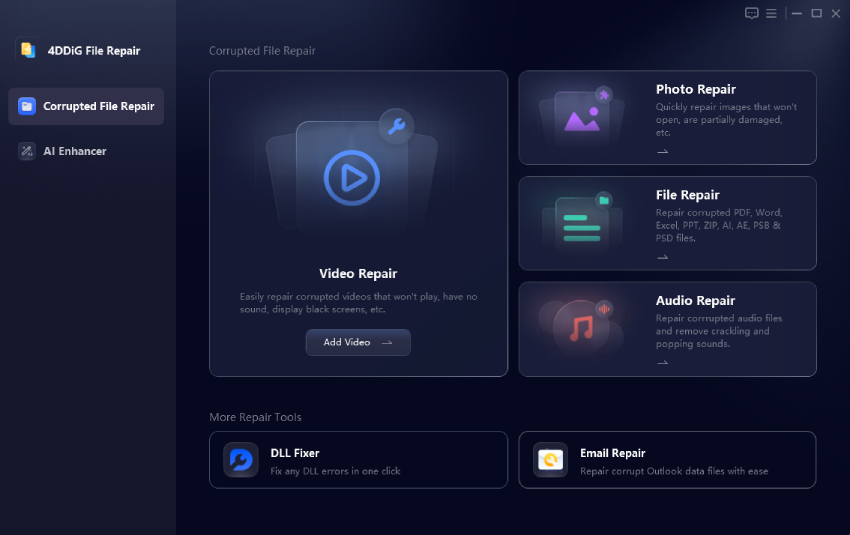
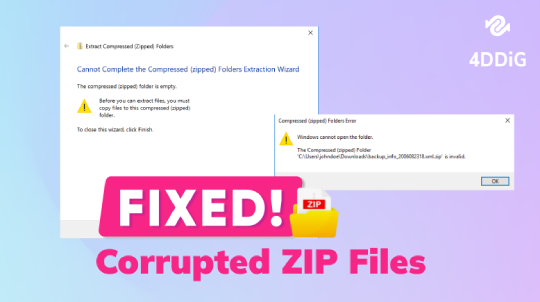
Sometimes a downloaded PDF, video, image, or document may fail to open because the transfer was interrupted or the source file was already damaged. In this case, 4DDiG File Repair can help repair corrupted files instead of downloading them again.

Key Features of 4DDiG File Repair

  • High success rate for fixing files that will not open, show blank pages, or display gibberish
  • Repair corrupted PDF, Word, Excel, PowerPoint, EPUB, ZIP, and more file formats
  • Batch repair so you can fix several files at once
  • Preview option before saving the repaired version
  • Works on both Windows and Mac
  • Also features Video Repair and Audio Repair
FREE DOWNLOAD

Secure Download

FREE DOWNLOAD

Secure Download

Steps to fix corrupted files downloaded from Archive.org with 4DDiG

  • Download, install, and open 4DDiG File Repair. Select the "File Repair" option on the left side and click "Add Files" to import the damaged PDF, document, or other file from Internet Archive.

    add corrupted files to 4ddig
  • Click "Repair All" and wait while the tool scans and fixes the issues.

    repair all corrupted files
  • Preview the repaired file to confirm it looks correct, then click "Save" or "Save All" to store it in a new location.

    preview and save repaired files

Part 5. Is It Safe and Legal to Download from Internet Archive?

Downloading from the Internet Archive is generally safe when you stick to official tools and public items. The site itself is a trusted non-profit library. Most files available for direct download are either public domain or shared with clear permission.

However, not everything on the site is free to keep forever. Borrowed books come with time limits, and some materials remain under copyright. Always check the rights statement on the item page. Use downloads only for personal or educational purposes, and avoid sharing restricted files. Respecting these rules keeps the resource available for everyone.

FAQs about Internet Archive Download

Q1: How to download any book from Internet Archive?

Start with the official DOWNLOAD OPTIONS on the item page. If the button is missing, borrow the book and use the Internet Archive Downloader extension to save it as a PDF.

Q2: Can you download from Internet Archive?

Yes, many public items offer direct downloads in various formats. Restricted or borrowed items may need an extension or alternative method.

Q3: How to speed up Internet Archive downloads?

Use a stable internet connection, download one large file at a time, and choose a smaller file size when possible. A download manager can also help resume interrupted downloads, although server speed may still limit performance.

Q4: How to download borrowed books from Archive.org?

Log in, borrow the book, then use the Internet Archive Downloader extension. The Quality and Download buttons appear under the viewer so you can save a PDF.

Q5: How to download locked Internet Archive files?

Locked or restricted files usually cannot be downloaded legally. Check the rights statement and look for public-domain versions or legal library alternatives instead.

Conclusion

Choosing the right Internet Archive downloader depends on what you want to save. Archive.org's official download options are best for regular public files, browser extensions are useful for supported books, and online tools such as MediaPuller or SnapSave make public video downloads more convenient.

Always check an item's copyright and access conditions before downloading. If a downloaded PDF, video, or document becomes corrupted, 4DDiG File Repair can also help repair the damaged file instead of downloading it again.

FREE DOWNLOAD

Secure Download

FREE DOWNLOAD

Secure Download

William Bollson (senior editor)

William Bollson, the editor-in-chief of 4DDiG, devotes to providing the best solutions for Windows and Mac related issues, including data recovery, repair, error fixes.

(Click to rate this post)

You rated 4.5 ( participated)