Top 7 Best FLV Players You Should Never Miss in 2026
Although FLV files are less common today after Adobe Flash's discontinuation, many users still need reliable FLV players to enjoy archived videos. In 2026, the best FLV media players offer smooth playback without extra codecs. This guide reviews the top 7 free FLV players and software, helping you choose the ideal FLV video player for your device and needs.
Part 1. Comparison Table: Which Is the Best FLV Player
To help you quickly compare, here's a side-by-side table of the top 7 best FLV players in 2026:
Summary: VLC stands out as the overall player to open and play FLV video files for most users due to its versatility and reliability.
Part 2. What Is an FLV File and Why Some Players Can't Open It?
1What is an .FLV file?
Definition: FLV (Flash Video) is a container format for storing audio, video, and metadata in one file, using the .flv extension.
History: Created by Macromedia (later Adobe) in the early 2000s for Adobe Flash Player. Dominant online video format until ~2015; phased out after Flash ended support in 2020.
Purpose: Designed for efficient streaming over the internet with low bandwidth and quick start times.
Technical Details: Supports codecs like H.264 (video) and MP3/AAC (audio). Compact size with good compression for its era.
Current Status (2026): Legacy format; common in archived videos but rarely used for new content. Modern players may need third-party support.
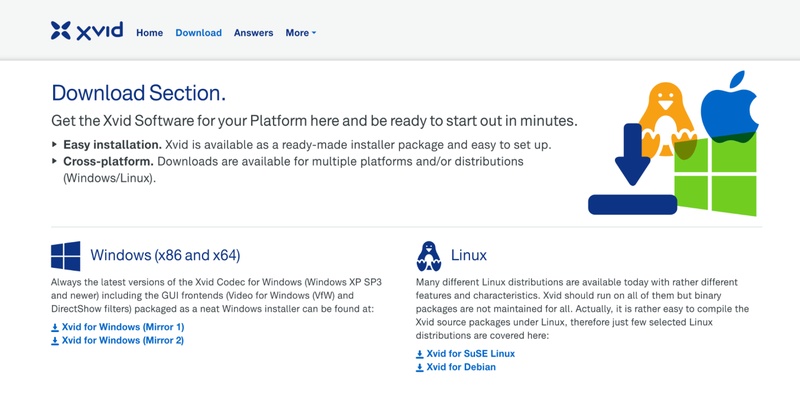
Xvid vs H.264: Real Quality & File Size Tests – Best Codec Revealed
2Why modern default players fail to play FLV?
- No built-in codecs: Default players lack support for FLV's proprietary container and codecs (e.g., VP6, Sorenson Spark).
- Flash discontinued: FLV relied on Adobe Flash, ended in 2020, no more native support in browsers or players.
- Focus on modern formats: Players prioritize MP4, MOV, etc., over legacy FLV.
- No official integration: Microsoft/Apple never added native FLV playback.
Part 3. Top 7 Best FLV Players You Should Never Miss in 2026
Whether you need a versatile free FLV media player for Windows, a native FLV player for Mac, a mobile FLV player for Android, or an instant online FLV player, our curated list has you covered. Here's the breakdown:
1. VLC Media Player -- Cross-platform All-Round FLV Player without Extra Codecs
VLC Media Player is the most popular open-source free FLV player in 2026, trusted by millions for its universal format support including native FLV playback without additional codecs. It excels on Windows, Mac, Linux, and Android, offering robust features like hardware acceleration, streaming, and customization, making it the go-to versatile FLV video player for everyday users and professionals alike.
Best for: Users who want the best FLV player software that works on almost any platform and can also act as a DAT file player for PC.
Key Features:
- Plays virtually all formats (MP4, MKV, AVI, FLV, etc.) with built-in hardware acceleration for smooth 4K/8K playback.
- Advanced controls: subtitles sync, audio/video filters, equalizer, playlist management, and streaming support.
- Customizable interface, snapshot tool, and network streaming (e.g., play FLV from URLs).
- Open-source and regularly updated for security and compatibility.
- Pros
- Cons
-
- Completely free, no ads,
- Lightweight yet powerful,
- Excellent codec support including legacy FLV
-
- Interface feels outdated for beginners
- Advanced settings may overwhelm casual users
Steps to play FLV video:
- Open VLC. Go to "Media" > "Open File" (or drag and drop the file).
- The video plays automatically. No extra codecs needed.
2. FLV Media Player -- Dedicated FLV Playback Optimized for Windows
FLV Media Player is a lightweight, specialized free FLV media player designed exclusively for Windows users focusing on optimal playback of Flash Video files. It provides simple, efficient handling of FLV archives with minimal system resources, making it ideal for those dealing primarily with downloaded or legacy FLV content without needing broad format support.
Best for: Windows users needing a dedicated, no-frills FLV player for Windows 11 or older PCs
Key Features:
- Optimized specifically for FLV format with fast loading and smooth playback.
- Basic controls: full-screen, zoom, playlist support, and loop/repeat options.
- Supports associated formats like F4V; simple drag-and-drop interface.
- Portable version available, no installation required.
- Pros
- Cons
-
- Extremely lightweight and fast
- Ideal FLV player for Windows 11 and older systems
- No unnecessary features or distractions
-
- Limited format support beyond FLV
- Windows-only, no macOS or Android version
Steps to play FLV video:
- Download and open FLV-Media-Player.
- Click "File" > "Open" or drag the file into the window.
- Playback starts instantly; use controls for zoom/fullscreen.
3. Elmedia Player -- Native Mac FLV Player with AirPlay & Chromecast
Elmedia Player is a premium-quality FLV player for Mac that offers smooth playback and advanced streaming options. It supports FLV natively on macOS and allows users to stream videos to Apple TV, Chromecast, or smart TVs without additional plugins.
Best for: Mac users wanting a polished FLV player Mac with wireless streaming capabilities.
Key Features:
- Native support for FLV and hundreds of formats without extra codecs.
- Hardware-accelerated decoding for smooth HD/4K playback.
- Built-in AirPlay 2, Chromecast, and DLNA streaming; subtitle search integration.
- Advanced controls: audio equalizer, video tuner, playlist editor, and picture-in-picture mode.
- Pros
- Cons
-
- Beautiful Mac-native interface,
- Excellent streaming options,
- Highly customizable playback.
-
- Pro version required for full features (e.g., advanced streaming);
- Free version has limitations.
Steps to play FLV video:
- Open Elmedia Player. Drag the file onto the player window or use "File" > "Open".
- Video loads and plays; enable AirPlay/Chromecast via the streaming icon if needed.
4. MPC-HC -- Ultra-lightweight FLV File Player for older Windows PCs
MPC-HC (Media Player Classic – Home Cinema) is an ultra-light FLV file player designed for older or low-spec Windows computers. It delivers fast startup times and stable FLV playback without consuming excessive system resources.
Best for: Windows users on low-spec hardware needing a fast FLV player for Windows 11 or older systems.
Key Features:
- Efficient FLV playback with internal/external filters support.
- Low resource usage, customizable shaders, and toolbar editor.
- Supports subtitles, multiple audio tracks, and hardware acceleration.
- Remembers playback position and extensive keyboard shortcuts.
- Pros
- Cons
-
- Extremely lightweight (great for older PCs),
Highly customizable,
Very low CPU and RAM usage,
No bloatware or ads.
- Extremely lightweight (great for older PCs),
-
- Outdated interface
- Limited development updates
Steps to play FLV video:
- Open MPC-HC. Go to "File" > "Open File" (or drag and drop).
- Plays natively; right-click for options like fullscreen.
5. 5KPlayer -- Free FLV Player with Built-in Video Downloader
5KPlayer is a versatile free FLV video player that also includes a built-in video downloader and AirPlay support. It can play FLV files smoothly while offering extra features not commonly found in standard players.
Best for: Users wanting a free FLV media player with online video downloading on Windows or Mac.
Key Features:
- Native FLV support plus 4K/8K/HDR playback with hardware acceleration.
- Built-in YouTube/downloader for 300+ sites; AirPlay/DLNA streaming.
- TrueTheater effects, subtitle support, and radio player.
- Playlist management and screen recording.
- Pros
- Cons
-
- Free with no ads,
- Multifunctional (download + play),
- Excellent high-res performance.
-
- Interface can feel cluttered;
- Occasional prompts for related tools.
Steps to play FLV video:
- Launch 5KPlayer. Click "Video" button or drag the file in.
- Select the file from library; playback begins with hardware acceleration.
6. MX Player -- Hardware-Accelerated FLV Player for Android with Gesture Controls
MX Player remains the leading FLV player app for Android in 2026, known for its powerful hardware decoding and intuitive touch gestures that enhance mobile viewing. It supports FLV alongside countless formats, making it essential for Android users playing archived videos or streaming on phones and tablets efficiently.
Best for: Android users seeking the best FLV player for Android with touch-friendly controls.
Key Features:
- Hardware/software decoding for smooth FLV and most formats (including 4K).
- Intuitive gesture controls (swipe for volume/brightness, pinch to zoom).
- Multi-core decoding, kids lock, subtitle gestures, and network streaming.
- Supports custom codecs for rare files
- Pros
- Cons
-
- Highly optimized for mobile,
- Ad-free Pro version available,
- Excellent subtitle handling.
-
- Free version has ads;
- Requires codec pack for some older devices.
Steps to play FLV video:
- Open MX Player. Browse to the file or let it scan storage.
- Tap the video; use swipes for volume/brightness/seek.
7. FileProInfo Online FLV Player -- Play FLV Files Instantly Without Installation
FileProInfo's online FLV player offers convenient browser-based playback in 2026, allowing users to upload and stream FLV files directly without downloading software. It's perfect for quick access on any device with internet, ensuring privacy and compatibility for occasional FLV viewing across platforms like PC, Mac, or mobile browsers.
Best for: Users who want to play FLV online instantly without installing a desktop app.
Key Features:
- Upload and play FLV directly in any modern browser (no software needed).
- Supports basic controls: play/pause, volume, full-screen, and seeking.
- Secure, temporary playback with no permanent storage.
- Works on any device (PC, Mac, Android, iOS) with internet.
- Pros
- Cons
-
- Convenient FLV player online
- Ideal for quick preview of FLV files
- Cross-platform access
-
- Requires stable internet connection
- Not suitable for large or high-bitrate FLV files
Steps to play FLV video:
- Visit fileproinfo.com/free-viewer/flv.
- Upload your FLV file (supports XviD-encoded FLV).
- Video plays directly in the browser once uploaded.
⚡ Bonus Tip: What To Do If FLV Files Not Playing
If your FLV videos are corrupted, showing errors, freezing, or no playback, don't worry. Tools like 4DDiG Video Repair can fix various formats, including FLV files.
4DDiG Video Repair supports repairing damaged videos from transfers, edits, or downloads. Its Advanced Repair mode uses sample files to boost success rates for severely corrupted FLV.
What Can 4DDiG Video Repair Help:
- Repair corrupted FLV, MP4, MKV, MOV, Xvid codec-related AVI videos, and other more files
- Resolves choppy, jerky, frozen, blurry, or distorted FLV videos quickly.
- Higher success for severely damaged FLV using samples with Advanced Repair Mode
- Fix multiple corrupted FLV videos at once
- Supports previewing fixed FLV before saving
Steps to repair corrupted FLV files using 4DDiG:
Download and launch 4DDiG Video Repair on your PC. Then go to “Video Repair” > “Add Videos” to import your multiple corrupted FLV files.
FREE DOWNLOADSecure Download
Tap bottom-right “Repair All” or enable Advanced Repair mode (upload a working sample FLV for better results in Advanced mode) to address severely damaged videos.
Preview and save the repaired videos.
This reliable solution restores playability quickly, making it essential for old FLV collections.
People Also Ask about FLV Media Player
Q1: What player can play FLV files?
Many players support FLV in 2026, including VLC Media Player (top choice), Elmedia Player (Mac), MPC-HC, 5KPlayer, MX Player (Android), and online FLV players like FileProInfo.
Q2: Does VLC play FLV?
Yes, VLC Media Player natively plays FLV files without extra codecs or plugins, offering smooth playback with hardware acceleration on all platforms.
Q3: Is VLC player safe?
Absolutely. VLC is open-source, ad-free, spyware-free, and regularly updated by VideoLAN, a trusted non-profit organization.
Q4: Is VLC still the best player?
Yes, VLC remains the best free FLV player and overall media player for most users due to its versatility, format support, and reliability.
Conclusion
Choosing the right FLV media player in 2026 ensures you can enjoy legacy Flash videos effortlessly. VLC tops the list as the ultimate free FLV player, while specialized options cover Mac, Android, Windows, and online needs. If your FLV files are corrupted, try 4DDiG Video Repair. For low-quality videos, we also recommend 4DDiG Photo Enhancer to upscale and restore clarity quickly.
Secure Download
Secure Download
ChatGPT
Perplexity
Grok