8 Best Free AVIF Viewer for Windows 2026: Open & Convert AVIF Files Easily

5 mins read

Updated on 2026-04-02 23:58:53 to Photo Tips

Struggling to open modern image formats on your PC? You’re not alone. Many users encounter issues when trying to view AVIF files without the right tools. A reliable AVIF viewer helps you open, view, and even convert these files effortlessly. In this guide, we’ll explore the best tools and methods to handle AVIF images on Windows, including: FastStone, IrfanView, XnView, ImageGlass, online Framebird, and more AVIF readers.

best avif viewer

Part 1. What Is an AVIF File? (And Why It’s Better Than JPG)

AVIF (AV1 Image File Format) is a modern image format based on the AV1 video codec. It is designed to provide superior compression while maintaining excellent image quality. Compared to traditional formats, AVIF can store high-quality visuals at significantly smaller file sizes.

Advantages of AVIF:

Here are some of the key advantages.

  • Smaller file size without noticeable quality loss
  • Supports HDR, transparency, and wide color gamut
  • Better compression than JPG and PNG
  • Ideal for web performance and faster loading
  • Maintains detail even at lower bitrates

AVIF vs JPG

Feature AVIF JPG
File Size Much smaller for the same quality Larger
Image Quality Higher with better compression Lower at the same size
Transparency Supported Not supported
HDR Support Yes No
Browser Support Growing Universal
Compression Efficiency Advanced (AV1 codec) Traditional

AVIF clearly outperforms JPG in efficiency and quality, but compatibility is still catching up, which leads to usability issues on Windows.

Part 2. Why You Can’t Open AVIF Files on Windows? (Common Issues)

It is a common problem for Windows users that they need a dedicated AVIF image viewer sometimes to open these files.

Here's why:

  • Windows does not include built-in AVIF support by default (especially older versions like Windows 7)
  • Missing AV1 codec or required extensions
  • Outdated image viewers that don’t support the AVIF format
  • Corrupted AVIF files that cannot be decoded
  • Incorrect file associations are preventing proper opening
  • Browser or software compatibility limitations
  • Lack of proper plugins in editing tools

Part 3. How to View AVIF Files on Windows 11/10/7 Directly? (Fastest Methods in 2026)

If you just need a quick way to open AVIF files, there are a couple of simple solutions that don’t require installing heavy software. These methods are fast, reliable, and suitable for most users.

Method 1. Open AVIF Files in Browser (Chrome, Edge, Firefox)

Modern browsers now support AVIF natively, making them one of the easiest ways to view AVIF images. This method works instantly and doesn’t require additional setup in most cases.

  • Right-click your AVIF file and select "Open with", then choose your browser, for example, "Google Chrome".

    open and view avif image with chrome
  • View the image instantly.

Method 2. Install Microsoft AV1 Video Extensions

If you prefer native Windows support, installing AV1 extensions enables built-in apps like Photos to open AVIF files. This method integrates AVIF viewing directly into your system.

  • Open “Microsoft Store” and search for "AV1 Video Extensions."

  • Click “Get” and let the downloading and installation process complete, then restart your PC.

    install microsoft av1 image extension to view avif
  • Open AVIF files using the Photos app or any other media app that you want.

Part 4. Top 8 Best Free AVIF Viewers for Windows 11/10/7 in 2026 (Tested & Ranked)

Many users wonder which program opens AVIF files without any issues. So, in this section, we will share our top 8 picks that you can try.

1. FastStone Image Viewer — Native AVIF Support

faststone avif image viewer

FastStone Image Viewer is a reliable and efficient image viewing software that supports AVIF files without requiring plugins. It offers fast performance, a user-friendly interface, and essential editing tools. With its balance of speed, simplicity, and functionality, it remains one of the best choices for everyday image viewing and management.

Key Highlights:

  • Native AVIF support without additional plugin installation
  • Built-in editing tools for basic image adjustments
  • Fast image loading even with large file sizes
  • Full-screen viewing mode with smooth navigation controls
  • Batch processing support for renaming and format conversion
  • Pros
  • Cons
    • Extremely fast performance on low and high-end systems
    • Simple interface suitable for beginners and professionals alike
    • Supports a wide range of image formats beyond AVIF
    • Includes useful editing tools without needing extra software
    • Outdated interface design compared to modern applications
    • Lacks advanced professional-grade image editing features

Best For: General users needing a reliable AVIF viewer

Rating: ★★★★★

2. IrfanView — Ultra-Lightweight & Fast

irfanview avif viewer

IrfanView is a lightweight and fast image viewer known for its efficiency and flexibility. With plugin support, it can open AVIF files and many other formats. It is especially useful for users with older systems, offering advanced batch processing features and extensive customization options for efficient image management.

Key Highlights:

  • Plugin-based AVIF support for extended format compatibility
  • Extremely low system resource usage on older computers
  • Advanced batch renaming and conversion functionality included
  • Supports hundreds of image formats with plugin extensions
  • Highly customizable interface with various viewing and editing options
  • Pros
  • Cons
    • Very fast performance, even on outdated hardware systems
    • Lightweight installation requiring minimal storage and memory usage
    • Powerful batch processing tools for large file operations
    • Flexible customization through plugins and configuration options
    • Requires manual plugin installation for AVIF file support
    • Interface feels outdated compared to modern viewer tools

Best For: Low-end PCs and advanced users

Rating: ★★★★☆

3. XnView MP — Multi-Platform AVIF Viewer

xnview avif viewer

XnView MP is a powerful multi-platform image viewer that supports AVIF files along with hundreds of other formats. It includes advanced file organization tools, batch processing, and editing features. Designed for professionals, it excels in managing large image collections efficiently while providing flexible viewing and conversion capabilities.

Key Highlights:

  • Supports over 500 image formats, including AVIF files
  • Advanced file organization with tagging and metadata editing
  • Batch processing tools for renaming and format conversion
  • Cross-platform support for Windows, macOS, and Linux systems
  • Integrated editing tools for cropping, resizing, and color adjustments
  • Pros
  • Cons
    • Excellent tool for managing large image collections efficiently
    • Powerful batch processing capabilities for professional workflows
    • Cross-platform compatibility for flexible multi-device usage
    • Rich feature set for both viewing and editing tasks
    • The interface can be overwhelming for beginner-level users
    • Slight learning curve to fully utilize advanced features

Best For: Professionals managing large image libraries

Rating: ★★★★☆

4. BandiView — Animated AVIF Viewer

bandiview animated avif viewer

BandiView is a modern image viewer designed for high-performance image rendering, including support for animated AVIF files. It delivers smooth playback and fast image loading. With a clean interface and optimized performance, it is an excellent choice for users who frequently work with animated or high-resolution AVIF content.

Key Highlights:

  • Supports animated AVIF playback with smooth rendering performance
  • Fast image loading optimized for high-resolution image files
  • Clean and modern user interface for easy navigation
  • Lightweight software with minimal system resource usage
  • Supports multiple image formats beyond AVIF compatibility
  • Pros
  • Cons
    • Excellent performance when viewing animated AVIF image files
    • Smooth navigation and a responsive image rendering experience
    • User-friendly interface suitable for beginners and professionals
    • Lightweight design ensures efficient system resource usage
    • Limited image editing features compared to advanced tools
    • Fewer customization options than other professional viewers

Best For: Viewing animated AVIF files

Rating: ★★★★☆

5. ImageGlass — Modern & Lightweight

imageglass avif viewer

ImageGlass is a modern and lightweight image viewer designed for speed and simplicity. It supports AVIF files through extensions and offers a clean, customizable interface. Ideal for users who prefer a minimalistic design, it delivers fast performance while maintaining essential viewing capabilities for everyday image handling tasks.

Key Highlights:

  • Clean and modern interface with customizable themes support
  • Supports AVIF format through optional extension installation
  • Fast image loading with optimized lightweight performance
  • Open-source development with active community support
  • Simple navigation controls for a smooth viewing experience
  • Pros
  • Cons
    • Modern interface design compared to traditional image viewers
    • Lightweight performance suitable for most system configurations
    • Easy to use for beginners without technical experience
    • Customizable themes and layout options available
    • Requires extension installation to enable AVIF file support
    • Lacks advanced editing tools for professional image processing

Best For: Users who prefer modern UI

Rating: ★★★★☆

6. Framebird AVIF Viewer — Fast & Secure Online AVIF Viewer

framebird avif viewer online

Framebird AVIF Viewer is a web-based tool that allows users to open AVIF files instantly without installing software. It offers a simple drag-and-drop interface and fast processing. Designed for convenience, it works across devices, making it ideal for quick previews and users who prefer online solutions.

Key Highlights:

  • No installation required, works directly in a web browser
  • Drag-and-drop interface for quick AVIF file uploads
  • Fast processing with minimal waiting time for previews
  • Compatible with multiple devices, including mobile and desktop
  • Secure file handling with a temporary file processing system
  • Pros
  • Cons
    • Very convenient for quick AVIF file viewing tasks
    • Accessible from any device with an internet connection
    • No need to install additional software on the system
    • Simple interface suitable for all user experience levels
    • Requires a stable internet connection for proper functionality
    • Limited features compared to desktop-based image viewers

Best For: Quick online viewing

Rating: ★★★☆☆

7. PhotoKit AVIF Viewer — Online Viewer with Conversion

photokit avif viewer online

PhotoKit AVIF Viewer is an online tool that allows users to both view and convert AVIF files easily. It supports exporting images into popular formats like JPG and PNG. With its simple interface and fast processing, it is a practical solution for users needing quick viewing and conversion without installing software.

Key Highlights:

  • Supports both AVIF viewing and format conversion features
  • Allows export to JPG, PNG, and other formats
  • Simple web-based interface for easy user interaction
  • Fast processing for quick file uploads and conversions
  • No installation required for using the tool
  • Pros
  • Cons
    • Combines viewing and conversion in one convenient tool
    • Easy to use without requiring technical knowledge
    • Works across devices with any modern web browser
    • Quick processing suitable for small and medium files
    • Requires an internet connection to access all features
    • Limited control over advanced conversion settings

Best For: Quick conversion tasks

Rating: ★★★☆☆

8. ImageToStl Online AVIF Viewer — Simple Online AVIF Preview

imagetostl online avif viewer

ImageToStl AVIF Viewer is a simple online tool designed for quick AVIF file previews. It requires no installation and works directly in a browser. While it lacks advanced features, it provides a fast and straightforward way to view AVIF files, making it suitable for users needing basic functionality.

Key Highlights:

  • Simple online interface for quick AVIF file previews
  • No installation required, runs entirely in the browser
  • Supports multiple image formats, including AVIF files
  • Fast loading speed for small and medium files
  • Accessible on any device with internet connectivity
  • Pros
  • Cons
    • Extremely easy to use for basic viewing tasks
    • No setup or installation required before use
    • Works across different devices and operating systems
    • Quick loading for simple AVIF preview needs
    • Limited to 100 MB size compared to unlimited on desktop applications
    • Requires an internet connection to access and use

Best For: Basic AVIF viewing

Rating: ★★☆☆☆

Part 5. Best AVIF Viewers Compared

Tool Ease of Use Conversion Support Best For
FastStone Easy Yes General use
IrfanView Medium Yes Low-end PCs
XnView MP Medium Yes Professionals
BandiView Easy No Animated AVIF
ImageGlass Easy Limited Modern UI
Framebird Very Easy No Online viewing
PhotoKit Very Easy Yes Quick conversion
ImageToStl Very Easy No Simple preview

Part 6. What To Do If You Still Can’t Open AVIF Files with Those Viewers? ⚡

If you are still unable to view your media after installing an AVIF file viewer, your file might be corrupted, or there could be an issue with the codecs. This section will help you solve both problems:

1. Repair Corrupted AVIF Files

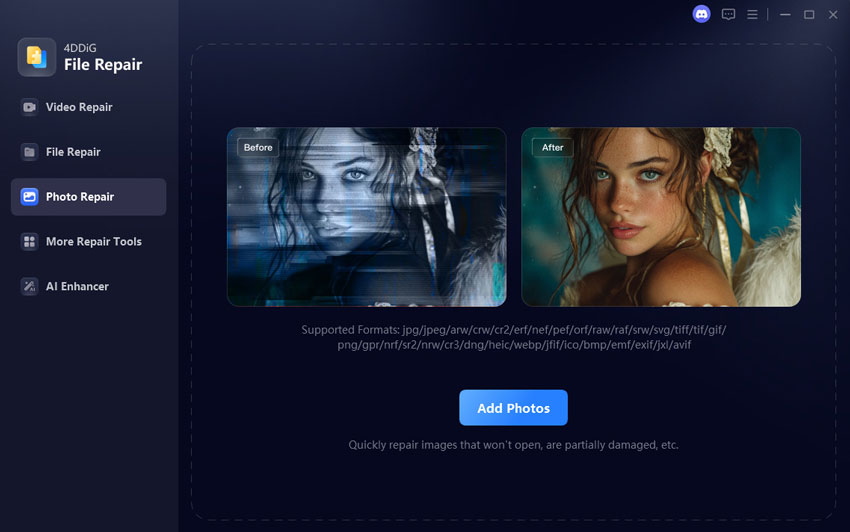
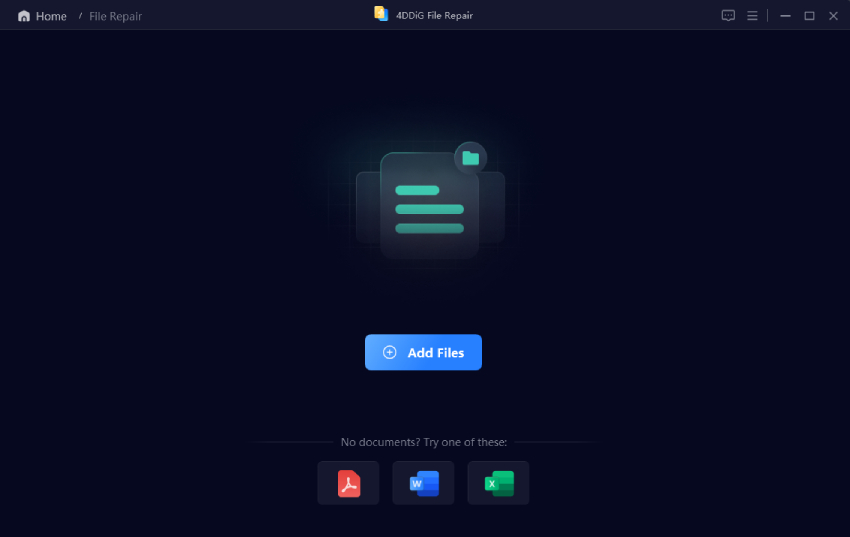
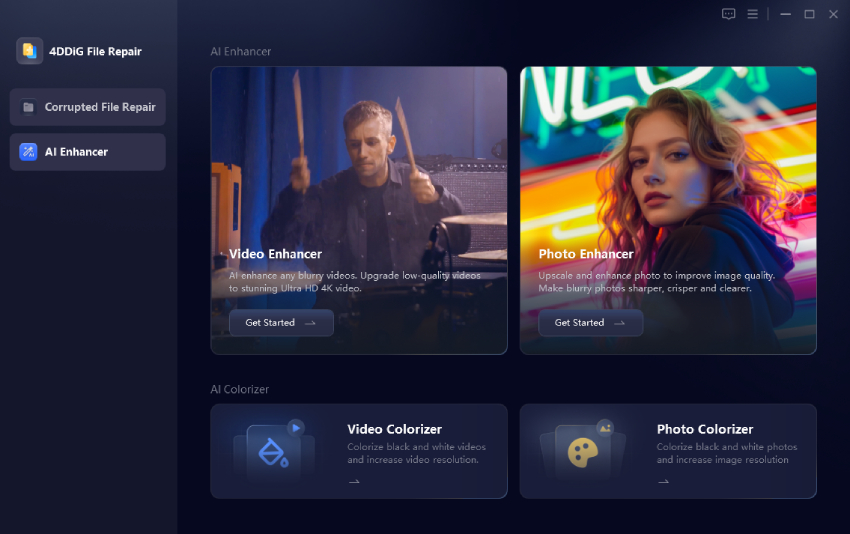
If your AVIF file is damaged, even the best AVIF viewer may fail to open it. In such cases, repairing the file is the most effective solution. 4DDiG Photo Repair is a powerful tool designed to fix corrupted or unreadable image files. It supports AVIF and many other formats, making it ideal for recovering damaged images.

4DDiG can repair corrupted AVIF, JPG, PNG, WebP, HEIC, and other image formats efficiently. It supports batch repair, allowing users to fix multiple images at once, and delivers a high success rate when dealing with damaged files. The interface is user-friendly, making it accessible for beginners, and it also provides a preview feature before saving repaired images.

FREE DOWNLOAD

Secure Download

FREE DOWNLOAD

Secure Download

Steps to Repair Corrupted AVIF files:

  • Launch the 4DDiG File Repair software after downloading and installing it on your PC. Click the "Photo Repair" option from the left pane and click "Add Photos" to add multiple corrupt AVIF photos.

    add corrupted avif files to 4ddig
  • Click the “Repair All” button to begin repairing the images that you were unable to open in any AVIF image viewer.

    repair all avif files
  • After the repairing is complete, click "Preview" against an image to see its preview, and if you are satisfied with the results, click "Save” or “Save All”.

    preview and save repaired avif files

2. Convert AVIF to JPG

If compatibility is still an issue, converting AVIF to JPG ensures universal support across all devices and apps. You can use IrfanView to convert AVIF images to PNG or JPG without any issues.

  • Open IrfanView on your computer and select "File", then click "Batch Conversion”.

  • Select the images that you want to convert from AVIF to JPG format with the “Add” button.

  • Select "JPG" under the "Output Format" using the dropdown, and select the "Output Directory" to save the converted images.

    irfanview convert avif to jpg
  • Finally, click “Start Batch” and wait as IrfanView processes your images.

People Also Ask about AVIF Viewer

Q1: How to open AVIF in Photoshop?

Photoshop does not support AVIF files natively, so you need to install a compatible plugin or convert the AVIF file into JPG or PNG first. By using a reliable AVIF picture converter software, you can make this process quick and straightforward.

Q2: Is AVIF the same as JPG?

No, AVIF and JPG are different image formats with distinct compression technologies. AVIF offers better image quality at smaller file sizes, while JPG is more widely supported across older devices and software.

Q3: Which is the best AVIF viewer for Android?

Some of the best AVIF viewers for Android include apps that support modern image formats like AVIF, such as Google Photos or specialized third-party viewers. The best choice depends on whether you need simple viewing or additional features like editing and conversion.

Q4: What is the best free AVIF viewer for Mac?

For Mac users, tools like XnView MP and online AVIF viewers are great free options for opening AVIF files. The best option depends on whether you prefer offline software with advanced features or quick browser-based viewing.

Conclusion

Choosing the right AVIF viewer ensures you can easily open and manage modern image formats. While tools like FastStone and XnView offer excellent support, repairing corrupted files with 4DDiG Photo Repair ensures nothing is lost. With the right combination of tools, viewing and converting AVIF files becomes simple and efficient.

FREE DOWNLOAD

Secure Download

FREE DOWNLOAD

Secure Download

William Bollson (senior editor)

William Bollson, the editor-in-chief of 4DDiG, devotes to providing the best solutions for Windows and Mac related issues, including data recovery, repair, error fixes.

(Click to rate this post)

You rated 4.5 ( participated)