3 Best DivX File Converter to Convert Videos to/from DivX Easily

5 mins read

Updated on 2026-10-08 21:41:48 to Video Tips

Do you have an old DivX video that will not play on your phone, TV, or other device? Or perhaps you need to convert a modern video into DivX for an older player? A reliable DivX file converter can help you change the video format while keeping the quality and compatibility you need. This guide explores the top tools for 2026 to help you manage your library. You also learn how to convert your videos to and from DivX effortlessly.

best divx file converter

Part 1. What Is DivX and Why Do You Need a DivX Converter

DivX is a video compression technology that was created to reduce video file sizes while keeping good image quality. It uses the DivX codec to encode and decode video content, allowing users to store high-quality videos with less storage space. You will still see plenty of older files that simply sit inside an AVI wrapper and use the DivX codec.

However, DivX is not as widely supported as newer formats like MP4. Many modern smartphones, smart TVs, and media players cannot play DivX files directly. This is why users often need a DivX file converter to change videos into more compatible formats.

DivX vs. MP4, AVI, and MKV

Although DivX, MP4, AVI, and MKV are all related to digital video, they serve different purposes.

Format Main Feature Common Usage
DivX High compression with good video quality Older media players, DVD players, archived videos
MP4 Wide compatibility and efficient compression Smartphones, streaming platforms, modern devices
AVI Older container format with broad support Windows-based video playback and editing
MKV Flexible container supporting multiple tracks High-quality movies and advanced media storage

For everyday playback, MP4 is usually the best choice because it works on almost almost all modern devices.

Why Convert DivX Videos

There are several reasons to use a DivX format converter:

  • Better device compatibility: Mobile platforms like iOS often require MP4 files for native playback.
  • Optimize storage management: High quality conversion tools can compress video files to save space without a noticeable loss in clarity.
  • Share videos online: Conversion makes it easier to share on social platforms or back up personal media collections, such as non encrypted DVDs, into more modern digital formats.
  • Edit videos easily: Many video editors work better with MP4 or other common formats.

Whether you want to watch old videos or prepare files for editing and sharing, using the right DivX converter software can make the process much easier.

Part 2. Best Way to Convert DivX to MP4, AVI, or MKV with DivX Converter

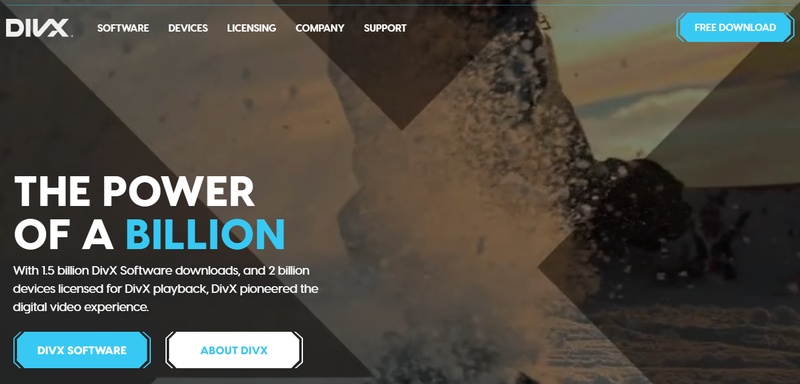
The official DivX Converter is widely considered the best way to handle DivX-encoded content. It is bundled within the award-winning DivX Software suite, which includes a best-in-class player and a robust media server. The suite includes the DivX Player, DivX Converter, and DivX Media Server, providing a comprehensive ecosystem for video management.

The free version of DivX Converter suits both beginners and experts. It features a simple drag-and-drop interface but hides powerful customization options for those who want more control. The software recommends the best audio and video codecs, ensuring an optimal conversion experience.

Steps to Convert DivX to MP4 Free:

  • Download and Install: Visit the official website to download the free DivX Software suite.

  • Launch the Converter: Open the DivX Converter application on your Windows or Mac desktop.

  • Import Your File: Drag your DivX file directly into the converter window. Click “Add Files” to locate and select files from your folders.

    divx converter add files
  • Select a Profile: Choose the “MP4” profile (or a specific device preset like iPhone/iPad).

    divx converter to mp4
  • Start Encoding: Click the “Start” button to begin the process.

    divx converter start conversion

This workflow is perfect for those who want to convert DivX to MP4 free without diving into complex settings. The software even supports high-quality output up to 4K resolution, ensuring your videos look crisp on modern displays

Part 3. Best Way to Convert MP4, AVI, or MKV to DivX with DivX Converter

Sometimes you need the opposite conversion. You have modern MP4, AVI, or MKV files and want them in DivX format so they play on older certified devices or take up less space. The official DivX converter that comes with free DivX Software handles this job cleanly and keeps the process simple for everyday users.

How to convert video to DivX:

  • Open DivX 11: Launch the DivX Converter included in the latest 11.x suite.

  • Add Files: Click the + sign “Add Files” button or drag and drop your MP4, AVI, or MKV files into the window.

  • Choose DivX Output: Select a DivX-compatible profile (e.g., Home Theater or High Definition).

  • Customize (Optional): Pro users can use advanced features like video trimming to cut out unnecessary footage or add custom watermarks before conversion. You can also use Target Quantizer, set B-Frames, or add a custom watermark.

  • Convert: Click “Start“ to produce a file that will play on any DivX Certified device.

    divx converter from mp4 to divx

Part 4. Other 2 Great DivX File Converters for 2026

Beyond the official software, two other tools stand out for their versatility and ease of use when dealing with DivX files.

1. Handbrake

Handbrake is a powerful, open source transcoder that uses FFmpeg libraries to open a wide variety of video formats. Itis especially useful for users who need deep customization options. Handbrake can open almost any common video file, including those from mobile phones, tablets, and professional cameras. It supports modern containers like MKV, MP4, and WebM.

handbrake convert divx to mp4
Supported Input Format

: Nearly any video format (MP4, MKV, AVI, MOV, MPG, WMV, FLV, WEBM, etc.) and disc based formats like VOB and MTS

Supported Output Format

: Modern containers like MP4, MKV, and WebM.

  • Pros
  • Cons
    • Completely free and open source.
    • Extensive library of official presets for devices like Amazon Fire, Android, and PlayStation.
    • Supports advanced codecs like H.265 (HEVC) and AV1.
    • Batch encoding capabilities.
    • The interface can be intimidating for complete beginners.
    • Does not support the DivX Media Format (DMF) container as an output.

2. FreeConvert DivX to MP4 Converter Online

If you prefer not to install software, FreeConvert offers a robust browser-based solution. This divx file converter is secure and works on any operating system. FreeConvert allows users to upload files up to 1GB for free. It protects your files with 256-bit SSL encryption and automatically removes them after eight hours.

freeconvert divx to mp4 converter
Supported Input Formats:

:DIVX, AVI, MOV, MKV, WMV, and more.

Supported Output Formats:

:MP4, AVI, MKV, WEBM, and various device-specific formats for iPhone, Android, and Xbox.

  • Pros
  • Cons
    • No installation required; works in the browser.
    • Supports batch conversion.
    • Advanced settings to adjust frame rate, volume, and rotate video.
    • Free users can process files up to 1GB.
    • A reliable internet connection is needed for uploads and downloads.

⚡ Part 5. Converted MP4, AVI, or Other DivX-Encoded Videos Not Playing? Fixed Now!

Sometimes converting a video does not solve playback problems. You may still see errors such as black screens, missing audio, freezing, or “unsupported format” messages. These issues often happen because the original video file was already damaged or the conversion process was interrupted. In this situation, you need a video repair tool instead of another converter.

4DDiG Video Repair is designed for exactly these situations. It handles both ordinary video files and those that once used DivX encoding.

Key Features of 4DDiG Video Repair:

  • Fixes unplayable, corrupted, choppy, jerky, or distorted videos
  • Supports common formats such as MP4, AVI, MKV, MOV, and more
  • Offers batch repair so you can fix several files at once
  • Lets you preview the repaired video before saving
  • Includes AI tools that can also improve clarity when needed
  • Repairs videos from SD cards, USB drives, HDDs, and cameras like GoPro or DJI
  • Advanced algorithms ensure repairs take only seconds
FREE DOWNLOAD

Secure Download

FREE DOWNLOAD

Secure Download

Steps for Repairing Damaged Videos:

  • Download, install, and open the “4DDiG File Repair”. Select “Video Repair” in the 4DDiG software and click “Add Videos” to import your corrupted files.

    add corrupted divx encoded videos to 4ddig
  • Click “Repair All” to let the advanced algorithms fix the damage.

    start repairing corrupted divx videos
  • Once finished, preview the repaired video to ensure quality.

    preview repaired divx encoded videos
  • Choose a suitable output video format (MP4, AVI, MOV, MKV, or the original) and then click “Save” to download all DivX-encoded videos to your computer.

    save repaired videos in preferred format

FAQs about DivX File Converter

Q1: What is the best DivX converter for Android?

FreeConvert offers a dedicated DIVX to Android Video Converter online. This tool encodes files for Android phones and tablets using H.264 video and AAC audio, which the platform supports universally. For offline playback, you can use the Android versions of VLC or MX Player to handle a wider range of codecs.

Q2: What is the best DivX converter software?

The official DivX converter included in the DivX 11 Software suite is considered the best for most users. It is award winning, free, and optimized to produce files for DivX Certified devices while also supporting standard MP4 output.

Q3: Is DivX Converter still free in 2026?

Yes, the basic DivX Software package, including its video player and converter, is free to use on Windows and Mac. For additional features such as AC3 surround sound, cloud connectivity, and ad-free usage, users can upgrade to DivX Pro.

Conclusion

Choosing the right DivX file converter depends on your goal. DivX Software is useful for direct DivX conversion, HandBrake is a flexible option for MP4 and MKV, and FreeConvert is convenient for browser based conversion. If a converted video remains corrupted or unplayable, consider 4DDiG Video Repair to repair the file before saving or sharing it. We also recommend 4DDiG Photo Enhancer to restore old images alongside your videos.

FREE DOWNLOAD

Secure Download

FREE DOWNLOAD

Secure Download

William Bollson (senior editor)

William Bollson, the editor-in-chief of 4DDiG, devotes to providing the best solutions for Windows and Mac related issues, including data recovery, repair, error fixes.

(Click to rate this post)

You rated 4.5 ( participated)