How to Repair Corrupted .DAT Video Files [3 Best DAT File Repair Tools for 2026]

5 mins read

Updated on 2026-09-10 17:26:03 to Video Tips

Did your Canon camera suddenly save a .dat video instead of a playable MP4? This can happen when recording is interrupted by a power loss, full memory card, or camera error. The file may contain valuable video data but lack the structure needed for normal playback. Fortunately, you can try several recovery methods. This guide explains how to repair DAT video files, including VLC, FFmpeg, and professional repair software.

how to repair dat video file

Part 1. What Is a DAT File?

A DAT file is a generic data container that stores information specific to a particular application. Unlike standard formats like MP4 or TXT, a .dat file does not have a single dedicated program associated with it. Instead, its contents can range from simple configuration text and logs to complex multimedia data, such as video, audio, or images.

In the context of video, DAT files are often found on VCDs (Video CDs) as MPEG-1 data or generated as temporary files by digital cameras like Canon during recording. Because they lack a standard structure, these files can be difficult to access without the correct dat file repair strategy. They are frequently used for data transfer between systems or as backups, making them a common sight in application data folders and system directories.

Part 2. Why Is My DAT Video File Corrupted or Unreadable?

Several factors can cause a DAT video file to become corrupted or unplayable. Identifying the root cause is essential for choosing the right dat video file repair software. The main reasons behind DAT file corruption include:

  • Improper Recording Termination: The most common cause for a Canon DAT file repair request is the camera losing power or the SD card being removed while the video was still being written. This prevents the camera from finalizing the file header.
  • File Header Corruption: The header contains metadata about the video's codec, resolution, and frame rate. If this data is missing or garbled, media players will not know how to decode the stream.
  • Incomplete Data Transfer: Moving files from an SD card to a computer via a faulty cable or a weak wireless connection can result in "bit rot" or missing segments of data.
  • Storage Media Failure: SD cards, USB flash drives, and HDDs can develop bad sectors over time. If a video is stored on a damaged sector, the file may become unreadable.
  • Incompatible Conversion: Attempting to manually change the file extension from .dat to .mp4 without proper transcoding can lead to playback errors or "unsupported format" messages.
  • Virus or Malware Attacks: Malware, crashes, and incompatible software can also damage files. In some cases, the video remains intact but its metadata or header becomes unreadable.

Before trying repairs, make a copy of the original DAT file. Always work on the copy when possible.

Part 3. How to Repair Corrupted DAT Video Files Effectively [Step-by-Step]

There is no single method that works for every DAT file. The best approach depends on whether the file contains a recognizable video stream and how severely it is damaged. Try these methods in order.

1. Try Opening the DAT Video with VLC Media Player

VLC Media Player is a free, open-source multimedia player from VideoLAN. It supports a wide range of video and audio formats without requiring separate codec packs. This makes it a useful first step when a DAT video will not open in your usual player.

VLC can sometimes play a DAT file even when another media player cannot recognize it. However, it is mainly a playback tool, not a dedicated DAT file repair program. If the file is seriously corrupted, VLC may not be able to restore it.

Steps:

  • Make a duplicate of the original .dat file.

  • Rename the duplicate from .dat to .avi.

  • Open VLC, go to "Tools," choose "Preferences," then select "Input / Codecs."

  • Find Damaged or incomplete AVI file and select "Always fix."

    vlc repair dat videos
  • Save the setting and open the renamed copy.

  • If it plays, save or convert a new copy in a standard format.

If VLC plays the video, you may only have a compatibility problem. If it freezes, shows a black screen, or fails to open, move on to a dedicated repair solution.

  • Pros
  • Cons
    • Free and available for major desktop platforms.
    • Useful for checking whether the DAT stream is playable.
    • Available for Windows, Mac, and other platforms.
    • Does not require separate codec installations.
    • No ads, spyware, or user tracking involved
    • Not designed for repairing severely corrupted videos.
    • May not fix damaged video headers or missing data.
    • Playback can occasionally stutter or lag.

2. Repair Corrupted Canon DAT Videos with Professional 4DDiG Video Repair

When a DAT video is seriously damaged, professional dat video file repair software may be a better choice. 4DDiG Video Repair is designed to repair corrupted, damaged, and unplayable videos. Its official documentation states that it supports videos from cameras such as Canon, Sony, Nikon, GoPro, and DJI.

It also supports repair from SD cards, USB devices, hard drives, and other storage media. For users searching for Canon DAT file repair solutions, this makes 4DDiG worth considering when the video originated from a Canon device. Its Advanced Repair feature is designed for videos with more serious corruption.

Outstanding Features of 4DDiG Video Repair

  • Repairs corrupted and unplayable videos.
  • Supports videos from Canon and other camera brands.
  • Batch repair across other more formats like MP4, MKV, AVI, MOV, etc.
  • Allows users to preview repaired videos.
  • High-speed repair process using advanced algorithms
  • Supports Canon and other camera footage.
  • Works with videos stored on SD cards, USB drives, HDDs, and computers.
FREE DOWNLOAD

Secure Download

FREE DOWNLOAD

Secure Download

4DDiG also has a specific DAT-related guide that describes repairing corrupted .dat videos and recommends adding the damaged DAT file to its Video Repair feature.

Steps to Repair Corrupted Canon DAT Video Files with 4DDiG

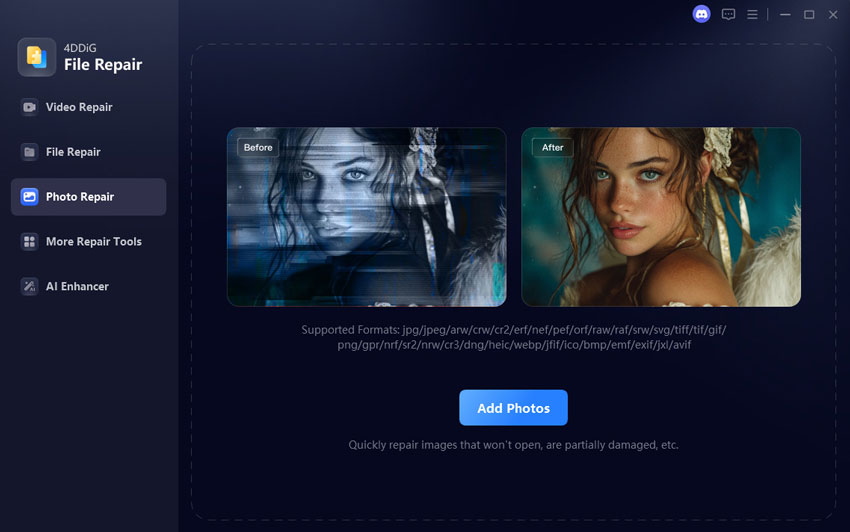
  • Launch 4DDiG File Repair. Select "Video Repair" from the left menu and tap "Add Videos" to import your corrupted or unplayable DAT files.

    add corrupted canon dat videos to 4ddig
  • Once your videos are added, click "Repair All" to kick off the automated repair process. The tool's advanced algorithms will work in the background to restore the file structure.

    4ddig repair corrupted dat files
  • After the repair is complete, tap "Preview" to ensure the footage plays correctly and the visual quality is restored. (Optional) You can also select the “AI Report” tab to review the detected video issues and see which problems were fixed.

    preview repaired dat video files
  • Click the triangle icon next to the "Save" tab. Choose your desired output format (MP4, MOV, AVI, or MKV) and save the files to a safe location on your computer.

    export repaired dat videos in mp4

Use this method when important Canon footage will not play. No software can guarantee recovery if the file is empty, overwritten, or physically unreadable.

  • Pros
  • Cons
    • 98% high success rate for canon dat file repair.
    • AI technology enhances video resolution up to 8K
    • Efficiently performs batch repairs for multiple formats.
    • Restores and colorizes black and white video footage
    • The free version allows for repair and preview, but saving the final results requires a license.

3. Convert Readable DAT Videos with FFmpeg

FFmpeg is a free, open source command-line toolkit. It is a universal media converter that can read a wide variety of inputs, including live recording devices and network streams. It allows users to filter and transcode media into a plethora of output formats. For DAT files that are partially readable, FFmpeg can be used to remux or transcode them into a more modern container, such as converting DAT videos to MP4, which often resolves minor corruption issues.

Steps to use FFmpeg:

  • Download the latest FFmpeg build (e.g., version 8.1 "Hoare") from the official website.

  • Open your command prompt (Windows) or terminal (Mac/Linux).

  • Use the command: ffmpeg -i your_file.dat -c copy repaired_file.mp4.

  • This command directs FFmpeg to take the input DAT file and "copy" the internal video/audio data into a new MP4 container, effectively fixing the file header in the process.

  • Pros
  • Cons
    • Extremely powerful and highly customizable for technical tasks.
    • Completely free with no watermarks or hidden costs.
    • Capable of processing files very quickly by copying streams instead of re-encoding.
    • Useful for converting a readable DAT video to a more widely supported format.
    • Requires command-line knowledge.
    • Does not restore missing or destroyed video data.
    • Lacks a visual interface for managing repair tasks.

Part 4. Quick Comparison: How to Choose the Right DAT File Repair

Choose the least aggressive method first: playback testing, then conversion, then repair. The table summarizes which option fits each situation.

Tool Canon DAT Support Batch Repair Severe Corruption Best for
VLC Media Player Limited; works only if VLC recognizes the stream No Low A free first test for minor damage
4DDiG Video Repair Canon support listed; direct DAT acceptance may vary Yes High with advanced repair Beginners and multiple clips
FFmpeg Possible when H.264/H.265 streams are readable Yes through scripts Medium Technical users wanting free recovery
Camera reinsertion Camera-dependent recovery feature No Low to medium A quick attempt before computer repair

Use VLC for diagnosis, FFmpeg for healthy-stream conversion, and 4DDiG when corruption prevents playback or you want a guided workflow. If the file came from a game, use compatible modding software instead.

People Also Ask About DAT File Repair

Q1: How to repair .dat file online?

First, confirm that the DAT is a video and does not contain private footage. An online service may let you upload the file, run automatic repair, preview it, and download the result. Upload limits, privacy terms, and supported formats vary. Do not upload a LEGO Bionicle Heroes archive, confidential recording, or personal video unless you trust the service. Desktop software is safer for sensitive files.

Q2: What can I do if my .dat file is unreadable?

If a .dat file is unreadable, it is often due to a damaged file header or a missing file extension association. You can try changing the extension to .mpg or .mp4 to see if a player recognizes it. If that fails, using a professional tool like 4DDiG Video Repair is the most effective way to repair Canon DAT file contents, as it can reconstruct the file structure

Conclusion

A successful dat file repair starts with preservation: stop recording, copy the file, and work only on a duplicate. VLC is useful for minor index problems, while FFmpeg can rescue readable streams through remuxing. For a guided workflow, batch processing, previewing, and advanced repair, 4DDiG Video Repair is the strongest option to test for Canon footage, provided its current version accepts your .dat file. That is the safest answer to how to repair dat video file problems without promising impossible recovery.

FREE DOWNLOAD

Secure Download

FREE DOWNLOAD

Secure Download

Ehtsham Ahmed (senior editor)

Ehtsham Ahmed, the content writer for 4DDiG, is dedicated to offering workarounds for Windows Data Recovery, Windows Troubleshooting, iDevices System Repair, etc.

(Click to rate this post)

You rated 4.5 ( participated)