Windows 11 26H2 Release Date: Features, Requirements, and Upgrade Guide

5 mins read

Updated on 2026-08-31 11:56:26 to Windows Update

Windows 11 26H2 is Microsoft’s upcoming feature update for existing Windows 11 PCs, with a release planned for the second half of 2026. However, Microsoft has not yet announced a public launch date. Since version 26H2 shares a servicing branch with Windows 11 25H2, eligible devices should receive the update through a small enablement package that requires only one restart.

This guide explains the expected release window, confirmed preview information, minimum hardware requirements, the normal Windows Update route, and an alternative path for unsupported hardware.

win11 26h2

1. Windows 11 26H2 Release Date: When Will It Be Available?

Microsoft describes Windows 11 version 26H2 as its annual update for the second half of 2026. It entered Windows Insider testing on June 19, 2026, but Microsoft has not published an exact general-availability date. Based on that official wording, “fall 2026” is a reasonable planning window, not a confirmed launch date.

The update is expected to be relatively lightweight for PCs already running version 25H2. Microsoft says 26H2 uses the same servicing branch and will be activated by an enablement package, which turns on code already delivered through monthly cumulative updates. This design normally reduces download time and requires only one restart. Version 26H1 is different: it was created for selected new devices and is not an in-place update for existing 24H2 or 25H2 systems.

2. Windows 11 26H2 New Features and Improvements

Windows 11 version 26H2 is expected to focus on usability, personalization, privacy, and system reliability rather than introducing a completely redesigned interface. Based on Microsoft’s Windows Insider announcements and preview builds, the update may include the following improvements. However, the final feature set could change before general availability.

✔ More Taskbar Customization

Users may be able to move the Taskbar to the top, left, right, or bottom of the screen, choose different icon alignments, and make the Taskbar smaller to free up screen space. Start, Search, and other flyouts are also designed to open relative to the Taskbar’s position.

✔ More Flexible Start Menu

The Start menu may offer more control over its layout and displayed content. Microsoft is testing independent controls for the Pinned, Recent, and All apps sections, along with options to choose a smaller or larger Start menu. Users may also be able to hide their name and profile picture from the Start menu.

✔ Improved Windows Search

Windows Search is receiving improvements designed to make local files easier to find. One previewed feature allows users to search by part of a word within a file name or its content. Microsoft is also testing improvements that help relevant local files and apps appear ahead of web suggestions.

✔ File Explorer Improvements

Preview builds have included faster opening of File Explorer Home, quicker deletion of certain large fragmented files, and better handling of sections in the Home view. A recent Experimental build also introduced automatic preview support for PDF and non-HTML files downloaded from the web.

✔ Privacy and Accessibility Updates

Windows 11 26H2 preview builds include more detailed privacy controls for traditional desktop applications. Users can review and manage camera, microphone, and location access for individual desktop apps instead of relying only on device-wide settings.

✔ Updated AutoPlay Experience

The AutoPlay dialog for connected devices, such as phones, cameras, and removable drives, has been redesigned with WinUI. The refreshed interface supports dark mode, responds better to text scaling and display settings, and places related notifications in the Notification Center.

3. Can You Upgrade to Windows 11 26H2?

Most supported PCs on Windows 11 24H2 or 25H2 should have a path to Windows 11 26H2, although Microsoft may temporarily hold an update when it detects a driver, application, or firmware compatibility problem. Version 25H2 is the most direct route because it shares the same servicing branch.

For users running older Windows versions, the upgrade path may require additional steps. Devices still running Windows 11 23H2 may need to upgrade to a newer supported version first before moving to 26H2. If you are currently on Windows 11 23H2 or 24H2, you can follow our detailed guides on upgrading Windows 11 23H2/ 24H2 to 25H2 to prepare your device for future feature updates.

Windows 10 devices can upgrade to Windows 11 if they run version 2004 or later, have the required updates, and satisfy Windows 11 hardware rules; whether Microsoft offers 26H2 directly will depend on rollout policy when the version launches.

💡 Windows 11 26H2 System Requirements

Microsoft has not announced a separate set of Windows 11 26H2 system requirements. Until it does, use the current Windows 11 25H2 minimums:

Component Minimum requirement
Processor 1 GHz or faster, 2 or more cores, compatible 64-bit CPU or SoC
Memory 4 GB RAM
Storage 64 GB or larger storage device
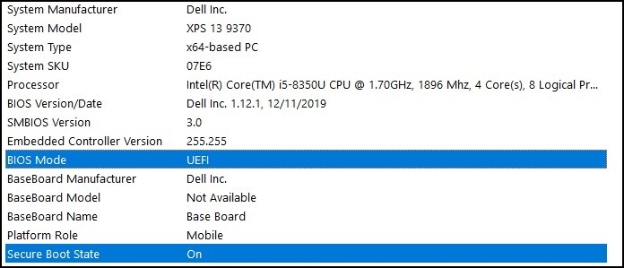
Firmware UEFI and Secure Boot capable
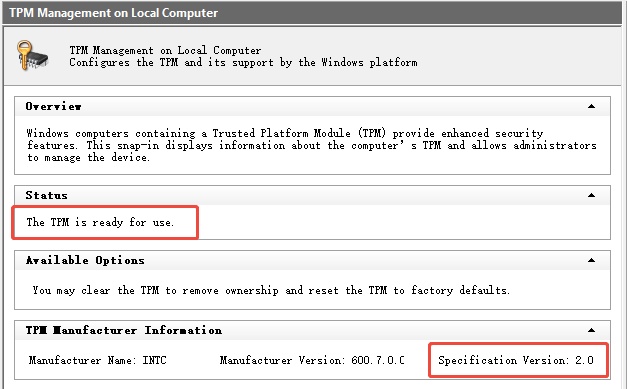
Security TPM 2.0
Graphics DirectX 12 compatible GPU with WDDM 2.0 driver

4. How to Upgrade to Windows 11 26H2?

Before upgrading, install current driver and firmware updates, keep the PC connected to power, and back up important files. Do not download an unofficial Windows 11 26H2 ISO from a third-party mirror.

  • Press Windows + I, then select Windows Update.

  • Select Check for updates. If 26H2 is approved for your device, Windows will display the feature update.

    check for updates
  • Select Download and install, accept any prompts, and keep the PC online.

  • Restart when requested, then open Settings > System > About and confirm the version under Windows specifications.

If the update does not appear, do not assume the PC is incompatible. The rollout may not have reached your device, or Microsoft may have applied a safeguard hold. Check the Windows release health dashboard before forcing an installation.

⚡ Bonus Tip: What to Do If Your PC Does Not Meet the Windows 11 26H2 Requirements

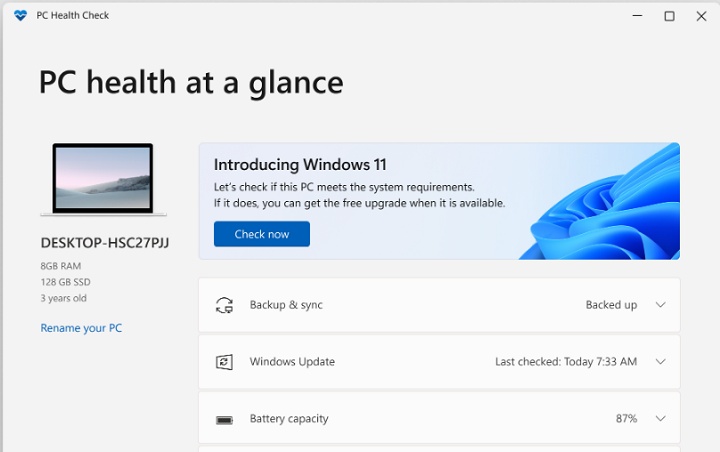
First, use Microsoft’s PC Health Check and review BIOS/UEFI settings. TPM 2.0 or Secure Boot may be supported but disabled. If the CPU or firmware is genuinely unsupported, Microsoft does not recommend installing Windows 11 because compatibility and update support are not guaranteed. Back up your files before using any bypass method.

For users who understand that tradeoff, 4DDiG Partition Manager offers a guided Windows 11 Upgrade function that checks compatibility and prepares an upgrade path when TPM, Secure Boot, or CPU checks block setup:

  • Install and open 4DDiG Partition Manager, then choose Windows Download and Upgrade > Windows 11 Upgrade.

    FREE DOWNLOAD

    Secure Download

    upgrade to win11
  • After 4DDiG completing the automatic checking, review which checks the PC passes or fails.

    check compatibility
  • If the PC does not meet requirements, click Next and follow the recommended option. Depending on the detected problem, the program may guide you to prepare for Windows 11 installation.

    bypass win11 requirements
  • Then, select the required Windows version, edition, and system language.

    select language and version
  • After the preparation process finishes, follow the on-screen instructions to complete the Windows upgrade.

    win11 setup

More FAQs About Windows 11 26H2

1. Can Windows 10 users upgrade directly to 26H2?

Potentially, but Microsoft has not confirmed the final direct-upgrade matrix. Eligible Windows 10 version 2004-or-later PCs can upgrade to Windows 11 through Windows Update. When 26H2 launches, Microsoft will determine whether a device receives 26H2 directly or first moves through another supported Windows 11 version.

2. Can I update Windows 11 25H2 to 26H2?

Yes, this is the expected mainstream path. Microsoft states that 25H2 and 26H2 share a servicing branch, so the version change should use a small enablement package and one restart when the update is approved for the device.

3. What are the differences between Windows 11 25H2 and 26H2?

25H2 is the 2025 annual release, while 26H2 is the planned second-half 2026 annual release. They share a servicing foundation, so the main differences should be the version lifecycle and the set of features enabled or included by the time 26H2 ships, rather than a full operating-system replacement.

4. How is 26H1 different from 26H2?

26H1 uses a different Windows core and is intended for selected new hardware introduced in early 2026. Microsoft says it is not offered as an in-place update from 24H2 or 25H2, and 26H1 devices will not move to the second-half 2026 annual release. Existing mainstream PCs should focus on 26H2.

Conclusion

Windows 11 26H2 is officially planned for the second half of 2026, but an exact release date and final feature list are still pending. For supported PCs, Windows Update will be the safest route, especially from 25H2 through the enablement package. Confirm readiness with PC Health Check, install current firmware and drivers, and back up important data before upgrading. If TPM, Secure Boot, or CPU checks block an older PC, 4DDiG Partition Manager can guide the preparation process, but bypassing requirements does not create Microsoft support or guarantee future updates.

FREE DOWNLOAD

Secure Download

William Bollson (senior editor)

William Bollson, the editor-in-chief of 4DDiG, devotes to providing the best solutions for Windows and Mac related issues, including data recovery, repair, error fixes.

(Click to rate this post)

You rated 4.5 ( participated)