Windows 11 26H2 Early Features: Preview Build 26220 Highlights

5 mins read

Updated on 2026-06-08 17:12:15 to Windows Fix

Windows 11 26H2 has not been officially announced by Microsoft but new Insider Preview releases are giving us a clue of what might be included in the next big release. Meanwhile, the Microsoft Windows 11 26h1 rumour is creating more confusion with users speculating on which version will be the best.

windows 11 26h2

1. When is the Windows 11 26H2 Update Coming Out?

Will there be a Windows 11 26H2? The answer is probably yes. Historically, Windows releases are done during the second half year. Based on that trend, most analysts in the industry are estimating that Windows 11 26H2 will be released in September or November 2026. Microsoft has not announced the official release date of Windows 26H2. And the early models may differ a lot with the end product.

⚡ 2. Prepare for Windows 11 26 Optimize Your System First

Your PC should be prepared before you can consider installing Windows 11 26H2. The best choice is upgrade to Windows 11 current version, Windows 11 25H2. The TPM checks, Secure Boot requirements, or unsupported hardware still continue to trouble many users when it comes to upgrading. At this point, 4DDiG Partition Manager comes to the rescue.

The options to bypass Windows 11 upgrade requirements are one of the convenient features for those users who want to prepare systems that might not meet Microsoft upgrade requirements.

How to Prepare for Windows 11 26H2 with 4DDiG Partition Manager

  • Install the software on the PC. When the program is opened, select the Windows upgrade-related tools in the main window and choose Windows 11 Upgrade.

    FREE DOWNLOAD

    Secure Download

    select windows 11 upgrade section
  • Use the compatibility checking built-in feature. The software will scan your computer and it will search the computer to find out the issues that may prevent you from upgrading to Windows.

    scan outcomes
  • Click Next button. Read the instructions on the screen and follow the changes. After this, your system will be prepared to receive the future Windows feature updates.

    follow the instructions
  • After that, choose the system language and version, click Start to upgrade and click Sure to proceed.

    click sure to proceed
  • You can easily make the Windows 11 26H2 download and installation process a lot easier by preparing now.

    install windows11 now

3.Windows 11 26H2 Preview: What We Know So Far

The entire list of features of Windows 11 version 26h2 is not publicly announced, but there are solid hints in Insider Beta releases. The findings rely on the Beta Preview Build 26220.8474 and 26220.8491 where Microsoft is secretly testing some additional developments. Official Insider notes are also available here.

1Voice Access and Voice Typing Improvements

Voice technology is one of the key fields that has become the centre of interest. Microsoft is also enhancing voice access and voice typing to allow a greater degree of precise and natural control over the computer without using hands.

Fluid Dictation

Fluid Dictation simplifies voice typing. Rather than uncoded speech-to-text, it:

  • Enhances the flow of sentences.
  • Punctuates as you talk.
  • Reduces manual editing.

This assists those users who type emails, notes, or long documents using voice input.

Speech Recognition Modes

Microsoft is also experimenting with three voice modes. Users can choose from three different modes.

1) Voice Isolation

This mode concentrates solely on your voice. It does not pay attention to other speakers around. It can be used in a common room or office.

2) Remove Background Noise Only

It removes sounds such as: keyboard typing, fan noise, and room background sounds. But it does not blur your voice.

3) No Filtering

The raw audio input of the microphone is used in this option. There is no further filtering or voice processing. These enhancements indicate that Microsoft is considering voice interaction as a major component of the future Windows 26H2 experience.

2File Explorer Improvements

File Explorer is not a flashy tool, but it is one of the most frequently used in Windows. The recent preview builds have made some of the major fixes. Microsoft resolved a bug in which the Properties option was not opening correctly in the Recycle Bin and in some other places.

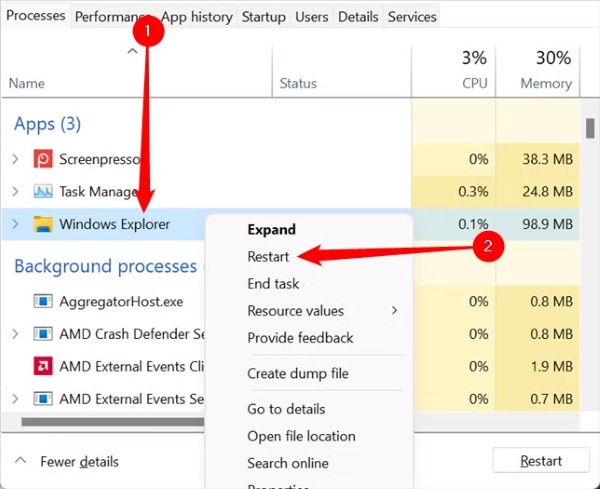
The other welcome fix is a solution to a frequent crash of the explorer.exe that made the screen and taskbars keep blinking or reloading. Users with that problem can experience better stability with newer preview releases.

3System Reliability and Other Fixes

In addition to the visible aspects, Microsoft is testing behind-the-scenes platform changes for Windows 11 26H2 with a heavy focus on reliability and maintainability. Recent updates include:

  • Better Simple Service Discovery Protocol (SSDP) notification reliability.
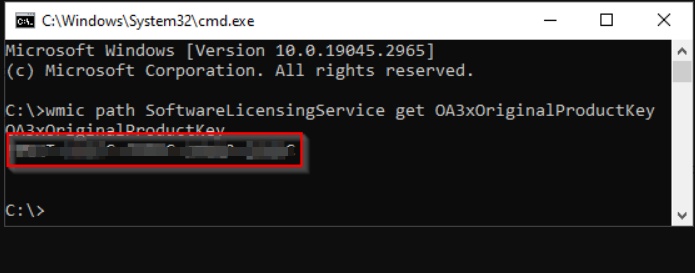
  • Improved output using this command: dism /online /cleanup-image /restorehealth
  • Fix the issue of audio being muted unexpectedly on certain devices.

These changes may not be the game changers, but they can often result in a better and more stable Windows experience.

More FAQs About Windows 11 26H2

1. Can I use Windows 10 forever?

Yes, technically, but not recommended. Windows 10 will not be forever supported and will lead to fewer security updates and higher risks in the long run.

2. What is the difference between 26H1 and 26H2?

The Microsoft Windows 11 26H1 is mainly focused on the experimental platform work, where 26H2 will most likely be the mainstream release to most users.

3. What is new in Windows 11 26H2?

Based on the available preview releases, the changes are as follows: Fluid Dictation, Voice Isolation, File Explorer, SSDP reliability, DISM and other system stability.

4. How to get Windows 11 26H2?

Users will probably obtain it via Windows update once it is available. The Windows Insider Program allows early testers to access preview builds before they are released.

You May also Like: Upgrade to Windows 11 25H2 from 24H2/23H2 [100% Works]

Conclusion

Windows 11 26h2 has not yet been finalized, but even early preview versions are already pointing in a certain direction. Microsoft is also emphasizing more on voice control, system stability and streamlined day-to-day performance.

Before the update arrives, it is worth preparing your PC in advance. Tools like 4DDiG Partition Manager can help check compatibility, bypass upgrade restrictions where appropriate, and reduce upgrade-related headaches. When Windows update 26H2 finally lands, a prepared system will make the transition much easier.

FREE DOWNLOAD

Secure Download

William Bollson (senior editor)

William Bollson, the editor-in-chief of 4DDiG, devotes to providing the best solutions for Windows and Mac related issues, including data recovery, repair, error fixes.

(Click to rate this post)

You rated 4.5 ( participated)