What Is a BAT File? Definition, Uses, and Opening Methods

5 mins read

Updated on 2026-10-19 19:09:12 to Wiki

A BAT file is a Windows batch file that contains a series of commands executed by Command Prompt. This guide explains how BAT files work, what they are used for, how to open them, and how to recover deleted BAT files.

what is a bat file

What Is a BAT File?

A BAT file, short for batch file, is a script saved as plain text with the .bat extension. It contains one or more commands that Windows Command Prompt can run. When you run a BAT file, Windows uses cmd.exe to read and execute the commands in order.

Unlike a regular application file, a BAT file does not contain a standalone program. Instead, it stores instructions that tell Windows what to do. Since BAT files are text-based, you can view and edit them with a text editor.

How Do BAT Files Work?

When you run a BAT file, Windows uses Command Prompt to execute the commands in the script one by one, in the order they appear.

For example, a BAT file can contain commands to:

  • Open a program.
  • Copy or move files.
  • Run system maintenance tasks.

This lets you automate tasks that involve repeating the same steps, rather than entering each command manually every time.

What Are BAT Files Used For?

BAT files are mainly used to automate tasks on Windows. Common uses include:

  • Automating repetitive tasks: Running multiple commands automatically.
  • Managing files: Copying, moving, or organizing files.
  • Running programs: Launching applications or tools automatically.
  • Performing maintenance tasks: Running routine system operations.

Are BAT Files Safe?

BAT files are not viruses by themselves. However, because they can execute system commands through Command Prompt, a malicious BAT file from an untrusted source may perform harmful actions.

For example, a harmful BAT file could delete files, change system settings, or run unwanted commands.

Before running a BAT file, check where it came from and review its contents if you are unsure. Since BAT files are plain-text files, you can open them with a text editor to see the commands they contain before execution.

How to Open and Run a BAT File?

You can open a BAT file to view its contents or run it to execute the commands inside.

To Open and Edit a BAT File:

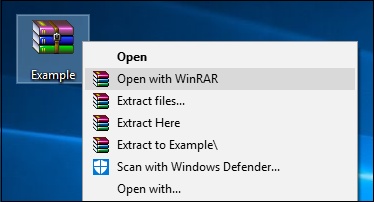
  • Right-click the BAT file.

  • Select "Open with" and choose a text editor, such as Notepad.

    open bat file with notepad
  • Edit the commands if needed and save the changes.

This lets you view or modify the commands inside the file without running them.

To Run a BAT File:

  • Double-click the BAT file.

  • Windows will open Command Prompt and execute the commands inside it.

Alternatively, you can also run a BAT file from Command Prompt by entering its file path.

BAT vs CMD: What's the Difference?

BAT and CMD files are two types of Windows script files that use Command Prompt to run commands. They work in a similar way but use different file extensions.

Feature BAT File CMD File
File type Batch file Command script
Extension .bat .cmd
Main use Automate Windows commands Automate Windows commands
Execution Runs through Command Prompt Runs through Command Prompt

For most everyday tasks, BAT and CMD files work in a very similar way on modern Windows systems.

How to Recover Deleted or Lost BAT Files?

BAT files may contain important scripts used for automation, backups, or system tasks. Losing a BAT file can interrupt workflows if you no longer have the original commands.

If you cannot find the BAT file in its original folder or from a backup, 4DDiG Data Recovery can help recover deleted BAT files from SSDs, HDDs, USB drives, and other storage devices. Besides BAT files, it also supports many other file types, including CMD, INF, JSON, DOCX, XLSX, PDF, INI, and RTF files.

With a simple recovery process, you can scan the storage location and recover the BAT files you need without complicated steps.

FREE DOWNLOAD

Secure Download

FREE DOWNLOAD

Secure Download

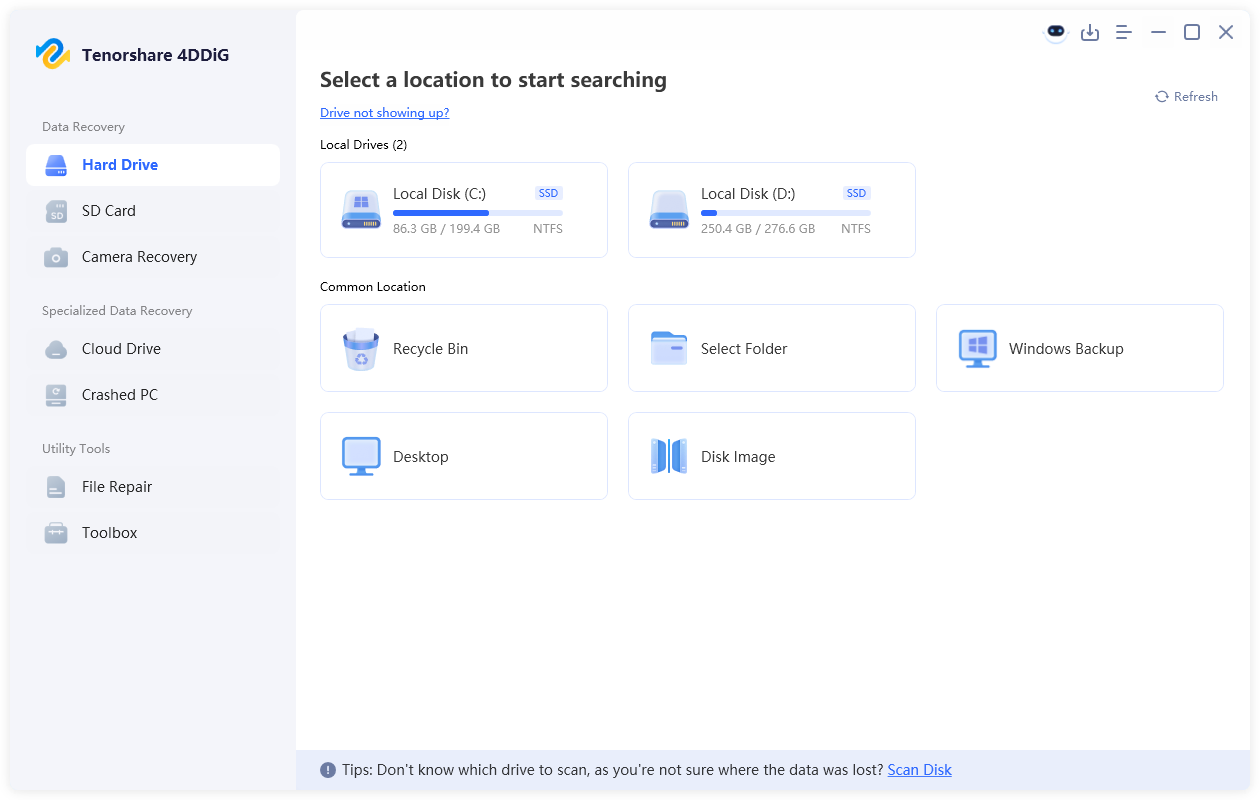
  • Install and launch 4DDiG, then select the drive or storage location where the BAT file was lost. The software will automatically scan the selected location for recoverable files.

    launch 4ddig and enter interface
  • After the scan is complete, use the search feature or file filters to locate deleted BAT files. You can search for ".bat" to quickly find your batch scripts among the scan results.

    find recovered BAT files in 4ddig
  • Preview the found BAT files to confirm they are the scripts you need. Select the files and click "Recover" to restore your lost batch files.

    recover bat files with 4ddig
  • Save the recovered BAT files to a different location to avoid overwriting the original data.

    save recovered BAT files

FAQs

What does a BAT file do?

A BAT file runs a series of commands through Windows Command Prompt. It is mainly used to automate repetitive tasks, such as managing files, launching programs, or running system tasks.

Are BAT files safe?

BAT files are safe when they come from trusted sources. However, unknown BAT files may contain harmful commands, so you should check the file source and review its contents before running them.

Can I open a BAT file with Notepad?

Yes. BAT files are plain-text files, so you can open and edit them with Notepad or other text editors to view or modify the commands inside.

Can deleted BAT files be recovered?

Yes. Deleted BAT files may be recoverable if the storage space has not been overwritten. You can check backups first or use data recovery software such as 4DDiG Data Recovery to scan your storage device and find lost BAT files.

Conclusion

BAT files are useful for automating tasks on Windows, but they should be handled carefully because they can execute system commands. Understanding what is a bat file can help you work with these scripts more effectively. If an important BAT file is accidentally deleted, 4DDiG can help scan your storage device and recover the lost file.

FREE DOWNLOAD

Secure Download

FREE DOWNLOAD

Secure Download

William Bollson (senior editor)

William Bollson, the editor-in-chief of 4DDiG, devotes to providing the best solutions for Windows and Mac related issues, including data recovery, repair, error fixes.

(Click to rate this post)

You rated 4.5 ( participated)