What Is an INF File and How Does It Work?

5 mins read

Updated on 2026-10-19 19:09:11 to Wiki

An INF file is a Windows configuration file used for driver installation and device setup. These files are commonly included with driver packages and help Windows apply the correct settings for connected hardware.

This guide explains what INF files are used for, how to open them, and how to recover deleted INF files when they are missing.

what is an inf file

What Is an INF File?

An INF file is a Setup Information file with the .inf extension. It is a text-based configuration file that contains information Windows uses during device and driver installation. Unlike an executable file, an INF file does not run an installation process by itself. Instead, it provides instructions that Windows reads when setting up a device or driver package.

An INF file usually contains information such as driver details, file locations, and configuration settings. These details help Windows know which files to use and how to configure the related hardware.

What Are INF Files Used For?

INF files are mainly used for Windows driver installation and device configuration. When you connect new hardware or install a driver package, Windows can use the INF file to identify the device and apply the correct settings.

what are inf files used for

Common uses of INF files include:

  • Installing device drivers: INF files provide Windows with information needed to install drivers for devices such as graphics cards, printers, and USB devices.
  • Configuring device settings: INF files can include configuration information that helps Windows set up and manage connected hardware.

INF files are usually included as part of a driver package along with other required files, such as driver files and catalog files.

How to Open an INF File?

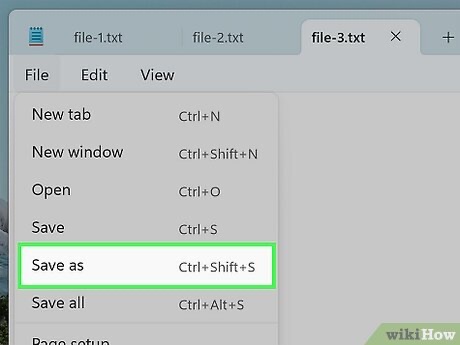
INF files are plain text files, so you can open them with a text editor to view their contents. You do not need special software to read an INF file.

To open an INF file:

  • Right-click the .inf file.

  • Select "Open with".

  • Choose a text editor, such as Notepad on Windows or TextEdit on Mac.

You can also use tools like Visual Studio Code if you want to view the file with additional formatting features.

INF vs EXE: What's the Difference?

INF and EXE files can both appear during software or driver installation, but they serve different purposes.

Feature INF EXE
File type Configuration file Executable file
Main purpose Provides installation instructions Runs programs or installation processes
Can run directly Usually no Yes

An INF file provides information that Windows uses during installation, while an EXE file can launch an installer or application. Some driver packages may include both file types, but they perform different roles.

How to Recover Deleted or Lost INF Files?

Missing INF files may affect driver installation or device configuration, especially when they are part of a driver package. If you cannot find the original file from the downloaded driver folder or backup, data recovery software may help locate the lost file.

4DDiG File Recovery can scan supported storage devices to find deleted INF files that were stored in driver packages, installation folders, or other locations. You can filter scan results and preview found files before recovery to confirm the data you need.

It can recover various file types, including INF, DOCX, PDF, XLSX, JSON and other common files lost due to accidental deletion, formatting, or other data loss situations.

FREE DOWNLOAD

Secure Download

FREE DOWNLOAD

Secure Download

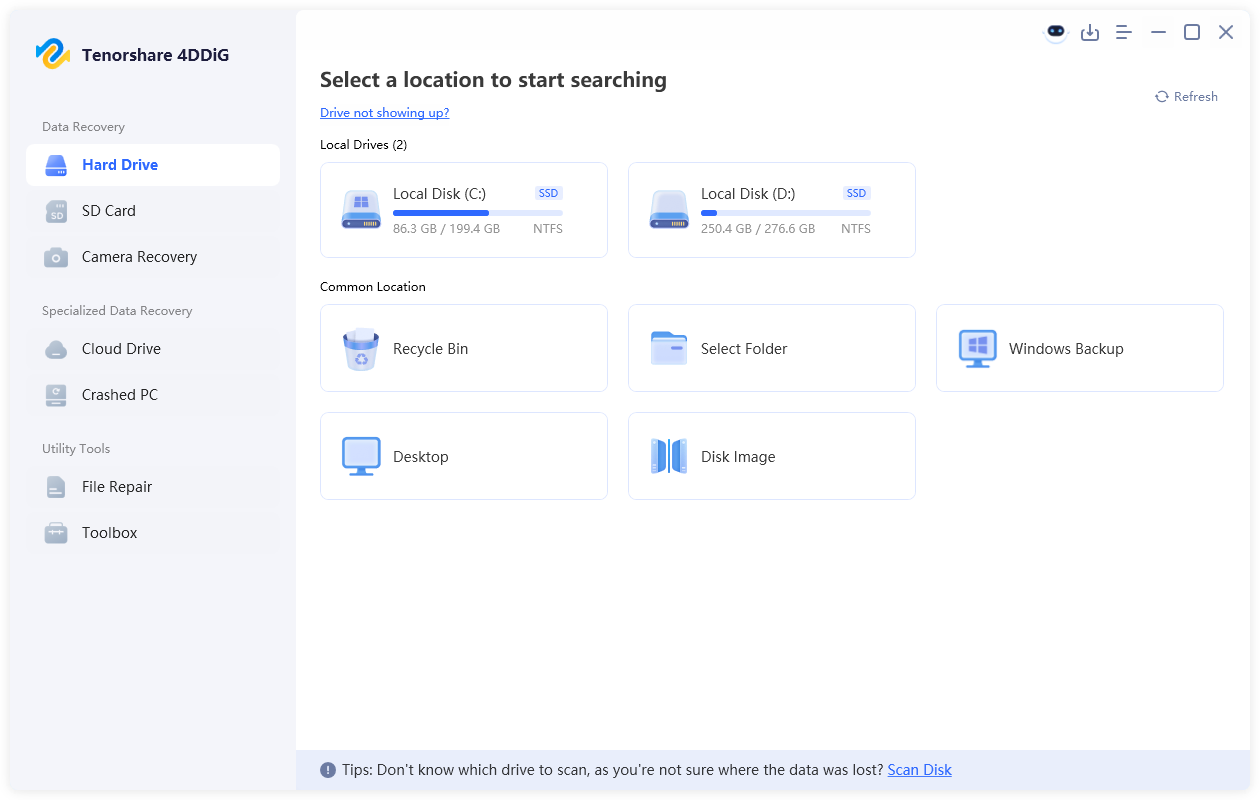
  • Install and launch 4DDiG, then select the drive or storage location where the INF file was lost. The software will automatically scan the selected location for recoverable files.

    launch 4ddig and enter interface
  • After the scan is complete, use the search feature or file filters to locate deleted INF files. You can search for ".inf" to quickly find the related files among the scan results.

    find recovered INF files in 4ddig
  • Preview the found INF files to confirm they are the driver or installation files you need. Select the files and click "Recover" to restore them.

    preview and recover inf files with 4ddig
  • Save the recovered INF files to a different location to avoid overwriting the original data.

    save recovered inf files

Conclusion

INF files are an important part of Windows driver and device management. Understanding what is an INF file can help you handle these files correctly when managing system files or troubleshooting device-related issues. If an important INF file is accidentally deleted or lost, 4DDiG can help scan supported storage devices and recover lost files when possible.

William Bollson (senior editor)

William Bollson, the editor-in-chief of 4DDiG, devotes to providing the best solutions for Windows and Mac related issues, including data recovery, repair, error fixes.

(Click to rate this post)

You rated 4.5 ( participated)