Call of Duty Modern Warfare 4 PC Requirements: Can Your PC Run MW4?

5 mins read

Updated on 2026-09-04 10:10:37 to game

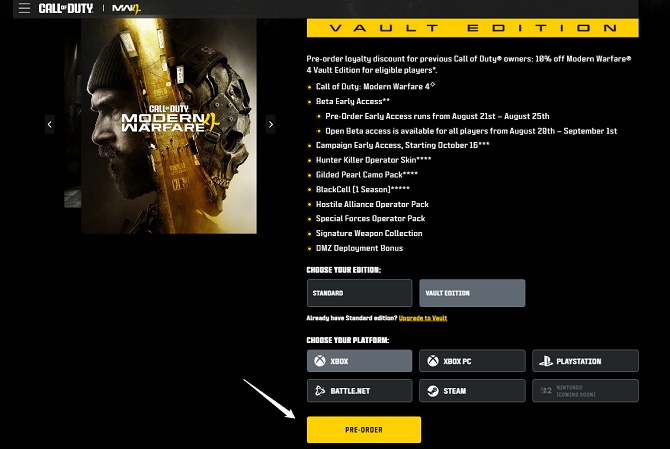
The Call of Duty: Modern Warfare 4 release date is October 23, 2026. Confirmed PC system requirements include TPM 2.0 and Secure Boot, while the game is being built for current-generation hardware with PC-focused performance options.

Using Black Ops 7 as a recent baseline, the estimates below show realistic targets for 1080p, high-FPS 1440p, and 4K ray-traced play. Treat them as planning guidance until Activision and Beenox publish final specifications. This article also includes a dedicated section on preparing enough storage space for Modern Warfare 4.

call of duty mw4

1. Modern Warfare 4 PC Requirements: What is Confirmed?

If you are searching for Call of Duty Modern Warfare 4 pc requirements, separate confirmed platform requirements from estimated performance hardware. On PC, TPM 2.0 and Secure Boot are required, and Beenox is working with Infinity Ward on PC optimization.

Requirement Current Official Status
64-bit processor Required
64-bit operating system Required
TPM 2.0 Required
Secure Boot Required

Activision has also confirmed expanded graphics controls, DLSS 4.5 support, and broader real-time ray tracing. Based on the requirements of recent Call of Duty titles, particularly Black Ops 7, Black Ops 6, and Modern Warfare III, the following hardware is a reasonable early estimate for playing MW4. The final requirements may be higher, especially as MW4 is being developed around newer-generation hardware.

2. Modern Warfare 4 PC Requirements: Expected Specs by Resolution

Black Ops 7 required an SSD and listed 8 GB RAM at minimum, 12 GB at recommended settings, and 16 GB for competitive/4K. Because Call of Duty MW4 targets newer-generation hardware, planning above the previous minimum is safer.

✔ Expected Minimum and Recommended Specs: 1080p Low

This tier targets playable 1080p at low settings, with lower texture quality and upscaling if needed. It is best viewed as a functional entry point rather than a long-term target for competitive multiplayer or higher-quality textures.

  • CPU: Intel Core i5-6600 / AMD Ryzen 5 1400 or better
  • RAM: 8 GB minimum; 12 GB preferable
  • GPU: GeForce GTX 1060 6 GB / Radeon RX 580-class or better
  • VRAM: 4-6 GB practical floor
  • DirectX: DirectX 12
  • Storage: SSD required; plan roughly 120-150 GB free

✔ Expected Recommended Requirements: 1080p High

For a smoother 1080p high-settings experience near 60 FPS, a modern six-core CPU and an 8 GB-class graphics card are a stronger target. This tier should also leave more headroom for background apps, shader compilation, and heavier multiplayer scenes.

  • CPU: Intel Core i5-12400F / AMD Ryzen 5 5600X
  • RAM: 16 GB
  • GPU: GeForce RTX 3060 / Radeon RX 6700 XT / Intel Arc B580
  • VRAM: 8 GB
  • DirectX: DirectX 12
  • Storage: SSD; keep 130-160 GB free

✔ Expected Competitive Requirements: 1440p / High FPS

For 1440p high-refresh play, stronger CPU headroom and more VRAM matter more than maximum visual settings. Players using 144 Hz or faster monitors should prioritize stable frame times and CPU consistency over ray-traced effects.

  • CPU: Intel Core i7-12700K / AMD Ryzen 7 5700X3D or better
  • RAM:16-32 GB
  • GPU: GeForce RTX 4070 SUPER / Radeon RX 7800 XT-class
  • VRAM: 12 GB
  • DirectX: DirectX 12
  • Storage: Fast NVMe SSD with 150 GB or more free

✔ Expected Ultra Requirements: 4K / Ray Tracing

4K with ray tracing will benefit most from the new high-end PC features. Upscaling and frame generation can help, but strong GPU performance and ample VRAM will still be important.

  • CPU: Intel Core i7-14700K / AMD Ryzen 7 7800X3D or better
  • RAM: 32 GB
  • GPU: GeForce RTX 5080 / Radeon RX 9070 XT-class or better
  • VRAM: 16 GB
  • DirectX: DirectX 12
  • Storage: High-speed NVMe SSD with 150-180 GB free

If your PC sits near the edge of a tier, wait for the final chart before buying upgrades. CPU matters most for very high FPS, GPU and VRAM matter more for resolution and ray tracing, and storage capacity matters when installation space is the bottleneck.

⚡ 3. How to Prepare Enough Storage Space for Modern Warfare 4?

An SSD with a healthy amount of free space is the safest plan for cod mw4. Recent Call of Dutyreleases have needed large installations plus room for updates, shader data, and optional content. If your game drive is already close to full, fix the space problem before preload day. Keeping extra free space also reduces the chance that a patch will fail because Windows or the launcher needs temporary working space during installation.

Method 1: Free Up Unnecessary Files

4DDiG Partition Manager's Windows Clean feature can scan common junk-file categories and reclaim space without manually searching system folders. Review the selected items before cleaning so you keep anything you still need.

  • Launch 4DDiG Partition Manager and open Windows Clean. Choose the categories you want to scan, then start the scan.

    FREE DOWNLOAD

    Secure Download

    windows clean
  • Files safe for deletion are selected by default. Review the results and deselect anything you want to keep.

    select items to clean
  • Clean the selected items, then recheck free space on your planned MW4 drive.

    clean successfully

Method 2: Extend the Game Drive

If the disk has enough total free space but the game partition is too small, resizing partitions may be more useful than deleting files. 4DDiG Partition Manager can reallocate free or unallocated space on the same physical disk.

  • Open Partition Management and select the partition where you plan to install Modern Warfare 4. Choose Resize/Move based on the disk layout.

    FREE DOWNLOAD

    Secure Download

    resize game drive
  • Adjust the partition boundary or enter the target size, then preview the change. If you are satisfied with it, click OK to proceed.

    adjust drive size
  • Do not interrupt the process while the partition is being changed. After completing, your drive has more space to download Call of Duty MW4.

    extend partition successfully

If cleanup and resizing still do not leave enough room, upgrade to a larger SSD. For a large game library, that is more practical than repeatedly deleting files for every major update.

More FAQs About MW4 PC Requirements

1. Is 4GB of VRAM Enough for Modern Warfare 4?

Possibly only for a minimum-style 1080p low setup, and even that is unconfirmed. Black Ops 7 listed 3 GB VRAM at minimum but 8 GB at recommended settings. For Modern Warfare 4, 8 GB is a safer 1080p target, while 12-16 GB makes more sense for 1440p or 4K.

2. Does Modern Warfare 4 Require Windows 11?

A Windows 11-only requirement has not been announced. What is confirmed is a 64-bit operating system plus TPM 2.0 and Secure Boot. For a new gaming build in 2026, Windows 11 is the safer planning choice because current drivers and hardware are increasingly optimized around it.

Conclusion

Use confirmed security requirements and recent Call of Duty hardware as a baseline, not as an official spec sheet. For 1080p high settings, 16 GB RAM, an 8 GB-class GPU, and an SSD are sensible targets; 1440p competitive play and 4K ray tracing need more. 4DDiG Partition Manager can clean unnecessary files and resize a crowded game partition, while a larger SSD is the best long-term fix if the entire drive is running out of room.

FREE DOWNLOAD

Secure Download

William Bollson (senior editor)

William Bollson, the editor-in-chief of 4DDiG, devotes to providing the best solutions for Windows and Mac related issues, including data recovery, repair, error fixes.

(Click to rate this post)

You rated 4.5 ( participated)