What Is a JSON File? Examples, Uses, and How to Open It

5 mins read

Updated on 2026-10-21 16:45:54 to Wiki

A JSON file is a plain-text file that stores structured data for websites, applications, and software tools. Its format is easy to read and works across different programming languages. This guide explains what is a JSON file, what does it look like, how to open it, and how to troubleshoot or recover lost JSON files.

what is a json file

What Is a JSON File?

JSON stands for JavaScript Object Notation. It is a lightweight text-based format for storing and exchanging structured data. A JSON file typically uses the .json extension and organizes information into key-value pairs, arrays, and nested objects.

Despite its name, JSON is not a programming language and does not require JavaScript to work. Developers can create, read, and process JSON data with many programming languages, including Python, Java, and C#.

Because JSON uses a straightforward text structure, you can also inspect its contents with a basic text editor.

What Does a JSON File Look Like?

A JSON file contains data arranged according to specific syntax rules. For example, the following JSON object stores basic information about a person:

{
  "name": "Alex",
  "age": 30,
  "active": true,
  "address": null,
  "skills": ["writing", "design"],
  "profile": {
    "role": "editor"
  }
}

This example includes several JSON data types and structures:

  • Objects: Curly braces {} group key-value pairs, such as "name": "Alex". Each key must be a string enclosed in double quotation marks.
  • Arrays: Square brackets [] hold ordered lists of values. Here, the skills array contains two strings.
  • Strings and numbers: Strings represent text and use double quotation marks. Numbers represent numeric values and do not need quotation marks.
  • Booleans and null: Booleans use the unquoted values true or false. The value null represents a null value.

What Are JSON Files Used For?

JSON files are commonly used for application settings, data exchange, and structured records.

what are json files used for

Application configuration

Software may use JSON files to store settings, preferences, or other configuration data. An application might use a JSON file to define display options, feature settings, or connection details. The exact contents depend on the software.

Data exchange between websites and applications

Websites and applications often exchange JSON data through APIs. For example, a weather service might return a JSON response containing a city name, temperature, and forecast. Another application can read that response and display the information.

Storing structured information

JSON can organize records such as user profiles, product details, and application data. Objects group related fields, while arrays store lists of items. This structure makes it easier for software to process information consistently.

How to Open a JSON File on Windows and Mac

You can open a JSON file with a basic text editor or a code editor. Both options let you view the file's contents, but code editors offer additional formatting and syntax highlighting.

1 Open a JSON File With a Text Editor

Notepad on Windows and TextEdit on Mac can open JSON files without additional software.

open json files with notepad windows

  • "Windows": Right-click the JSON file, select "Open with", and choose "Notepad".
  • "Mac": Control-click the JSON file, select "Open With", and choose "TextEdit".

2 Open a JSON File With Visual Studio Code

Visual Studio Code (VS Code) offers syntax highlighting and formatting tools for JSON files.

  • Open VS Code and select "File > Open File".

    open a json file with vs code
  • Find and select your JSON file.

  • To improve readability, open the Command Palette and run "Format Document".

VS Code also highlights syntax issues, such as missing commas or quotation marks, which can help you troubleshoot invalid JSON.

JSON vs. XML: What's the Difference?

JSON and XML files both organize structured data, but they use different syntax. JSON represents information with key-value pairs, objects, and arrays. XML uses tags to mark elements and their relationships.

FeatureJSONXML
StructureObjects, arrays, and key-value pairsElements defined by tags
Example"name": "Alex"<name>Alex</name>
ReadabilityOften compact and straightforwardUses opening and closing tags
Common usesAPIs, application settings, data exchangeDocuments, structured data, and systems that rely on XML

JSON is often convenient for web APIs and applications that exchange structured data. XML supports features such as attributes and document-oriented structures that some systems require.

How to Recover Deleted or Lost JSON Files

If you accidentally delete a JSON file, first check the Windows Recycle Bin or Mac Trash. You should also check your backups and cloud storage history. If the file was tracked in a Git repository, look for a committed version or other saved history.

If these options are unavailable, 4DDiG Data Recovery can scan the original storage device for deleted or lost JSON files. It supports various file types, including .json, .txt, .md, and other text-based formats. It can help when files disappear after accidental deletion, formatting, or certain system problems.

To try recovering a JSON file with 4DDiG:

FREE DOWNLOAD

Secure Download

FREE DOWNLOAD

Secure Download

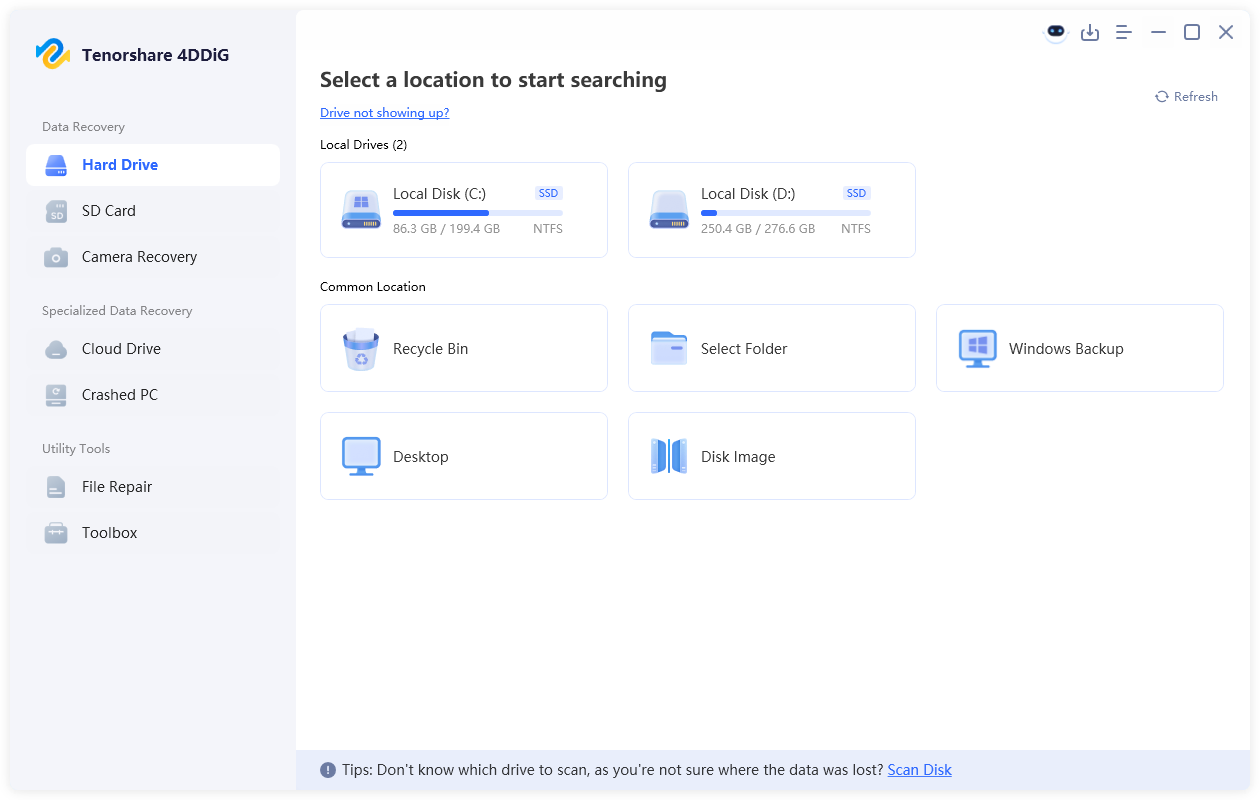
  • Install and launch 4DDiG. Select the drive or location where your deleted or lost JSON file was originally stored.

    launch 4ddig and select the location where the JSON file was stored
  • The scan will start automatically. You can filter the scan results by file type or search for .json to quickly locate your missing JSON files.

    filter scan results to find deleted JSON files
  • Preview the found JSON files to check their contents and confirm which files you want to recover. Select the needed files and click "Recover".

    recover the json files with 4ddig
  • Save the recovered JSON files to a different storage location rather than the original drive to avoid overwriting other lost data.

    save the recovered json files

Conclusion

JSON is a widely used format for storing and exchanging structured data. You can view its contents with a text editor or use a code editor to format and check the syntax. If you've lost an important JSON file, check your backups first. When no copy is available, 4DDiG can scan the original storage for recoverable files.

William Bollson (senior editor)

William Bollson, the editor-in-chief of 4DDiG, devotes to providing the best solutions for Windows and Mac related issues, including data recovery, repair, error fixes.

(Click to rate this post)

You rated 4.5 ( participated)