What Is a Log File? Learn Its Uses, Types, and How to Open It

5 mins read

Updated on 2026-10-20 16:17:42 to Wiki

A log file is a record created by software or systems to store information about events and activities. These records help users find problems and understand what happened when an error occurs. Knowing what is a log file can help you better understand how these files work and why they are useful.

what is a log file

What Is a Log File?

A log file is a computer-generated file that records events, activities, and messages from software, systems, or devices. It usually stores information about what happened and when it happened, making it easier to track system behavior and identify problems.

Most log files use the .log extension and are often saved as plain-text files, which means they can usually be opened with a text editor. However, their main purpose is not just to store readable content. Instead, they provide a record of changes and actions performed by software or systems.

What Does a Log File Contain?

The information inside a log file depends on the program or system that creates it. Common entries include:

  • Timestamps: Show when an event happened.
  • Event details: Describe system activities or operations.
  • Error messages: Record failures, warnings, or unexpected issues.
  • Status information: Show the state or actions of a program.

By checking these records, users can understand what happened before a problem occurred.

What Are Log Files Used For?

Log files are useful for checking system activity, finding errors, and understanding issues inside a system or application. Common uses include:

what are log files used for

  • Troubleshooting problems: Log files can help identify the cause of software crashes, installation failures, or system errors.
  • Monitoring system activity: They record operations and events to help users check whether a system is running normally.
  • Security checking: Security logs can record login attempts and other activities that may help detect unusual behavior.

For example, when an application stops working unexpectedly, its log file may contain error messages that explain what happened before the crash.

What Are the Common Types of Log Files?

Programs and systems create different types of log files based on the information they need to record. Common types include:

System Logs

System logs record events related to the operating system. They may include startup information, shutdown events, hardware issues, and system errors.

Example:

2026-10-14 08:15:22 - System startup completed successfully

Application Logs

Application logs record activities from specific software. They often include program operations, warnings, and errors.

Example:

2026-10-14 09:03:11 - Application warning: Unable to load user preferences

Security Logs

Security logs record security-related events, such as login attempts, authentication activities, and access changes.

Example:

2026-10-14 10:26:45 - Login attempt failed for account: admin_user

Error Logs

Error logs store information about errors reported by applications or systems, including error messages and related details.

Example:

2026-10-14 11:42:08 - Error: File could not be opened due to missing permissions

How to Open a LOG File?

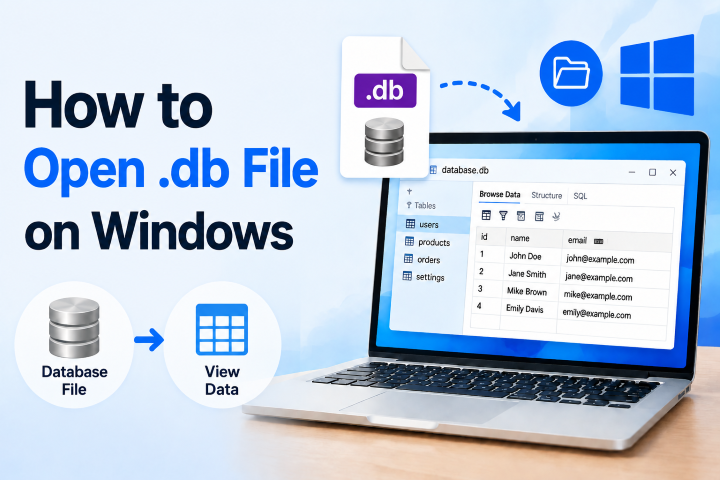
Most LOG files are plain-text files, so you can open them with text editors such as Notepad without installing extra software.

To open a LOG file on Windows:

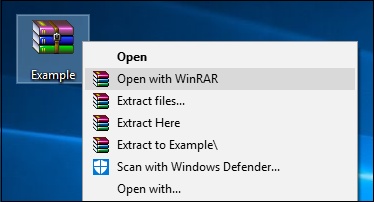
  • Right-click the LOG file.

  • Select "Open with".

  • Choose a text editor such as Notepad or Notepad++.

Opening a LOG file allows you to view the recorded information. However, the meaning of each entry depends on which application or system created the file.

LOG vs TXT: What's the Difference?

LOG and TXT files may look similar because both can contain plain text, but they are created for different purposes.

Feature LOG File TXT File
Main purpose Record system or application events Store general text content
Created by Usually software or operating systems Usually created by users
Content Events, timestamps, errors, and activities Any type of text

A TXT file is a general-purpose text file, while a LOG file is mainly used to record activities and events from programs or systems.

How to Recover Deleted or Lost LOG Files?

LOG files may be lost due to accidental deletion, system cleanup, formatting, or unexpected errors. Losing important LOG files can make it harder to check previous activities or troubleshoot problems.

If you cannot find the LOG file from its original location or a backup, 4DDiG File Recovery can help recover deleted LOG files from SSDs, HDDs, USB drives, and other storage devices. Besides LOG files recovery, it also supports many other file types, including TXT, JSON, XML, CSV, DOCX, MD and XLSX files.

With a straightforward recovery process, 4DDiG helps users restore lost files without requiring advanced technical knowledge.

FREE DOWNLOAD

Secure Download

FREE DOWNLOAD

Secure Download

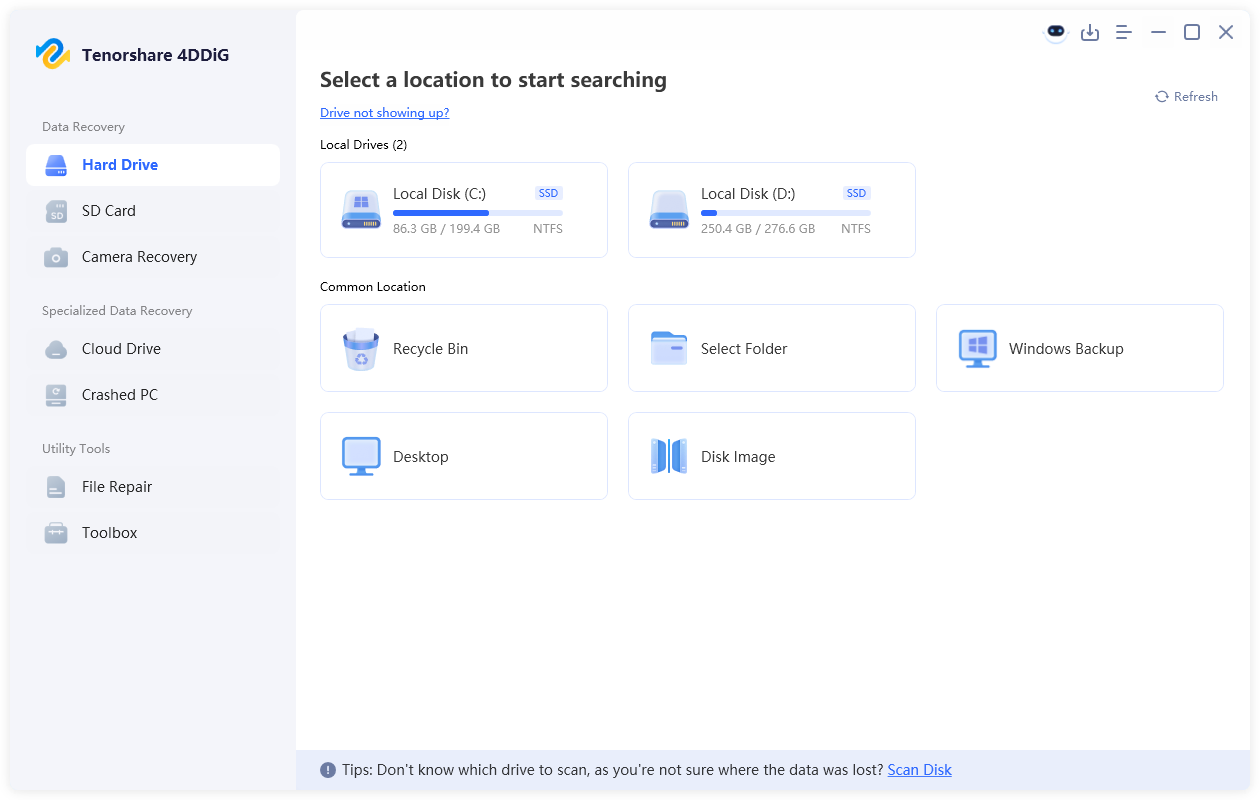
  • Install and launch 4DDiG. Select the drive or storage location where your deleted or lost LOG files were originally stored, and the software will automatically scan the selected location.

    launch 4ddig and select the location
  • After the scan starts, use the search feature or file filters to find deleted LOG files. You can search for .log to quickly locate log files from applications or systems.

    filter scan results
  • Check the found LOG files to identify the records you need. Select the required files and click "Recover" to restore them.

    recover deleted log files with 4ddig
  • Save the recovered LOG files to a different storage location instead of the original drive to avoid overwriting other lost data.

    save recovered log files

FAQs

Why do programs create LOG files?

Programs create LOG files to record activities, errors, and system events while they run. These files help developers and users check what happened when a problem occurs.

Can I delete LOG files?

Some LOG files can be deleted, especially when they are no longer needed. However, you should check the file source before removing them because some logs may contain useful information for troubleshooting.

How do I open a LOG file?

You can open a LOG file with a text editor such as Notepad or Notepad++. Most LOG files are plain-text files that can be viewed directly.

Can deleted LOG files be recovered?

Yes. Deleted LOG files may be recoverable if the storage space has not been overwritten. 4DDiG can scan storage devices and help find lost LOG files after accidental deletion or other data loss situations.

Conclusion

Log files provide useful records that help users review activities, identify errors, and understand what happens inside a system or application. Knowing what is a log file makes it easier to manage these records and use them when problems occur. If important LOG files are accidentally deleted, 4DDiG can help recover lost files from supported storage devices in time.

William Bollson (senior editor)

William Bollson, the editor-in-chief of 4DDiG, devotes to providing the best solutions for Windows and Mac related issues, including data recovery, repair, error fixes.

(Click to rate this post)

You rated 4.5 ( participated)