How to Fix Roblox Error Code 600?
Facing the Roblox Error Code 600 can be confusing and frustrating, especially when it prevents you from joining a game or experience without a clear explanation. Error Code 600 is often related to session, network, or experience-specific restrictions rather than a global ban. Let’s discuss what Roblox Error Code 600 means, why it happens, and how to fix it step by step so you can return to playing safely.
1. What is Roblox Error Code 600?
In most cases, error code 600 on Roblox typically indicates a temporary or experience-level ban, rather than a permanent ban on a Roblox account. It typically appears with a message stating that you are "banned from this experience" or "unable to join due to a restriction." The restriction is usually applied by the game’s developer or triggered by automated moderation systems within a specific experience.
2. What Causes Roblox Error Code 600?
Understanding the causes behind Error Code 600 helps determine whether the issue is temporary or requires further action. This error can occur for several reasons, including both user-side and server-side factors:
- Experience-Level Moderation: Some Roblox games have strict rules enforced by developers. If the system flags suspicious behavior, you may be temporarily restricted from accessing the system.
- False Anti-Cheat Triggers: Lag, desynchronization, or unstable network connections can sometimes appear as abnormal behavior.
- Server or Session Errors: Corrupted sessions or outdated authentication tokens can result in access denial.
- VPN or Proxy Usage: Using a VPN may cause Roblox servers to block your connection, triggering error code 600.
- Temporary Network Restrictions: Public or restricted networks may interfere with Roblox’s verification process.
This explains why many users see Roblox error code 600 even when they have not violated any rules.
3. How to Fix Roblox Error Code 600?
Fixing Roblox Error Code 600 requires patience and systematic troubleshooting. Below are the most reliable solutions, listed from easiest to most technical. Try them for the best results.
Fix 1: Sign out and Re-login to Roblox
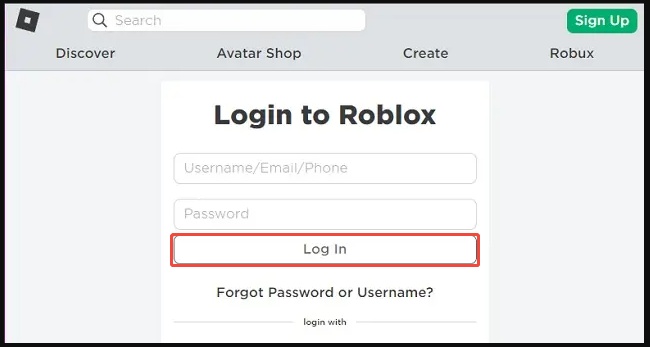
Before assuming that Roblox Error Code 600 is a ban, it’s important to rule out simple session-related issues. Roblox login tokens can become corrupted, especially after long play sessions or sudden disconnections. Signing out and logging back in forces Roblox to refresh your session and revalidate your account permissions.
-
Open Roblox and click the “Options” icon and select Log Out. Close the Roblox application completely.
-
Waiting for 3-5 minutes, then reopen Roblox and sign in again
Fix 2: Reset Network Settings
Network configuration problems are one of the most common but overlooked causes of Roblox Error Code 600. Resetting network settings clears these conflicts and allows Roblox to establish a clean, verified connection.
-
Open “Settings” on your PC and go to “Network & Internet."
-
Select “Advanced network settings” and click “Network reset," then restart your PC
You can also try restarting your WiFi router. Simply unplug the router from power, wait 30–60 seconds, then plug it back in and let it fully reboot.
Fix 3: Restart Your Device
System-level background processes can interfere with Roblox even when everything appears normal on the surface. Restarting your device clears temporary system data and resets essential services without changing your files.
-
Save your work across all open software and close everything.
-
After that, click "Windows" and pick "Power" to choose "Restart."
Fix 4: Clear Roblox Cache
Roblox stores temporary files locally to speed up loading and maintain session data. Over time, these cache files can become outdated or corrupted, leading to repeated errors such as Roblox Error Code 600. Here is how to bypass error code 600 Roblox by clearing the cache:
-
Press “Win + R” and type “%appdata%” then press “Enter”. And navigate to Roblox folder.
-
Delete the “Cache” and “Logs” folders, then restart Roblox.
Fix 5: Contact Experience Creator
If the error only occurs in one specific game, the restriction may be controlled by the experience creator rather than Roblox itself. Many developers use automated moderation systems that can mistakenly flag players. Contacting the creator allows them to review the restriction and remove it if it was applied in error.
-
Go to the Roblox Support Page for large experiences. For smaller ones, you may send them a direct message or contact them on game chat.
-
Contact your Experience Creator and explain the situation to ask if the restriction is temporary or not.
If you're running into other Roblox error code, don't worry. Here are the guides:
⚡ Tip: Don’t Lose Important Files---Back Up Your PC Before Clearing Roblox Cache
Before deleting cache files or resetting network settings, it’s wise to protect your data. While clearing Roblox cache is generally safe, system-level changes can sometimes lead to accidental data loss.
Why Choose 4DDiG Windows Backup?
This tool stands out as a trusted and beginner-friendly choice for protecting your system before troubleshooting issues. It delivers reliable full system backups plus targeted disk/partition options, so you can safeguard your OS, games, and files in one secure snapshot.
Users consistently praise its intuitive interface that's easy even for non-techies, and very low impact on your PC's performance during the process.
-
Download and install 4DDiG Windows Backup, then launch the program and select "Create a Backup Task.
FREE DOWNLOADSecure Download
-
Choose the partitions you want to back up, and click the "Folder" icon below to select a backup location.
-
Click “Start Backup," then click "Confirm," and wait until your backup is created successfully.
Backing up ensures peace of mind while troubleshooting Roblox Error Code 600.
More FAQs about Roblox Error
1. Does Roblox ban bypass by time zone?
No. Changing your timezone does not bypass Roblox bans or restrictions. Error Code 600 is not affected by regional time settings.
2. What causes you to get banned on Roblox?
Common reasons include violating community rules, exploiting, harassment, or repeated reports within a specific experience.
3. What does error code 280 mean in Roblox?
Error code 280 usually indicates that your Roblox client is outdated and needs to be updated.
4. Is Roblox error code 600 a permanent ban?
No. In most cases, Roblox Error Code 600 is temporary or limited to a specific experience, not a permanent account ban.
5. Why does Roblox keep saying I have low memory?
Low memory warnings usually relate to device RAM or background apps consuming system resources, not account restrictions.
Conclusion
Roblox Error Code 600 can be alarming, but it rarely means a permanent ban. In most situations, the issue is caused by session errors, network problems, corrupted cache files, or experience-level restrictions.
By following the step-by-step fixes above, most players can resolve Roblox error code 600 and return to their games quickly. Before making system changes, backing up your PC with 4DDiG Windows Backup adds an extra layer of protection, ensuring your data stays safe while you troubleshoot and game with confidence.
Secure Download
ChatGPT
Perplexity
Grok