Roblox Error Code 267: Complete Guide to Causes and Fixes
Seeing Roblox error code 267 pop up and suddenly getting kicked from an experience can be frustrating, especially when nothing seemed wrong a moment ago. Before applying any fixes, it helps to understand what is error code 267 in Roblox and why it appears. The issue can look serious, but most of the underlying causes are simple to resolve. In this guide, we'll walk you through clear, reliable steps to get back into your games smoothly.
Part 1: What is Roblox Error Code 267?
Roblox Error Code 267 is a kick error that appears when Roblox blocks you from entering or staying in a game due to triggered security checks. This usually happens when the game detects missing permissions, an unstable network, or a script inside the experience that forces a kick. Instead of crashing the app, Roblox intentionally removes the player to protect the game environment.
🔍 Common Causes of Roblox Error Code 267
Part 2: How to Fix Roblox Error Code 267?
Fighting the possible causes one by one is the secret to getting rid of error 267. Here is a systematic approach to resolving your problem:
Fix 1: Disable VPN/Antivirus & Check Internet Connection
Let's start with the basics. Sometimes, your own software is fighting Roblox, or your Wi-Fi is just having a bad day.
-
Shut Down the Watchdog: Temporarily turn off your firewall and antivirus (e.g., Norton or Avast). If you use a third-party VPN, switch it off completely.
-
Reboot Your Router: The most basic solution sometimes works the best: restart your router. Unplug your Wi-Fi router for around 60 seconds. This basic reset clears minor connectivity issues that could cause the server to drop you.
If you can't entirely turn off your firewall. In Windows Search, input "allow an application through Windows Firewall" and search for Roblox Player. Check it for both private and public networks. If it's missing, click "Allow another app..." and add the RobloxPlayerBeta.exe file by hand.
Fix 2: Join a Different Server
If the problem is with a particular server, perhaps it's flawed, or a moderator was having a bad day and kicked you, don't sweat it. Switch instances!
-
Go back to the top of the Roblox website or app. Look under the Servers tab.
-
Choose another server, perhaps one with fewer people or one you have not yet tried—and then scroll down. Joining successfully means the last server was melting down.
Fix 3: Clear Roblox Cache & Temporary Files and Restart
Corrupted temporary files can disrupt communication between your Roblox client and the servers. Usually, this is fixed with a digital spring cleaning.
Close the Roblox app and any browser tabs running Roblox.
-
Next, press the “Win + R”. Enter %temp% then press Enter. It opens your Temporary files folder.
-
Find the Roblox folder inside the Temp folder. Enter it and wipe out everything you find.
-
Then, restart your computer, launch Roblox, and try to join again.
Fix 4: Use a Free VPN to Bypass IP Kick
If the server keeps kicking you even after Fix 1, the kick might be targeting your specific IP address. Your best bypass is a temporary IP change.
-
Choose a reliable option, such as a VPN or a proxy browser extension, and set up a secure, free one.
-
Switch Connect to a different geographic area or city using this tool.
-
Launch Roblox from the web browser while your VPN/proxy is running. That masks your real IP, potentially bypassing the block.
Fix 5: Create a New Alt Account (For "Account Too Young")
That is a developer setup, not a bug, if the error message specifically notes that your account is too new or too young.
-
Double-check if the game developer has rules against brand-new accounts joining.
-
If you need to play now, register a new secondary account ("alt") with a different email.
-
After that, log in with the new account. It should bypass the "account age" check tied to your main profile.
Fix 6: Update Roblox App & Drivers (PS5/Xbox)
Roblox error 267 can sometimes be triggered by an outdated Roblox app or console system software, as Roblox relies on the latest updates to function smoothly. Keeping both the Roblox app and your console’s system software updated ensures compatibility and fixes bugs that might cause disconnections.
- PC Checkup: Use their respective tools to ensure your NVIDIA, AMD, and Intel graphics drivers are up to date. In the Settings app, also make sure Windows itself is up to date.
- Console Checkup (PS5 / Xbox): Search for System Software Updates in your console's Settings. Any discovered updates should be installed, along with confirmation that the Roblox program is fully updated.
Xbox:
Follow these console-specific maintenance procedures if the general corrections and system reset did not work on your Xbox while trying to fix Roblox error code 267:
1. Clear the Xbox Cache:
-
Holding the power button for about 10 seconds will fully turn off your Xbox console.
Detach the cable/power brick from the back of the console.
-
Wait five minutes; this ensures residual power is clear, hence clearing the system cache.
Plug the cable back in and turn on the console.
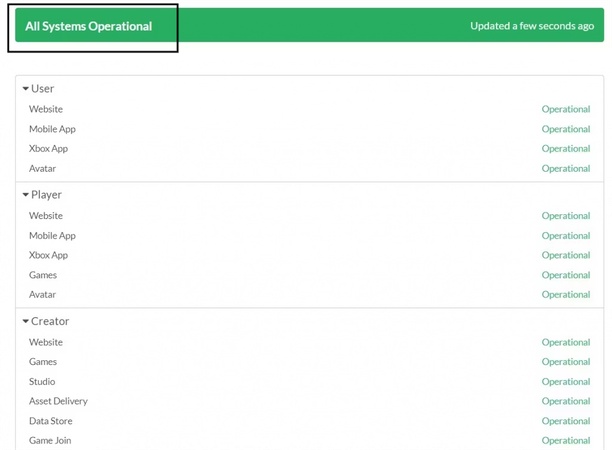
2. Check Xbox Live Status:
The problem could be a Microsoft side service outage.
-
Visit the official Xbox Live Status website using a web browser or your phone's Xbox app.
-
Check whether Games and Gaming services—especially those involving multiplayer features—are functioning as usual. You should wait for Microsoft to fix the outage if it happens.
If restarting the console doesn't resolve the issue, these steps can help significantly when learning how to fix error code 267 in Roblox on Xbox. They are also useful when the problem appears on consoles like PlayStation, since many players report similar symptoms while troubleshooting Roblox error code 267 PS5.
Bonus: Instant Disk Cloning for Seamless Data Migration with 4DDiG Partition Manager
If you're playing Roblox on a Windows PC and still experiencing Error 267 (or frequent crashes/disconnections), your hard drive might be the bottleneck—especially if you're using an older HDD instead of a faster SSD.
Upgrading to a faster SSD can dramatically improve load times, reduce lag, and stabilize connections in Roblox. 4DDiG Partition Manager provides a Disk Clone function that lets you move your entire Windows OS and all applications (including Roblox) without reinstalling.
-
Install and open 4DDiG Partition Manager. Connect your new SSD/HDD, then select the "Clone OS Disk" feature from the dashboard.
FREE DOWNLOADSecure Download
-
Choose your old drive as the Source and the new SSD/HDD as the Target. Click "Next" to confirm that the target drive's data will be erased.
-
Review the partition layout preview. Adjust partition sizes if needed, then click "Start" to begin the cloning.
-
After confirming the warning, wait for the cloning process to create a byte-for-byte copy. Once finished, swap your drives to boot directly into your cloned, faster system with all data intact.
If you encounter other Roblox errors, don't worry, here are fix guide:
More FAQs about Roblox Error Code 267
1. Is Roblox error code 267 permanent ban?
No, not typically. Roblox error code 267 usually indicates a temporary server kick due to connection issues, corrupted files, or a game-specific restriction (such as an IP ban). A permanent ban can result in a different message.
2. Is Roblox error code 268 a ban?
Yes, Error Code 268 is more serious and often indicates an explicit ban or suspension for unauthorized client use or exploitation, resulting in a server-wide timeout.
3. How to get back in Roblox if you're banned?
If permanently banned, you must appeal the Ban through Roblox Support. For temporary suspensions, you must wait out the suspension period. Creating a new account is generally discouraged for severe violations.
Conclusion
Roblox error code 267 is common, causing the annoying "You were kicked" message due to anti-cheat alerts, corrupt files, or network issues. Fixing it requires deleting the game cache, turning off competing VPNs or antivirus programmes, and confirming a stable internet connection.
Tools such as 4DDiG Partition Manager let you easily copy your complete game collection and operating system to a new, fast SSD, thereby avoiding connection problems caused by sluggish hardware if you need a quicker computer foundation.
Secure Download
ChatGPT
Perplexity
Grok