How to Choose the Best PC Cleaner to Free up Space

5 mins read

Updated on 2026-07-02 12:06:26 to Windows Fix

Over time, Windows PCs accumulate temporary files, registry leftovers, bloatware, and fragmented data, all of which quietly chip away at performance. Whether you're a casual user frustrated with lagging apps or a professional who needs a fast machine, investing in the right PC cleaner can make an immediate difference.

In this guide, we tested and reviewed the top PC cleaner software available in 2026, so you can make the smartest choice for your system — without wasting hours on trial and error.

⚡ 1. Best PC Cleaner: Which One Should You Choose?

Not all PC cleaning tools are created equal. To help you cut through the noise, we evaluated each tool based on ease of use, depth of cleaning, system impact, and overall value.

🎉 4DDiG Partition Manager: Best All-in-One PC Cleanup & Disk Tool

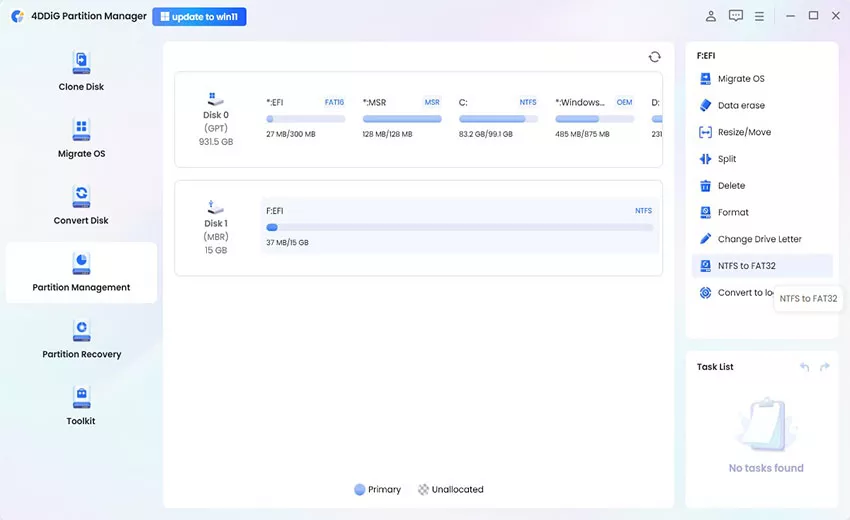
If you're looking for a good PC cleaner software that handles both disk management, disk cloning, and other features, 4DDiG Partition Manager is a standout choice. Its dedicated Windows clean function scans your PC for junk files, redundant caches, outdated logs, and temporary system data, then removes them safely in just a few clicks.

  • Install and launch 4DDiG Partition Manager, then go to the "Windows Clean” function. Here, select all the junk file types and click “Start Scan”.

    FREE DOWNLOAD

    Secure Download

    click start scan
  • Untill the scan is complete, choose the files that you want to clean, then click the "Clean" button and proceed by clicking "Sure."

    click sure to proceed
  • Apply the cleanup and wait for the process to finish. Then restart your PC to check if the Riot Vanguard error is gone.

    clean successfully

Beyond cleaning, this tool offers a comprehensive toolkit that sets it apart from other free PC cleaner options:

  • Partition Management: Resize, merge, split, create, or delete partitions without losing data.
  • Disk Cloning: Clone your entire system or selected partitions to a new drive — perfect for upgrading to an SSD.
  • MBR/GPT Conversion: This feature allows users to easily convert a disk from MBR to GPT, or vice versa, without formatting or losing data.
  • Remove BitLocker: This feature enables users to remove BitLocker encryption from drives safely and efficiently.

For users who want more than just a PC storage cleaner and need a reliable, all-in-one solution, 4DDiG Partition Manager delivers exceptional value.

  • ✅ Pros
  • ❌ Cons
    • All-in-one: cleaning + partition + clone + migrate
    • Beginner-friendly interface with guided steps
    • No data loss during partition operations
    • Regular updates with Windows 11 support
    • Several-clicks Windows clean function
    • Some features are restricted in the free version.

CCleaner

CCleaner's lightweight, fast, and effective at removing browser caches, temporary files, and invalid registry entries. The free version covers the basics well, making it a solid recommended PC cleaner for users who just want quick, no-fuss results.

  • ✅ Pros
  • ❌ Cons
    • Generous free version with core cleaning features
    • Fast scan and clean process
    • Browser tracking data removal
    • Startup manager included
    • Free version lacks real-time monitoring
    • Privacy concerns raised in past versions (now addressed)
    • Registry cleaning can be risky if misused
    • Aggressive upsell prompts in free tier

BleachBit

BleachBit is the PC cleaner for W indows users who prioritize privacy and open-source software. It securely shreds files, wipes free disk space, and clears application data across dozens of programs.

  • ✅ Pros
  • ❌ Cons
    • Free and open-source
    • Secure file shredding for sensitive data
    • Cleans a wide range of third-party apps
    • Cross-platform (Windows & Linux)
    • Barebones interface — not beginner-friendly
    • No real-time protection or optimization features
    • No disk management or partition tools
    • Requires manual configuration for best results

IObit Advanced SystemCare

IObit Advanced SystemCare is a comprehensive PC cleaning software suite built for users who want everything in one place. Its one-click optimization covers junk file removal, registry cleaning, privacy protection, browser boost, and startup optimization simultaneously. It also includes a real-time performance monitor, making it one of the more feature-rich top rated free PC cleaner options — though the free version does have limitations.

  • ✅ Pros
  • ❌ Cons
    • One-click deep clean covers multiple areas
    • Real-time performance monitoring
    • Includes internet speed booster
    • Large, active user community
    • Free version is limited; full features need Pro
    • Can feel bloated for users wanting simplicity
    • Occasional false positives in registry scans
    • Aggressive notifications in free version

Conclusion

Choosing the best PC cleaner ultimately depends on what your system needs most. CCleaner and BleachBit are solid picks if you need a PC cleaner free solution for basic junk removal. IObit Advanced SystemCare is great for users who want an all-in-one optimization suite at a click.

But if you want the most versatile and powerful option — one that combines good PC cleaning software with professional-grade disk management, cloning, and migration tools, 4DDiG Partition Manager is our top recommendation. Whether you're dealing with a sluggish laptop or a desktop crying out for a tune-up, it can give you everything you need to get your PC back in peak condition.

FREE DOWNLOAD

Secure Download

William Bollson (senior editor)

William Bollson, the editor-in-chief of 4DDiG, devotes to providing the best solutions for Windows and Mac related issues, including data recovery, repair, error fixes.

(Click to rate this post)

You rated 4.5 ( participated)