How to Fix Helldivers 2 Error Code 0x44415441 (Unexpected Error When Loading Game Files)

Helldivers 2 is built around constant updates, new Warbonds, and community-created tweaks. But that same fast patch cycle can sometimes trigger a nasty startup crash: "Fatal Error! Unexpected error while loading game files… (Error code: 0x44415441)". If you're dealing with Helldivers 2 error code 0x44415441 or even full-on hell divers 2 crashing right after launch, don't panic. This guide explains what the code means, why it happens, and the fastest verified fixes, from simple mod purges to a clean reinstall and disk cleanup.
Part 1. What Is Error Code 0x44415441 in Helldivers 2?
Error code 0x44415441 in Helldivers 2 is a startup crash that appears before the game fully loads. When it happens the game closes early and shows this message:
"Fatal Error! Unexpected error while loading game files. Check for any data that may have been modified or corrupted from the initial install. (Error code: 0x44415441)"
In simple terms this means the game tried to read important files during launch but an error occurred. The files might be missing, damaged, blocked or not loading properly. Arrowhead hasn't officially explained the exact meaning of this specific code but players and community reports suggest it's tied to early initialization failure. Basically the game can't finish setting itself up.
This error is not permanent. It has been reported by many players since launch, especially after big updates or driver changes and most people fix it with basic troubleshooting like verifying files, updating drivers or repairing anti-cheat.
Part 2. What Causes Helldivers 2 Unexpected Error While Loading Game Files (Error Code 0x44415441)?
This crash usually happens when something stops the game from loading correctly at startup. The cause can be different for each player but these are the most common reasons:
- Broken or missing game files after an update or patch
- Corrupted "Data" folder or modified install files
- Outdated/incompatible GPU drivers (NVIDIA or AMD)
- Easy Anti-Cheat (EAC) is damaged, blocked or not launching
- Mods or leftover mod files are conflicting with the latest build
- Third-party overlays/tools interfering (Discord, MSI Afterburner, etc.)
- Overclocked GPU / undervolted CPU causing instability
- DirectX 12 conflicts or corrupted shader/cache files
- Damaged save files or Steam Cloud sync issues
- Background services are blocking the game startup
- Windows/driver component conflicts, such as missing redistributables
In short, the game is failing to load its required DATA because something is damaged or modified.
Part 3. Two Fast Ways: How to Fix Helldivers 2 Error Code 0x44415441? (Try These First)
Error code 0x44415441 usually shows up right after an update when the game detects mismatched or modded files. Before doing anything "big" try these two quick fixes. They're the fastest way to restore clean launch files.
1. Delete the Entire "Data" Folder & Verify Game Files
This error typically occurs when Helldivers 2 detects outdated or modified data. The fastest fix is to remove the entire Data folder so Steam can rebuild clean files. It's safe and often restores the game to a vanilla state quickly.
Steps:
Open your "Steam Library".
-
Right-click "Helldivers 2" and open "Manage", then select "Browse local files".
-
In the game folder, find the "Data" folder and delete it completely.
-
Go back to Steam, open "Properties", select "Installed Files", and run "Verify integrity of game files".
-
Wait for Steam to restore missing files, then launch the game.
If your install is heavily modded some players also delete the "Bin" folder and verify again. Start with "Data" first.
2. Purge All Mods Using Helldivers Mod Manager & Reinstall Them
Disabling mods isn't enough. Leftover injected files can stay behind and still trigger the error. This error happens often after a game update because older mods stop working. Purge resets everything safely. The Mod Manager's Purge function removes every mod trace cleanly, then you reinstall only updated/compatible ones. Arrowhead explicitly recommends purging mods for this error.
Steps:
Open your "Helldivers 2 Mod Manager".
-
Open the "Settings" page and confirm the correct "Game directory" and "Mod storage directory".
-
Select the "Purge" option (sometimes labeled Purge Mods or Remove Mods).
-
Allow the tool to delete all installed mods and associated files.
-
After the purge, open "Steam" and verify game files again using "Verify integrity of game files".
Restart the game.
-
If you want mods again, reinstall them "one at a time" to avoid reintroducing the broken one.
Part 4. If You Still Get the Error: Full Step-by-Step Fix for Helldivers 2 Error Code 0x44415441
If the fast fixes don't work, use these heavy-duty solutions. They remove every mod trace and reset the game environment completely.
Fix 3: Delete All Files with "patch_" in the Name (Finds Hidden Mods)
Even after deleting the Data folder, leftover mod files often hide in sub-folders. Searching for anything named "patch_" reveals old mod injections that commonly cause the 0x44415441 crash. Delete them all to ensure no mod fragments remain.
Steps:
Open Steam and go to your "Library".
Right-click "HELLDIVERS 2" and select "Manage".
-
Select "Browse local files" to access the game's installation directory.
In File Explorer, use the search bar and type "patch_".
-
Delete every file found with "patch_" in the name.
-
Optional step. Open the Run dialog, type "%appdata%", and delete the "Arrowhead" folder to reset configs.
-
Go back to Steam and run "Verify integrity of game files" again.
Restart Steam and launch the game.
If you're unsure whether a patch file is official, verifying integrity will restore it automatically anyway.
Fix 4: Uninstall & Reinstall Steam and Helldivers 2
If manual mod cleanup doesn't work, your Steam cache or Helldivers 2 installation may still carry corrupted remnants. A full reinstall resets the anti-cheat handshake and replaces damaged files with fresh copies. It's slower than method #1, but extremely reliable when the error persists.
Steps to Uninstall Helldivers 2 & Steam:
-
Back up anything important from your Steam installation if you want to keep other games.
Open Steam. Click the "Library" tab on the top menu bar.
-
Find the HELLDIVERS 2, then right-click it, select "Manage", and click "Uninstall".
-
Steam will ask if you want to completely delete the game. Confirm by clicking the "Delete" button.
-
Open Windows Control Panel, go to "settings", then select "Apps and Features", and uninstall "Steam".
Steps to Reinstall Helldivers 2 & Steam:
-
Download the latest Steam installer from Steam's official website.
Reinstall Steam and log in to your account.
Reinstall "HELLDIVERS 2".
-
Open the "Library" tab, locate "Helldivers 2", right-click it, and choose "Properties".
-
In the "Properties" window, select the "Installed Files" tab, then click "Verify integrity of game files".
Launch the game with "no mods installed".
-
If the game works correctly, reinstall mods gradually and test after each one.
It removes cached installation records that can incorrectly point Helldivers 2 to old, modded data.
Fix 5: Use a Disk-Analysis Tool to Clean Leftover or Duplicate Game Files (Highly Recommended)
Big games get messy fast. After a few installs, updates, and uninstalls, you end up with duplicate files (same installers, patch backups, repeated screenshots) and leftover folders (old save data, cache, shader packs, or "temp" update files). Manually hunting these down is slow and risky. You might delete something important.
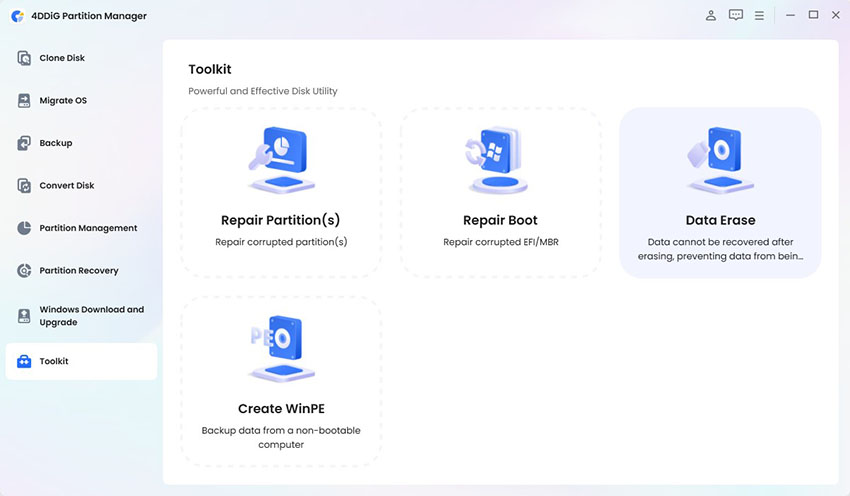
A disk-analysis tool like 4DDiG Duplicate File Deleter makes this easy. It scans your drives, finds true duplicates using smart matching, and also shows what's eating space with its built-in Smart Disk Space Analyzer. Thus, you can remove game leftovers safely in minutes instead of hours.
4DDiG Duplicate File Deleter Features
- Smart Disk Space Analyzer to locate large game folders, leftover files and junk.
- 100% accurate MD5 algorithm to detect duplicate game files, mods, textures, videos and screenshots.
- Find and remove similar images like repeated game screenshots.
- Supports external drives (HDD/SSD), SD cards and USB drives.
- Cloud duplicate removal for Google Drive, OneDrive & Dropbox.
- AI-powered Smart Remove to clean duplicates in one click.
Real-time Duplicate Monitor to detect new duplicates automatically.
Steps to delete duplicate game files and leftovers using 4DDiG duplicate file deleter
-
Download, install, and open 4DDiG Duplicate File Deleter. Then click "Disk Space Analyzer" and press "Get Started".
FREE DOWNLOADSecure Download
-
Choose one or more drives or folders for analyzing disk space, like C drive, D drive, Steam folder, external drives, Epic Games folder, or Mods folder. Click "Analyze".
-
Once the scan completes, the software displays all files/folders sorted by size. Use this to quickly identify the largest files/folders. You can expand folders to see detailed contents.
There is also a "Large Files" tab to highlight the biggest space-consumers directly.
-
Right-click any unwanted large file/folder → choose "Move to Pending Actions", or drag items into the "Move" section at the bottom. When ready, click "Review & Remove".
-
Adjust your selection if needed (or reset), then choose how to remove (e.g. Move to Trash, Remove to Folder, or Permanently Remove). Once selected, hit "Remove".
Part 5. Other Helldivers 2 Related Errors & Quick Fixes
Here are other common issues that often show up alongside Helldivers 2 error code 0x44415441.
Issue 1. Helldivers 2 Crashing on Startup for PC
The game closes immediately or fails to launch after pressing Play. This is usually caused by input conflicts, anti-cheat/GameGuard issues, corrupted files or GPU/API instability after patches.
Quick fixes:
- Turn off Steam Input/controller support.
- Verify game files in Steam.
- Remove all mods and mod tools.
- Repair/reinstall the anti-cheat (GameGuard) and allow it in antivirus.
- Update your GPU drivers and Windows.
- Disable overlays (Discord, Steam overlay, GeForce Experience, MSI Afterburner).
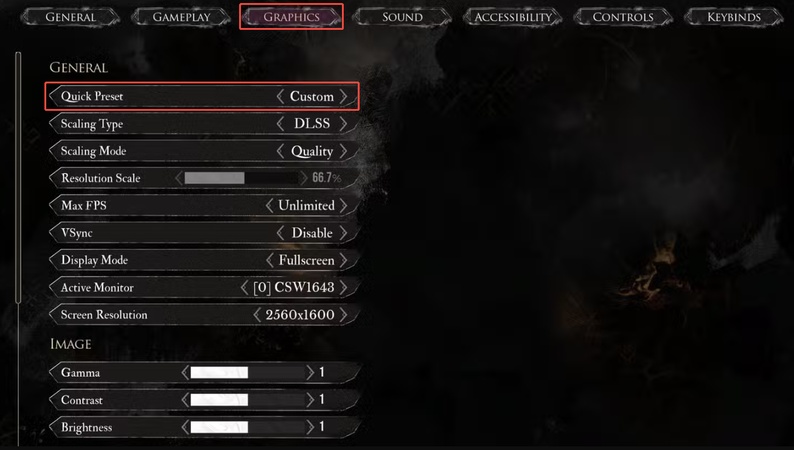
- Try a different graphics mode.
Issue 2. Helldivers 2 Stuck on Loading Screen
The game hangs on a black/loading screen, Hellpod drop or endless "loading" loop. Causes include server hiccups, shader/cache corruption, unstable render API or damaged data files.
Quick fixes:
- Check if servers are down or busy and try again later.
- Verify game files.
- Clear game cache / config files.
- Remove mods.
- Switch graphics mode (DX11 ↔ Vulkan) and lower graphics settings.
- Turn off overlays.
Issue 3. Helldivers 2 Fatal Error on Launch
You get a "fatal error" pop-up or crash code when launching, after an update. It's almost always due to corrupted/modified game data or mod leftovers conflicting with the latest build.
Quick fixes:
- Delete mods completely.
- Verify game files.
- Delete game "data/config" files so the game rebuilds them.
- Run games as admin.
- Update GPU drivers and Windows.
- Whitelist game and anti-cheat in the antivirus.
People Also Ask about Helldivers 2 & Its Related Errors
Q1: Why does Helldivers 2 crash on the loading screen?
Usually because of corrupted Data files, incomplete updates or incompatible mods. Delete the Data folder and verify files first. If modded, purge everything and re-verify.
Q2: Is 0x44415441 a ban?
No. 0x44415441 is not a ban code. It's a local file integrity error (DATA mismatch). Fixing files or removing mods resolves it.
Q3: Helldivers 2 crashes on startup after update – fixed?
Yes, most players fix it by purging mods, deleting Data and verifying integrity after updates.
Q4: Is Helldivers 2 crashing related to corrupted game files?
Very often, yes, especially when crashes include "unexpected error while loading game files". That's literally the game telling you the files don't match the official version
Conclusion
Helldivers 2 error code 0x44415441 is usually caused by corrupted or modified data files, outdated mods or leftover game content. You can fix it quickly by deleting the Data folder, purging mods, removing patch files or reinstalling Steam. Using 4DDiG Duplicate File Deleter is highly recommended for long term stability. It removes hidden leftovers, duplicate files and conflicting game data to prevent future errors.
Secure Download
💡 Summarize with AI:
You May Also Like
- Home >>
- Remove Duplicates >>
- How to Fix Helldivers 2 Error Code 0x44415441 (Unexpected Error When Loading Game Files)
ChatGPT
Perplexity
Grok