Gemini Chat History Disappeared​: How to Recover Deleted Gemini Chats
5 mins read

Updated on 2026-04-17 15:36:10 to AI Recovery

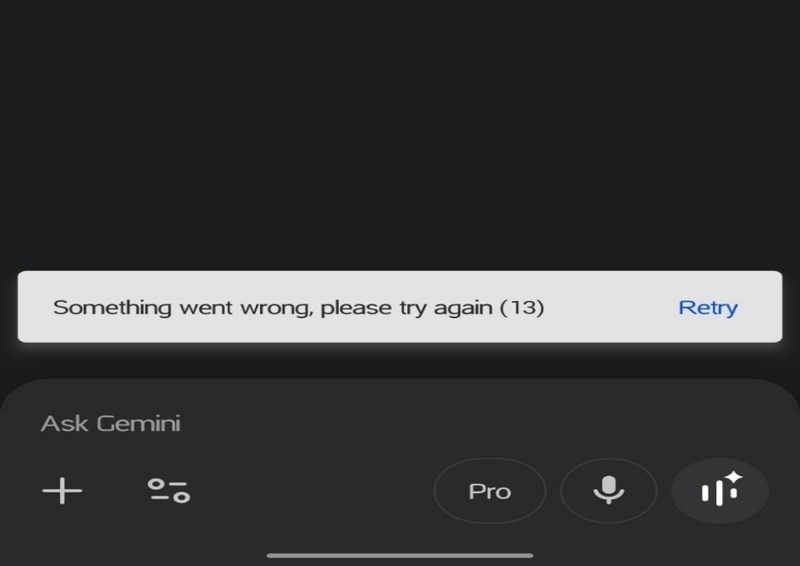
I could see my Gemini chat yesterday, but today it's suddenly gone.

Gemini chats are stored based on your activity settings and by default, are automatically deleted after a certain period, typically 18 months unless you change it. The chat won't be removed to the Recycle Bin, it just disappear silently.

Whether it’s due to auto-delete settings, accidental deletion, or disabled activity tracking, losing access to important conversations can come as a surprise.

So you may wonder is there any way to get them back? In this guide, we'll walk you through how to find and recover deleted Gemini chats and some precautions to prevent losing important chats again.

Why Did My Gemini Chats Disappear?

Before jumping into recovery methods, it's important to understand why your Gemini chats disappeared in the first place. In many cases, the issue isn't a technical error but a result of how Gemini manages and stores your data.

  • Auto-delete settings reached the limit: Gemini automatically deletes chats after a set period (e.g., 3, 18, or 36 months). If your retention period expired, the chats are removed automatically.
  • You deleted the chat manually: Chats can be removed individually or in bulk from your activity history, either intentionally or by accident.
  • Gemini Apps Activity is turned off: If this setting is disabled, new conversations aren't saved to your account and may disappear after a short time.
  • You're using a different Google account: Sometimes chats may not load properly due to browser issues, network problems, or temporary service glitches.

Can Deleted Gemini Chats be Recovered?

In most cases, no, deleted Gemini chats cannot be recovered.

Once a chat is deleted, it is removed from your account and cannot be restored through Gemini. Unlike some platforms, Gemini does not offer a built-in "trash" or recovery option for deleted conversations. However, there are a few exceptions:

  • If the chat hasn't actually been deleted, you may still be able to find it.
  • If you previously exported or saved the conversation, you can access and recover it from your local files using tools like 4DDiG.
  • In rare cases, temporary glitches may make chats seem missing when they’re not.

☞ In short: recovery is usually not possible, but it's still worth checking a few scenarios before giving up completely.

How to Find Deleted Gemini Chats?

Let’s look at a few methods to find your missing Gemini chats.

How to Recover Deleted Gemini Chat History?

1 Check Gemini Apps Activity via Website

  • Go to: myactivity.google.com.

  • Then tab "Other activity" on the left side and click "Manage activity" under Gemini Apps Activity.

    manage gemini apps activity
  • Browse or search your past interactions recorded in chronological order.

    see the gemini chat details

2 Find Gemini Deleted Chats via Gemini App

If you can't enter the official Gemini site, you can go check the Gemini Apps Activity to find your chats via the Gemini app.

  • Visit the Gemini app and sign in with your correct account.

  • Click "Settings & Help" at the bottom of the left sidebar, then select "Activity".

  • Choose the date you want to view from the list, click "Details" to check your Gemini chats.

    click chatgpt settings
tips icon If you can't recover deleted Gemini chats, try the following simple steps:

Check your Google account - Make sure you're logged into the correct account, especially if you have multiple accounts, because chats are tied to a specific account.
Try a different device or browser - Sometimes chats don't display properly due to sync issues or browser compatibility, so switching devices can help.
Clear your browser cache or refresh the page – Temporary loading problems can make chats seem missing, and clearing cache often fixes this.

How to Recover Exported Gemini Chats History?

If you've previously downloaded your Gemini chat history from Google Takeout (takeout.google.com) in HTML or JSON format, you can normally access your conversations directly from those files. However, there may be a problem if you accidentally delete the exported file from your computer.

This is where Tenorshare 4DDiG comes in handy. It’s designed to recover lost files from a wide range of scenarios, including accidental deletion, permanent deletion from the Recycle Bin, formatting, or even corrupted partitions.

Importantly, it also supports restoring Google Takeout exports in JSON, HTML, or ZIP formats, making it ideal for recovering your exported Gemini/ChatGPT chats history.

What sets 4DDiG apart from other recovery tools is its ability to preview files during the scanning process. The process is straightforward and it can be completed in just a few steps:

FREE DOWNLOAD

Secure Download

FREE DOWNLOAD

Secure Download

  • Select a Hard Drive for Data Recovery

    Download and install 4DDiG on your computer, then launch it. From the interface, select the hard drive or partition where the deleted files are located, then click on it to scan.

    launch 4ddig and enter interface
  • Scan Your Drive

    The scan may take a few minutes. You can then use the Filter or Search feature to locate the files and check the results at any time. You can also pause or stop scanning at any time.

    click type to see all files 4ddig
  • Recover Your Files

    After the scan finishes, you can double-click to preview the recoverable files before restoring them.

    preview and recover the files
  • Save Recovered Files

    Select the files you need to recover then choose a new location to save them and click "Save Now".

    save the recoverable files
notes icon Notes

If you save the recovered files to the original location, the data might be overwritten and lost. It is safer to save them to another drive or to cloud storage like OneDrive or Google Drive.

Tips to Prevent Future Loss of Gemini Chat History

You can easily prevent Gemini chats conversation loss from happening again with a few tips.

1️⃣ Enable Gemini Apps Activity

Keep Gemini Apps Activity turned on in your settings to ensure your conversations are saved to your Google account.

2️⃣ Maximize Activity Retention Period

Set the longest available activity retention period in Gemini to keep your chats stored for as long as possible before they are automatically deleted, like 36 months.

3️⃣ Regularly Export Your Chats

Use Google Takeout to periodically download your Gemini chat history in HTML or JSON format, creating a secure backup.

4️⃣ Avoid Manual Deletion Without Backup

Double-check before deleting any chats, and consider keeping a backup first.

5️⃣ Clear Browser Cache Carefully

If you use Gemini in a web browser, clearing cache or cookies can affect chat loading. Always back up important chats before clearing.

Conclusion

The most common reason Gemini chats disappear unexpectedly is that your Google account has auto-delete enabled.

If you've lost exported files saved on your computer, you can use 4DDiG File Recovery to recover them. The software lets you preview files during the scanning process and offers a free trial, so you can decide whether to use it.

By combining regular exports with optimized account settings, you can significantly reduce the risk of losing your Gemini chat history in the future.

FREE DOWNLOAD

Secure Download

FREE DOWNLOAD

Secure Download

William Bollson (senior editor)

William Bollson, the editor-in-chief of 4DDiG, devotes to providing the best solutions for Windows and Mac related issues, including data recovery, repair, error fixes.

(Click to rate this post)

You rated 4.5 ( participated)